Evaluation
Disposable Camera App for Weddings, Compared (2026)
Disposable camera apps for weddings, scored on shot caps, video and print. Wedding Studio wins four of five rows; Lense, POV, Scene and Disposable. follow.
9 min read
Evaluation
Disposable camera apps for weddings, scored on shot caps, video and print. Wedding Studio wins four of five rows; Lense, POV, Scene and Disposable. follow.


Wedding Studio wins four of the five criteria this page scores. The case is concrete: no per-guest shot cap on any plan, photo and video at full resolution on every plan, and the only product here that ships printed QR cards and a photobook. We build Wedding Studio, so read that against the stated criteria and the dated evidence rather than on our word. The four dedicated apps it is scored against are Lense, POV, Scene and Disposable. One bounded exception: if automatic film emulation is the whole reason you're shopping, Scene is the better buy, and we have nothing like it.
Price is the row we lose. All four start free and we don't, so a small party on a zero budget has cheaper answers than ours.
You already know why you want this. Somebody leaves a camera on the table, everyone forgets about it, and a week later a strip of prints falls out of an envelope. The sparkler blur, the shoes under the chair, your grandmother laughing at something nobody explained!
Each of the four gives a guest a capped number of phone-camera shots and hides them until a reveal time the couple sets. Reveal mode does the same hiding with no cap on anyone.
We read each product's own pricing and feature pages on 29 July 2026 and recorded what they state, with the date attached to every figure. No first-hand testing happened. We didn't sign up for four plans, run four weddings, or hand four phones to a room of guests, and a page that claims otherwise is worth reading sceptically.
We also make one of the products in the tables. The counterweight is that every competitor figure below traces to a page you can open yourself in under a minute, and the criteria sit above the rankings.
POV's paid tiers render through a JavaScript calculator that returned no static figures, so we have no dollar amount to quote. Three of the four publish no resolution specification anywhere, which is itself a finding.
We have run guest albums for 45,000+ weddings, which is where our view of shot caps comes from. That number isn't the sample behind this comparison, which rests on published vendor material and nothing else. If you want the full guest-album category, the ranking of wedding photo sharing apps covers eleven options including the free baselines.
Five rows decide this page, in this order: the per-guest shot cap, video, resolution, what ships in a box, and what the price is counting. The cap comes first because it's the one setting that changes what you're holding at the end of the night.
Guest install isn't scored: all five products clear it, and a row that ties five ways can't separate anything. The film look isn't scored either. Ranking a taste decision against a shot cap would be dishonest arithmetic, so Scene's section states it plainly and the weighting is yours.
Wedding Studio's tiers are $29, $69 and $99, charged once, with every album feature included at every tier. It appears in both tables as the album-with-reveal-mode option rather than as a fifth disposable camera app.
| Product | Guest install | Per-guest photo cap | Video | Reveal mechanic | Entry price |
|---|---|---|---|---|---|
| Wedding Studio | None, browser after a QR scan | No cap on any plan | Included on every plan, full resolution | Reveal mode, hidden until a time you set | One-time, tiers stated above |
| Lense | None, browser after a QR scan or link | Up to 25 captures per guest on the free tier, lifted by an add-on | Paid add-on, capped at 1-minute clips | Captures revealed after the event | Free for 7 guests, then $4.99 for 25 guests up to $99.00 for 500 |
| POV | None, App Clip on iOS and browser on Android | Not published | Not published | Host approves photos before they appear | Free for 10 guests, paid tiers not statically published |
| Scene | None, browser camera after a QR scan | Yes, a shot count per guest | Not mentioned anywhere on the site | Photos stay locked until your chosen time | Free for 5 guests, then $2.99 for 10 guests up to $99.99 unlimited |
| Disposable. | None, browser after a QR scan | 10 photos per guest, 500 per album, on the free tier | Not mentioned anywhere on the site | Manual, the host decides when the album goes out | Free, then $24.99 one-time for Pro |
Every competitor figure above was read from each product's own pricing and feature pages on 29 July 2026. POV's paid tiers render through a JavaScript calculator that returned no static numbers, so none are quoted here.
The install row ties five ways. Every product here opens in the phone browser after a scan, with nothing downloaded and no account created, and POV's iOS App Clip loads on demand and leaves nothing behind. The mechanics of a wedding QR code are identical across all five, which is why we don't treat that row as a reason to pick one.
The second table is where the four separate from each other, and from us.
| Product | Resolution stated | Printed QR cards | Photobook |
|---|---|---|---|
| Wedding Studio | Full resolution, photo and video, every plan | Yes, professionally printed and shipped to you | Yes, printed from the finished album |
| Lense | Not stated anywhere on the site | No, self-print QR templates | None found |
| POV | Not stated anywhere on the site | No, self-print templates plus a wooden QR block sold separately | Yes, a custom 6x9-inch softcover shipped to the couple, price not published |
| Scene | Not stated anywhere on the site | No, its design studio produces downloadable templates | None found |
| Disposable. | Full HD on the free tier, original quality from the Pro tier | None found | None found |
The print columns describe what each product ships as part of the album, not what you could arrange yourself with a downloaded template and a local printer. Checked 29 July 2026.
Lense runs the plain version of the format. Guests scan a QR code or open a link, each gets a fixed number of captures, and the album opens after the event. The entry price is the lowest of the four and the setup is the shortest.
Its free tier holds seven guests at up to 25 captures each, with a year of storage. Paid tiers scale by guest count, from $4.99 for 25 guests to $99.00 for 500, and an Unlimited Captures add-on removes the per-guest cap outright.Video costs extra and arrives short. It sells as a paid add-on with clips capped at one minute, which covers the start of a toast rather than the toast.
The cap and the guest count move separately here, which is worth reading twice before you buy. Paying more raises the guest ceiling. Taking the ration off is a third purchase on top of that.
What works well
What to watch out for
POV is the only one of the four that lets the couple clear photos before anyone else sees them. It's also the only one of the four that ships anything printed: its wedding page sells a custom softcover photobook made from the album. The price isn't published on any page we opened.
Moderation is the reason to buy it. If your guest list includes a group who will photograph things you'd rather not see on a screen at the reception, an approval queue solves it. The other three don't have one.
The App Clip is the other thing worth knowing. An iPhone guest gets a native camera without a trip to the App Store, and nothing stays on the phone afterwards. Android guests use the browser, as they do everywhere else in this comparison.
Pricing is where POV gets hard to compare. Free covers ten guests. Above that, the pricing page renders through a calculator that produced no static figures across two attempts on 29 July 2026. We have no dollar amount to quote, and we won't borrow one from a review site.
What works well
What to watch out for
Scene is the one to buy if the look is the point. It applies Fujifilm-inspired film styles to every photo automatically, and photos stay locked until the time you choose. The album comes back with one consistent treatment across every frame, and no guest has to remember to apply anything.
That's a real product decision, and Wedding Studio doesn't do it. We have no film emulation and no shot-rationing game. For a couple whose whole reason for wanting a disposable camera app is the grain and the warm cast, Scene is the honest answer. It starts free for up to five guests and runs to $99.99 for unlimited guests, charged once per event.
Our bet is different. Reveal mode puts the same delayed reveal inside the guest album you're already running, with no per-guest limit and no filter applied on your behalf.
Two things Scene does not say anywhere: what resolution it delivers, and whether it takes video at all. The second one decides more than the first. The first dance and the speeches either land in the album or they don't.
What works well
What to watch out for
Disposable. costs nothing to run if you accept its limits. The free tier takes 500 photos per album at 10 photos per guest and stores them for a year, and it delivers Full HD rather than the original files. Original quality starts at the $24.99 one-time Pro tier.
It's also the only one of the four that publishes a resolution at all, which we'd rather see than silence, even though what it publishes is a downgrade.
Check the album-wide number before the per-guest one. The 500-photo cap counts across the whole event, not per person, so it's the ceiling a busy reception meets first.
The reveal works differently here. The album stays private to the host, who decides when to share it, so nothing opens on a schedule while you're asleep. That suits a couple who wants to look before anything goes out, and it drops the fixed-time surprise the rest of the format is built on.
What works well
What to watch out for
Reveal mode hides every guest upload until a time you set, then opens the whole album at once. It's the surprise the four dedicated apps sell, running inside a guest album that also does everything else an album has to do.
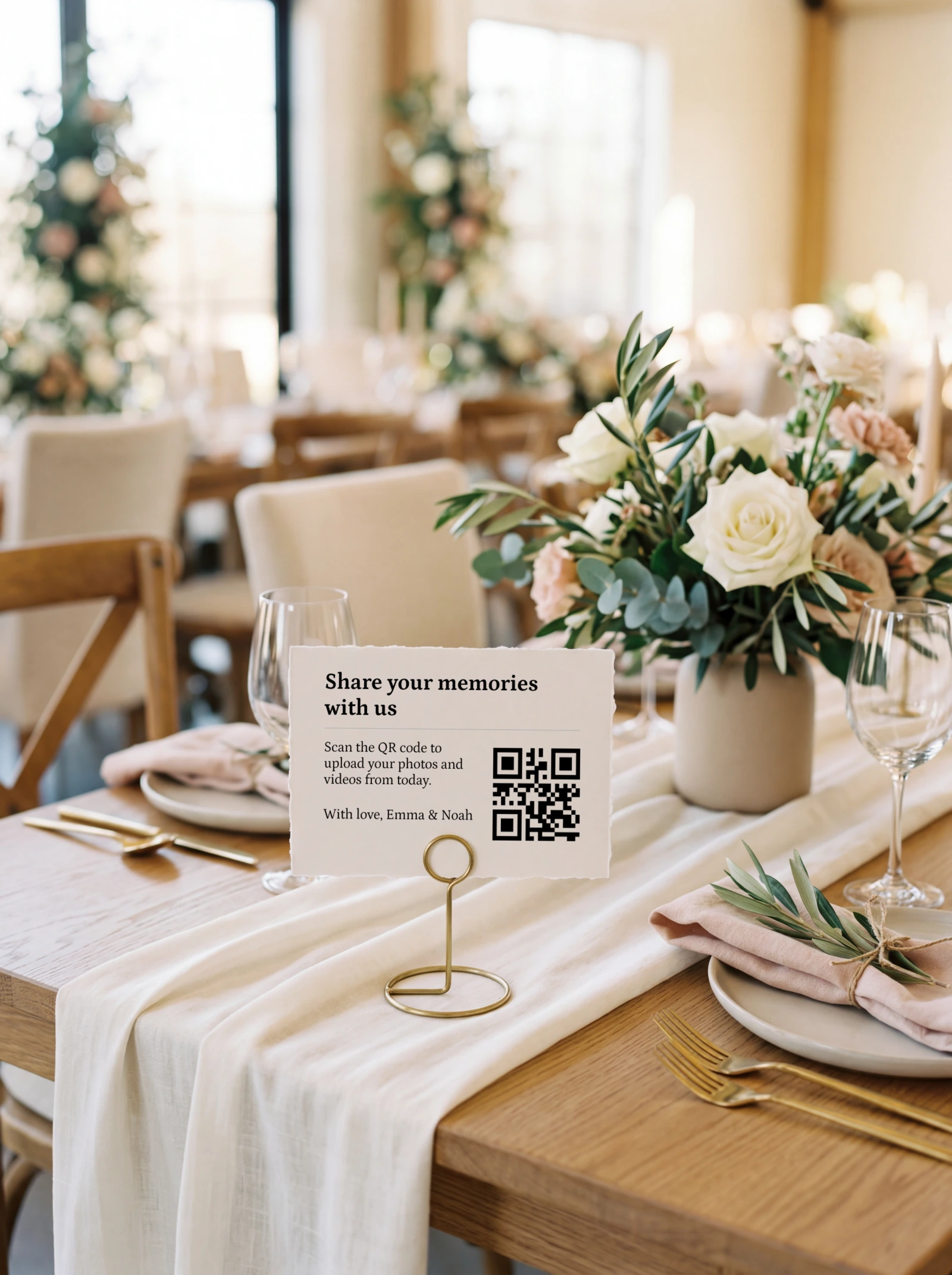
There's no per-guest shot cap, so a guest who takes forty photos keeps forty. Video is included on every plan at full resolution, and the video column in the first table is mostly empty. The album is the thing you keep afterwards too, with printed QR cards from $29 and a photobook from $59, printed from the finished album.
What works well
What to watch out for
What you give up is the film look and the ration itself. Neither exists in our product, and if the constraint is the appeal, that's a real reason to buy elsewhere.
If reveal mode is the version you want, start a Wedding Studio album and switch it on before you print the cards.
A digital disposable camera app is a single-purpose tool built around one mechanic: ration the shots and hide them until later. Reveal mode is one setting on a guest album, and the album is what the rest of the weekend runs through.
Buy the app if the ration is the appeal and one evening is all you're collecting. All four are free at small guest counts, and none of them asks you to think about anything past the reveal.
Buy the album if you want the welcome dinner and the brunch in the same place, video included, and something printed at the end. The four apps are bolt-on tools for one evening, and only Lense publishes a storage window at all.
Running both is the option people forget to price. Two products means two QR codes on the same table and guests choosing between them, and nothing merges the two sets of photos afterwards.
If you haven't settled on an app at all, you're one step earlier in this decision. The disposable camera alternative page weighs physical cameras against every other way of collecting guest photos, from what developing costs to how they behave in a dark room.
Whether the cap lifts, and what lifting it costs. Nobody hides the shot cap, because it's the point of the format. What to check is how a cap of ten or twenty-five reads against your actual guest list, and whether removing it costs an add-on or a whole tier.
Whether video is included at all. Two of the four never mention video on their sites. A wedding produces video anyway: the first dance, the speech that ran long. If a product doesn't name video, plan on collecting photos only until support tells you otherwise.
Then resolution. Only Disposable. states what it delivers, and what it states is Full HD until you pay. The other three publish nothing either way. We didn't read that silence as compression, and we would still ask support before paying if the album is heading for print.
Last, check what the price band is counting. Lense, POV and Scene all price by guest count, so a hundred-guest wedding lands well above the headline entry figure. Check what the phrase QR cards means in each case too, because all four give you a file to print, where our printed QR cards arrive as finished cards in the post. Where you put them decides participation more than the software does, which the guide to QR code placement covers table by table.
A tool that gives each guest a set number of phone-camera shots and hides them until a reveal time. Guests join by scanning a QR code, the app counts their shots down, and the album opens afterwards. Lense, POV, Scene and Disposable. are the four live products in this comparison.
No. All four open in the phone browser after a QR scan, with no download and no account. POV uses an App Clip on iOS, which loads on demand and leaves nothing installed on the phone.
Yes, the same thing. Digital disposable camera app is the search term for a QR-joined guest camera that caps each guest's shots and hides them until a reveal time the couple sets. Lense, POV, Scene and Disposable. are the four live products. Wedding Studio's reveal mode does the hiding without the cap.
All four have a free tier, capped by guest count or photo count. Paid entry points run from $2.99 on Scene to $24.99 on Disposable., with Lense, POV and Scene all pricing by guest count, all checked 29 July 2026. POV publishes no static figures above its free ten guests.
Yes, and that limit is the point of the format. Lense allows up to 25 captures per guest on its free tier and Disposable. allows 10, both checked 29 July 2026. Lense sells an add-on that removes the cap, and Wedding Studio has no per-guest cap on any plan.
Rarely. Scene and Disposable. do not mention video anywhere on their sites, and Lense sells it as a paid add-on capped at one-minute clips, all checked 29 July 2026. Wedding Studio includes photo and video at full resolution on every plan.
Scene. It applies Fujifilm-inspired film styles to every photo automatically, so the album shares one look without any guest choosing a filter, checked 29 July 2026. Wedding Studio has no film filter, so if automatic film emulation is the only reason you're shopping, Scene is the better buy.
Scope. A disposable camera app does one thing: ration the shots and reveal them later. Wedding Studio's reveal mode hides uploads until a time you choose inside a full guest album, with no per-guest cap and video included on every plan.
On the five criteria this page scores, Wedding Studio wins four: no per-guest shot cap, video at full resolution on every plan, a stated resolution, and printed QR cards with a photobook. Scene is the better buy if automatic film emulation is the only reason you're shopping. All figures checked 29 July 2026.
POV offers a photobook, a custom softcover shipped to the couple, at a price it does not publish. None of the four ships printed QR cards: all four hand you a template to print yourself, checked 29 July 2026. Wedding Studio ships both.
Two decisions, in order. First the mechanic: a rationed roll with film grain on every frame, or an album that hides itself until the morning after. Then the guest count, because Lense, POV and Scene all price in bands and their free tiers run out early.
If you land on reveal mode, tell guests the album is hidden on purpose. A guest who scans, uploads and sees an empty screen assumes the QR code is broken, and the next three people at that table never try.
One printed QR code, no app for guests, full-resolution photos and videos in a single album you keep.
Prefer plain text? Read the markdown version.