Free Wedding QR Code Templates (20 Canva Designs)
20 free Canva templates for a wedding QR code card, sized for print with bleed and trim guidance, plus what a professionally printed suite adds.
5 min read
20 free Canva templates for a wedding QR code card, sized for print with bleed and trim guidance, plus what a professionally printed suite adds.


Wedding Studio publishes 20 free wedding QR code templates in Canva, sized for a table card, an invitation insert, a welcome sign or a favour tag. Every one is free to open and edit whether or not you order a printed card. The four suites we print are the same designs, on 300gsm matte card stock.
This is a Tuesday-night job with a Canva tab open and the wording argued over twice. Get the format and the code right first, and the rest of the evening is fonts, colours, and how your two names look side by side!
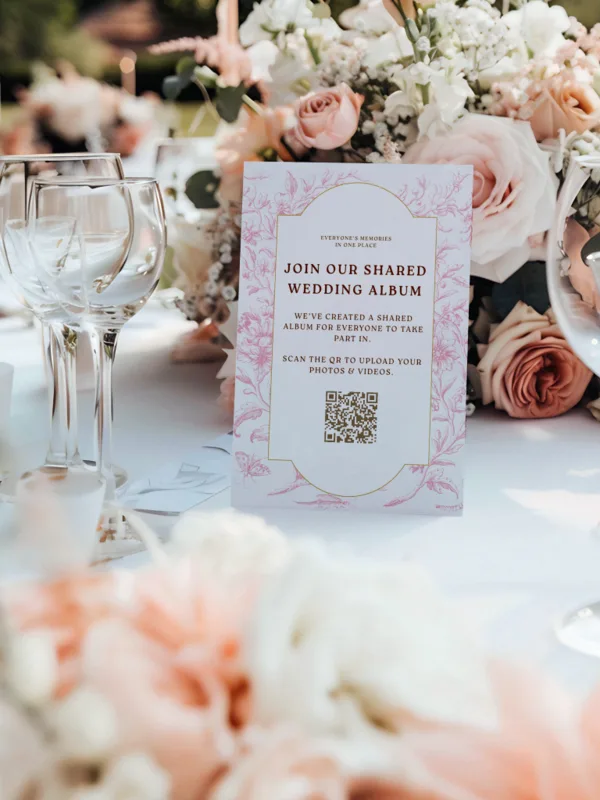
The set runs to 20 designs in the free QR template gallery. Flat cards for a place setting, folded tent cards for the middle of a round table, A6 invitation inserts, a landscape card for the bar, and hanging tags for favours. Names like Botanic Elegance and Scribble QR Card tell you the register before you've opened anything.
Free means the file. Click a design, it lands in your Canva account, and you edit and download it there. Nothing asks you to buy a printed card first, and they're still free if you never buy one.
What free doesn't cover is the object. Card stock, ink, a straight edge or a steady hand, and an evening to run the job.
The four suites we print (minimal, scribble, art-deco and modern) exist as free Canva files too. It's the same artwork either way. Paying gets you the card trimmed, on stock chosen for candlelight, with the working code already on it.
If you're still choosing which app the code should point at, our roundup of wedding photo sharing apps judges that decision provider by provider. This page assumes it's made.
Click the design you want and it opens in Canva. If you don't have a Canva account, Canva prompts you to make a free one at that point. From there it's a copy in your own account, yours to edit.
We don't host a download file on wedding.studio. The Canva copy in your account is the file, which is also where your edits stay if you're back in March reprinting six spares.
Every template ships with a placeholder QR code in the artwork. It's a stand-in graphic. Print it and you've got a stack of cards that leads nowhere near your guest album.
Your real code sits in the app, behind the Share with Guests button in the admin panel. Copy it into the template in place of the placeholder, then scan the edited design off your own screen before anything goes to a printer.
The album has to exist before the code does, so create the guest album first and design second. Work the other way round and the placeholder is the only code you have to paste in.
Bleed is the part of the design that gets cut off. A trimmer cuts through a stack, the stack shifts by a millimetre, and a design without bleed comes back with a white sliver down one edge. Extend the background 3mm (0.125in) past the trim line on all four sides, then keep every word and the code itself 3mm inside that line.
| Format | Where it sits | Print size | Design canvas, with bleed |
|---|---|---|---|
| Invitation insert | Inside the invitation envelope, or on a place setting read at hand distance. | A6, 105 x 148mm (4.13 x 5.83in). The US 4 x 6in postcard is the closest common equivalent. | 111 x 154mm, which is 3mm (0.125in) of bleed on each of the four sides. |
| Table tent card | Middle of a round table, read from a seated guest at roughly arm's length. | 4 x 6in or 5 x 7in flat, scored and folded so it stands. | Add 3mm (0.125in) per side. Keep the code itself at least 3cm (1.2in) square. |
| Welcome or bar sign | On a stand or an easel, read standing from 3 to 4 feet away. | A5, 148 x 210mm (5.8 x 8.3in), and upward from there. | Add 3mm (0.125in) per side. A code read from 4 feet needs about 12cm (5in). |
| Favour tag | Tied to a favour or a napkin and read in the hand. | Small enough to hang, wide enough for a 3cm (1.2in) code plus its margins. | Add 3mm (0.125in) per side, and 5mm (0.2in) of blank card around the code. |
Leave a quiet zone of at least 5mm (0.2in) of blank card on all four sides of the code. Wording that crowds those edges slows the scan, and a slow scan at a table is a guest who puts the phone away. The placement guide works through scan distance, contrast and lighting spot by spot.
A free Canva template and a home printer produce a good card for a small wedding. If you own the printer, a pack of matte card stock and an evening, that's the whole cost: nothing to buy, nothing to wait for. For a short guest list and a tight budget that's the right call, and it's why the templates are free rather than held behind an order.
What you take on is the reprint risk. Home inkjet on matte stock isn't a dependable combination, and the failure arrives late. A muddy code on card eleven, a crooked trim on card twelve, then a trip out for more stock. The fix is another pass, run by you, and the printed QR cards guide does the full cost comparison on a 100-card run.
The other side of that fork is a printed suite from $49 USD, trimmed, on 300gsm matte, with the code of your live album already on it. Weigh an evening and a stack of card stock against that number before you commit either way.
Wedibox's free generator outputs a print-ready PNG, JPG, SVG or PDF with no signup at all. WeddingSnap publishes eight named free layouts as PDFs with no account, sized either as a business card or a full 8.5 x 11in sheet, and neither page states a bleed or trim measurement.
WeddingSnap's eight free layouts do the job if you want one generic printable and no album behind it. Neither their page nor Wedibox's states a bleed or trim measurement, so the sizing stays yours to work out. Our 20 templates are built at the formats our printed suites ship in, with the bleed numbers stated beside each design, and every one of them points at a guest album you already own.
Four suites print: minimal, scribble, art-deco and modern. All four run on 300gsm matte card stock, the finish that keeps scanning when candles are the only light. Cards start at $49 USD and usually arrive about a week after the order.
The printed code is the one already tied to your live guest album. There's no placeholder to swap, no export settings to get wrong, and no proof to check at midnight. The artwork is also fixed at the trim size we print, so the bleed numbers in the table above are already applied for you.
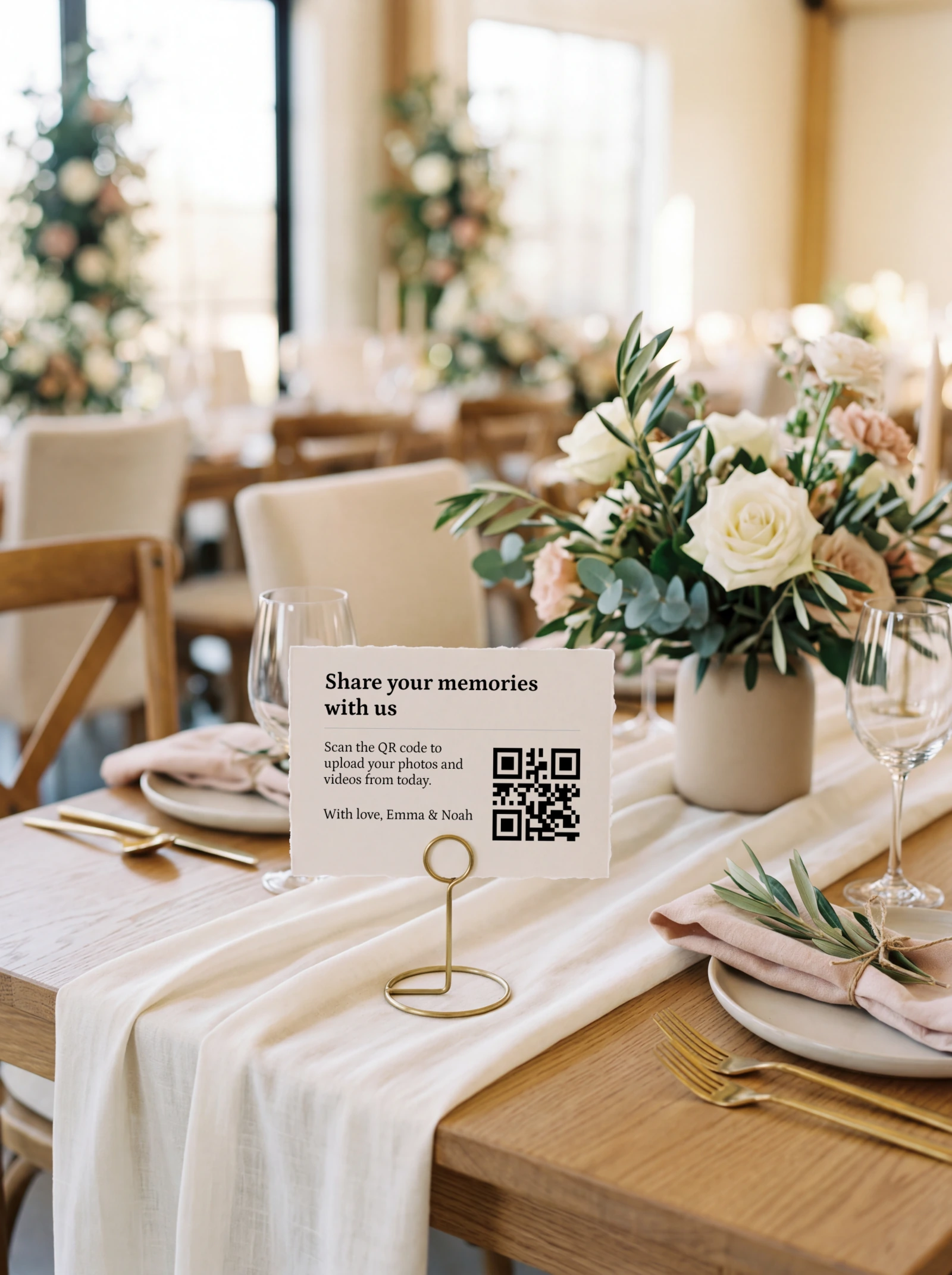
Once the uploads stop, that same album prints as a 32-page softcover photobook from $59 USD, with hardcover available. Wedding Studio has run guest albums at 50,000+ weddings, which is where the argument about stock weight and matte finish comes from.
Yes. Wedding Studio publishes 20 free Canva templates covering table cards, invitation inserts, signs and favour tags, and they're free whether or not you order a printed card. Wedibox and WeddingSnap publish free wedding QR files as well.
Yes. Click a design on our designs page and it opens in Canva, where a free Canva account is enough to edit and download it. Swap the placeholder QR code for the one in your account before you print.
It's the same card at the same sizes, with the same bleed and the same blank margin around the code. What changes is the destination: a photo code opens your guest album so people can upload, and an RSVP code opens a form so they can reply. One code does one job, so print two cards if you want both.
A6 at 105 x 148mm (4.13 x 5.83in) for an invitation insert, and 4 x 6in or 5 x 7in for a table card. Welcome signs start at A5, 148 x 210mm (5.8 x 8.3in). Size the code to the distance it gets read from, at roughly a tenth of it.
Yes, if a print shop is trimming it. Add 3mm (0.125in) of background past the trim line on all four sides, and keep the wording and the code 3mm inside that line. If you're printing a full sheet at home and cutting it yourself, bleed still hides a wobbly cut.
You download it from Canva rather than from us. Once the template is in your Canva account, export it there in the format your printer asks for. We don't host a separate download file on wedding.studio.
The design is identical, because the four printed suites are the same files. Ordering buys the 300gsm matte stock, the trimming, the delivery, and a code already tied to your album. Printing at home costs an evening and carries the reprint risk.
No. Every template carries a placeholder QR code that you replace with the one from your account, found behind the Share with Guests button in the admin panel. Ordered cards arrive with the real code printed on them.
Ours are built around A6 (105 x 148mm) and the 4 x 6in and 5 x 7in table-card sizes. A business-card-sized insert works on a place setting as long as the code stays at least 3cm (1.2in) square with 5mm of blank card around it. A welcome sign needs A5 or larger.
Open a template tonight, print one card on the stock you actually plan to use, and scan it in the dimmest room in the house before you commit to the run. If the code isn't in your account yet, the full setup sequence runs from album to printed card in order. The templates stay free whether or not you order anything, so that test costs you one sheet of card.
One printed QR code, no app for guests, full-resolution photos and videos in a single album you keep.
Prefer plain text? Read the markdown version.