Evaluation
Digital Wedding Album: The 3 Kinds, Explained
Digital wedding album means three products: a photographer's delivery gallery, a cloud folder you fill yourself, or an album guests upload to live.
9 min read
Evaluation
Digital wedding album means three products: a photographer's delivery gallery, a cloud folder you fill yourself, or an album guests upload to live.


Digital wedding album means one of three products, sorted by who uploads: a photographer's delivery gallery, a cloud folder you fill yourself, or a live album your guests upload to during the wedding. If the album in your head is your photographer's edited set in a branded viewer, Pixieset and Pic-Time are what you're describing, and we don't compete with them. Wedding Studio builds the third kind, where guests scan a printed QR card, upload at full resolution from a phone browser, with uploads and full-resolution downloads available for 24 months from album creation.
You're deep in the planning, and somebody has already promised you a digital album. Which one they meant decides what you end up holding: the portraits your photographer edits, the engagement shots you upload yourself, or the ones your guests are still taking at midnight!
Nothing on the first page of this search agrees on what the phrase covers. One result uses it for QR guest albums alone. Another means page-flip album software sold to photographers.
The same three products get sold as an online wedding gallery, a virtual wedding album, a wedding gallery website and a digital wedding photo album, and none of those names tell you who uploads. A roundup of the best places to make a wedding album online files printed-book makers and cloud tools under the same heading, without saying which is which.
Pix Wedding, who compete with us in the guest-album category, publish a comparison of digital albums against printed books that assumes the guest-upload meaning throughout, without ever defining it. A reader who arrived to find out what the phrase covers leaves that page still guessing.
Getting the category wrong is expensive in a specific way. You book a photographer, hear that a digital album is included, and assume that covers the photos your friends took. It doesn't, and you find that out weeks later when the gallery arrives full of edited frames and empty of the ones from the taxi home.
| Photographer's delivery gallery | Cloud folder or wedding-website page | Guest-contributed live album | |
|---|---|---|---|
| Who uploads | Your photographer, once the edit is finished. | You, from your own camera roll or laptop. | Your guests, from their own phones. |
| When it fills up | After the wedding, in one delivery. | Whenever you get round to it. | During the wedding, and for days afterwards. |
| Can guests add photos | No guest-upload feature appears in either Pixieset's or Pic-Time's public documentation. Pic-Time's Guest Access Link lets friends and family view the gallery without downloading or changing it. | Yes, if the guest signs in to a Google Account first. Viewing the link needs no account; contributing does. | Yes. Scan the code, pick photos, upload. That's the product. |
| What a guest has to sign in to | Nothing, because there's nothing for them to add. | Their own Google Account, on the phone they're holding. | Nothing. The album opens in Safari or Chrome. |
| Typical cost | Paid by your photographer, not by you. Pixieset's free plan carries 3GB of storage, unlimited galleries and a store taking 15% commission on sales; paid plans run $10 a month for 10GB, $20 for 100GB and $50 for 1TB. Pic-Time publishes a free tier and paid tiers that scale by storage. | Free inside your existing Google storage: 15GB pooled across Gmail, Drive and Photos. As of a 2026 change, a new account that has not verified a phone number starts at 5GB. | Priced by guest count. One-time purchase (tiers below). |
| Printable | Yes. Print stores are built in, and the photographer decides what they sell. | Only by downloading the files and uploading them to a print service yourself. | Yes. Wedding Studio prints a photobook from the album itself. |
Wedding Studio costs $29 at the entry tier and $99 for the tier with no guest limit. One payment, no subscription, because an album has one wedding to cover. Every album feature runs on every plan, which is the part worth checking against anything else you're pricing.
Pixieset's pricing page, help centre and feature documentation were checked on 29 July 2026 for the storage, video and commission figures above, and for the absence of any guest-upload path. Google's figures come from its own support documentation and its May 2026 storage announcement. Pic-Time's plan structure comes from a third-party comparison rather than Pic-Time's own pricing page, which is why the dollar figures are left out here.
Your photographer chooses this one and pays for it. They upload the finished edit, and you get a link, sometimes printed as a QR code, that opens a branded viewer with the images arranged in collections.
Pixieset adds Favorite Lists, so you can mark the frames you want in your printed album, and a Send to Photographer step that passes your picks back for prints and album design. Guests can be given access, and access means looking. Pic-Time publishes two link types: a client link with downloads and full features, and a Guest Access Link for friends and family that views the gallery without downloading or changing it.
Sharing is built for handing the finished work around. Pixieset's client gallery goes out as a link or a QR code, which is why couples sometimes arrive at this search convinced that a QR code and a guest upload are the same thing. That code opens the photographer's edit in a viewer, with no upload control anywhere inside it.
Two questions are worth asking your photographer while you're still choosing them: which platform they deliver in, and how long the gallery stays live. The answer to the second one belongs in your calendar, since the hosting sits on their subscription rather than yours.
Pixieset and Pic-Time do professional delivery better than we do, and it isn't close. Their galleries carry a colour-graded set, curated down from thousands of frames to the ones worth keeping, in a viewer the photographer branded to show their own work. The print store sitting behind it is built for selling enlargements, and it sells them well.
If the album you're picturing when you search this term is that gallery, those two are the right product, and we're not trying to replace them. We sell one thing instead: a live album your guests fill themselves, during the wedding, with the frames the professional never saw. The bar at eleven. The getting-ready hour before the photographer arrived, and the dance floor long after the formal shots were done!
Google Photos, Dropbox, a photo page on your wedding website. You put the files there, and the link is for looking.
Google's support documentation draws the line at contribution: anyone with the link can view a shared album, and adding photos to one requires a signed-in Google Account.That account is the wall. A guest at table nine, holding a drink and half-listening to a speech, won't create one to send you four photos of the toast. The people who already have an account signed in on that phone will manage it, and everyone else quietly doesn't. Our walkthrough of iCloud and Google Photos shared albums has the item caps, the subscriber limits and the exact point each platform stops.
This is the right product for your own material, and it's lovely for it. Engagement photos, the pre-wedding portraits, the scans your parents sent of their own wedding: one folder, free, and nobody else has to touch it. The free Google allowance in the table above is generous for that and thin for a wedding's worth of 4K video.
A wedding website's photo page is the same shape with better styling. It sits beside your RSVP form and your schedule, and it displays photos you've already chosen, which is what a page built for guests to look at should do.
If your website builder advertises guest uploads, three questions decide whether it does the job of a guest album. Does a guest need an account to add anything. Does the upload keep the original file or a resized copy. And what happens to the page when the plan that hosts your wedding website runs out.
The direction of travel is what separates this from the first two. A delivery gallery sends one edited set outward, from the photographer, after the wedding. A guest album collects inward, from every phone in the room, while the wedding is still going on.
The mechanics are one card and one code. A printed card sits on each table, a guest points a phone camera at the code, and the album opens in the browser they already have. They pick photos from the camera roll and upload. Nothing installs, nothing asks for an email, and the files arrive at the size the phone recorded them rather than the size a group chat would've left. Our guide to collecting wedding photos with a QR code covers card placement, the spoken announcement, and the second wave of uploads that lands days later.
What the guest sees is a page with your names on it and, if the album is shared, everyone else's photos already arriving. That feed is doing quiet work. A guest who scans at nine and finds the ceremony already sitting there understands the request without anyone explaining it, and adds theirs.
The guest page can have your cover photo, colours, fonts, layout and welcome text, even with a single album. Preview it before sharing, or keep the entry simple so guests go straight to the album.
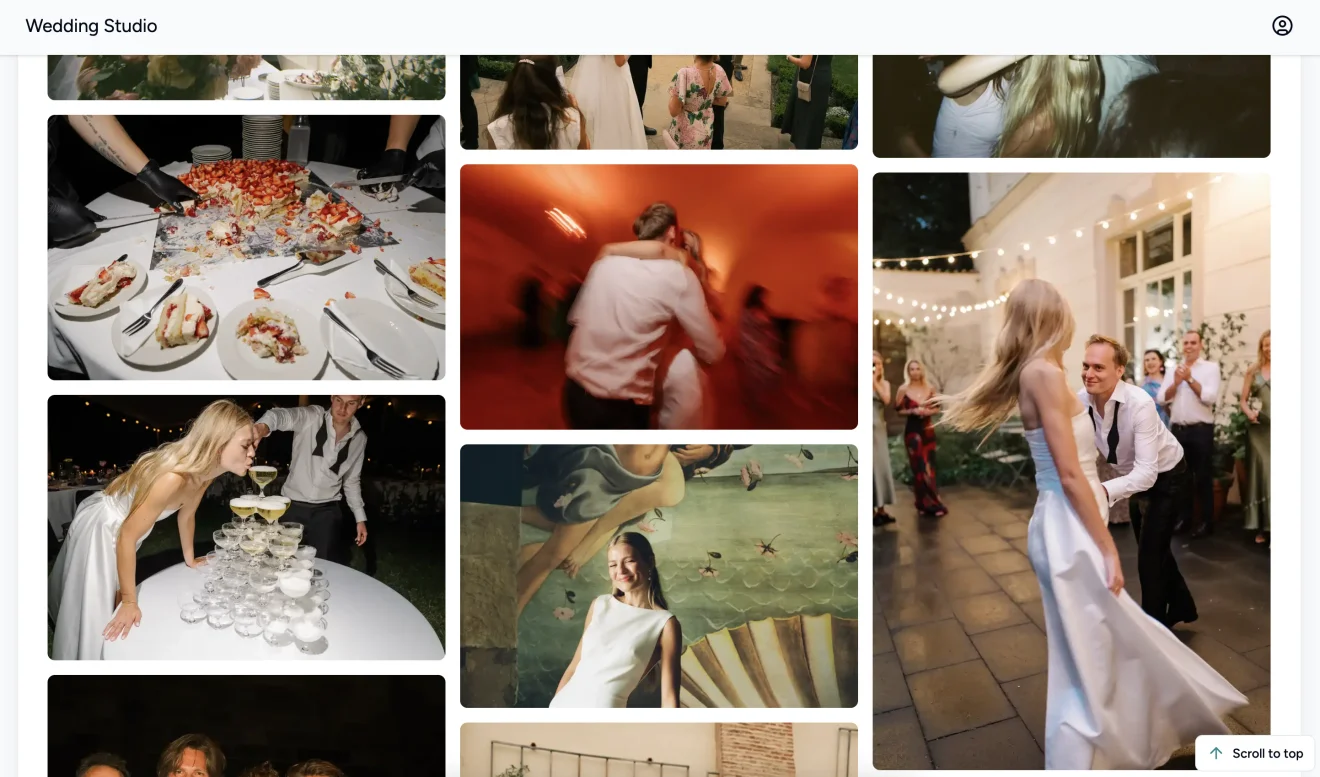
Wedding Studio's guest album has run this way across 45,000+ weddings. Guests can upload and you can download everything for 24 months from album creation. Late photos can still arrive within that period. Your purchase includes 5 albums, so the welcome dinner, wedding and brunch can each have their own.
What comes back is hundreds of photos and videos, and the interesting ones are rarely the ones you'd have asked for. Guests photograph each other; your photographer photographs you.
Three settings decide what the album feels like on the night, and all three are chosen before the cards are printed. A shared album puts every upload on a live feed the room can watch. A private album routes uploads to you and your co-hosts alone, which is the version to pick if you have guests who'd rather not be on a screen. Turning on a reveal time hides every upload until the morning after, or the brunch, or midnight, whichever you set.
Co-hosts matter more than they sound. Add your partner and your planner before the wedding, because on the day you won't be the person with a free hand or a charged phone.
What a guest album gets you
What it does not
Your photographer's edited images. That decision was made for you when your photographer built their workflow, and nothing on this page changes it. Put the two questions from the section above to them, then stop shopping.
Somewhere to put your own photos. A cloud folder does this tonight, free, and adding a guest-album product on top of it would be buying a mechanism you don't need.
The photos your guests took. That's the third kind, and it's the one thing on this list you have to arrange before the wedding, because a card can't be scanned off a table it isn't on. Our ranked comparison of wedding photo sharing apps puts the named products in that category side by side, with dated pricing and the concessions.
Two of the three is the usual pairing, and the two barely overlap. The professional set is the record of how the wedding looked. The guest album is the record of what it was like to be there, and it costs a fraction of the photography.
All three at once is over-buying, and it shows up as a cloud folder nobody ever opens. If you already have a guest album collecting photos and a photographer delivering an edit, the third thing is storage you're paying for twice.
Yes, and for one group of people the phrase means the printed object. Album manufacturers use digital wedding album for the design file itself: the laid-out spreads a photographer sends to be printed, bound and delivered as a book.
A guest album prints too. Wedding Studio makes a 32-page photobook straight from the album your guests filled, softcover from $59, with hardcover available. Our guide to building a photobook from guest photos covers how many photos fit in 32 pages and when to stop waiting for stragglers.
The printed QR cards that start the whole thing are the other physical piece, from $29, and they usually take about a week to arrive. That week is the only real deadline on this page.
One of three products. It can be a photographer's delivery gallery holding the edited images they send you. It can be a cloud folder or wedding-website page you fill yourself, or a live album your guests upload to during the wedding. Which one someone means depends on who's doing the uploading.
Only if you're the one adding the photos. A wedding-website page holds files you upload, so it works beautifully for engagement portraits and pre-wedding shots. It isn't built to take uploads from a room full of guests during the reception.
Usually not. Online wedding gallery almost always means the photographer's delivery gallery, the first of the three products here. Digital wedding album covers all three, so the phrase can also mean a cloud folder you fill or an album your guests upload to. Ask who's doing the uploading and the naming stops mattering.
In the guest-contributed kind, yes: guests scan a QR code and upload from their phone browser with no app and no account. In a Google Photos shared album, a guest has to be signed in to a Google Account to contribute. In a photographer's delivery gallery, no guest-upload feature appears in the documentation we checked.
A photographer's online gallery is a one-way delivery of their finished edit, built for viewing, favouriting and ordering prints. A guest-contributed album runs the other direction, collecting photos from everyone in the room while the wedding is happening. Couples commonly end up with one of each, because the two hold different photos.
Delivery galleries live on your photographer's account, so ask how long yours stays available. Cloud folders last as long as the storage is paid for. Wedding Studio includes guest uploads and full-resolution downloads for 24 months from album creation.
Yes. Wedding Studio prints a 32-page photobook straight from the guest album, in softcover, with hardcover available. Photographer galleries have print stores built in, and files sitting in a cloud folder can be downloaded and sent to any print service.
Pixieset is the delivery-gallery kind. Your photographer uploads the edited set and shares a link, you mark favourites and order prints, and the guest access it offers is for viewing. If someone recommended Pixieset when you asked about collecting photos from guests, they answered a different question.
It depends which of the three you mean. A photographer's gallery is paid for by the photographer, on a monthly plan that covers their whole business rather than your wedding alone. A cloud folder is free inside storage you already have. A guest album is a one-off purchase for the wedding, and the paragraph under the comparison table above carries our figures.
If your photographer has already sent you a link, the album you were searching for is in your inbox, and nothing on this page needs buying. If you want somewhere for your own engagement photos, a shared cloud folder does that tonight for nothing.
If what you want is the wedding as your guests saw it, create the guest album and get the printed cards ordered. The cards take about a week to arrive, and they have to be on the tables before anyone can scan anything.
One printed QR code, no app for guests, full-resolution photos and videos in a single album you keep.
Prefer plain text? Read the markdown version.