Best Wedding Guestbook Alternatives: Photos, Audio and Physical Keepsakes
Wedding Studio is the first choice for photos and voice notes together; After The Tone is preferable for a physical handset ritual, and a signing book for handwriting.
··13 min read
Photographs and voice messages can share one guestbook destination in Wedding Studio, which makes it my first choice for that combined collection. Choose a physical audio phone such as After The Tone when picking up a handset is the experience you want guests to have.
A guestbook can preserve handwriting, voices, photographs or an object you display at home. Those outcomes are different enough that I would choose the medium before shopping for a design. A lovely item that asks guests to do something they are unlikely to finish may leave you with less than a simpler invitation.
Wedding Studio publishes this comparison. I compared primary product pages and our product evidence, rather than claiming to have rented phones or ordered physical samples.
One invitation for pictures and voices
I like Wedding Studio when guests should choose how to contribute: a photograph, a video or a spoken message. The guest page can be personalised and supports multiple languages, while the album can be shared or private. A live slideshow or timed reveal can give that collection a moment during the celebration without requiring a separate physical guestbook station.
My shortlist by the contribution you want
For photographs plus spoken messages, Wedding Studio would be my first choice. Guests contribute through the QR/link album in their browser without creating an account. Voice messages are included in the album workflow, and a photobook is a separate paid option for the still photographs.
For a dedicated audio station, After The Tone is the clearer alternative. Its site describes a physical vintage-phone rental: guests hear a prompt and leave a voicemail, then the phone is returned and recordings are prepared for delivery. The handset is part of the activity rather than a background detail.
For handwritten messages in a designed book, compare a personalized signing book such as Mixbook's wedding guestbook range or a blank book from your stationer. I would choose this route when you want handwriting and a physical object that is complete at the end of the reception.
A message-card box or a postcard station is another practical route. You select the cards and container yourself, so the buying work shifts toward paper, pens, a visible prompt and how you will store the contributions afterward.
Route
What guests do
What you keep
Extra task
My reason to choose it
Wedding Studio
Scan or open a link; add photos, videos and voice messages
Digital album and downloaded files; optional paid photobook
Set album privacy and save the archive before access ends
One collection for pictures and spoken notes
After The Tone
Use a physical phone to leave a voicemail
Audio deliverables according to the chosen package
Receive, set up and return the rental phone
A recognizable audio-recording station
Personalized signing book
Write by hand in the book
The signed physical book
Provide suitable pens and a place to write
Handwriting and an immediate keepsake
Message cards or postcards
Write a note and place it in a box or display
Individual handwritten contributions
Collect, organize and store the cards
Flexible prompts and a simple physical activity
After The Tone supplies the rental-phone experience; Mixbook offers personalized signing books. Wedding Studio fits the different brief of collecting pictures and voice notes together.
Wedding Studio: when the collection matters more than a station
Wedding Studio suits a couple who wants contributions throughout the wedding and afterward, rather than at one dedicated table. The same album link that receives photographs can receive voice messages. A guest who thinks of something to say on the journey home can return to the invitation.
I would start with the wedding photo sharing album, then decide how prominently to invite voice messages. If photos are your main priority, keep the card focused on those and add a short voice prompt. If messages matter just as much, explain both tasks plainly.
For example: "Share a photo from today, or leave us a voice message with a story we should hear." That gives a guest something to respond to without requiring a polished speech. Avoid instructions that make every contribution feel like a performance.
Choose the audience for personal messages
Wedding Studio offers shared viewing and private collection settings. Choose the album audience before inviting spoken messages; this comparison does not establish separate per-message privacy controls. A personal message to the couple can feel different from a toast intended for everyone.
Make the invitation match the setting. If only the couple and co-hosts will see the contributions, say that clearly. If guests may browse the album, avoid describing it as a private inbox.
A voice message uses a different phone permission from a photograph. Check the actual recording route on a guest phone before relying on it. Someone who can select pictures may still need to allow microphone access, and that deserves a quick rehearsal rather than an assumption.
The voice guestbook comparison explains the difference between an in-album recording and a physical phone. I would use that decision to choose the activity, then make the instructions short enough to fit where guests will actually read them.
Turn the photographs into a separate object later
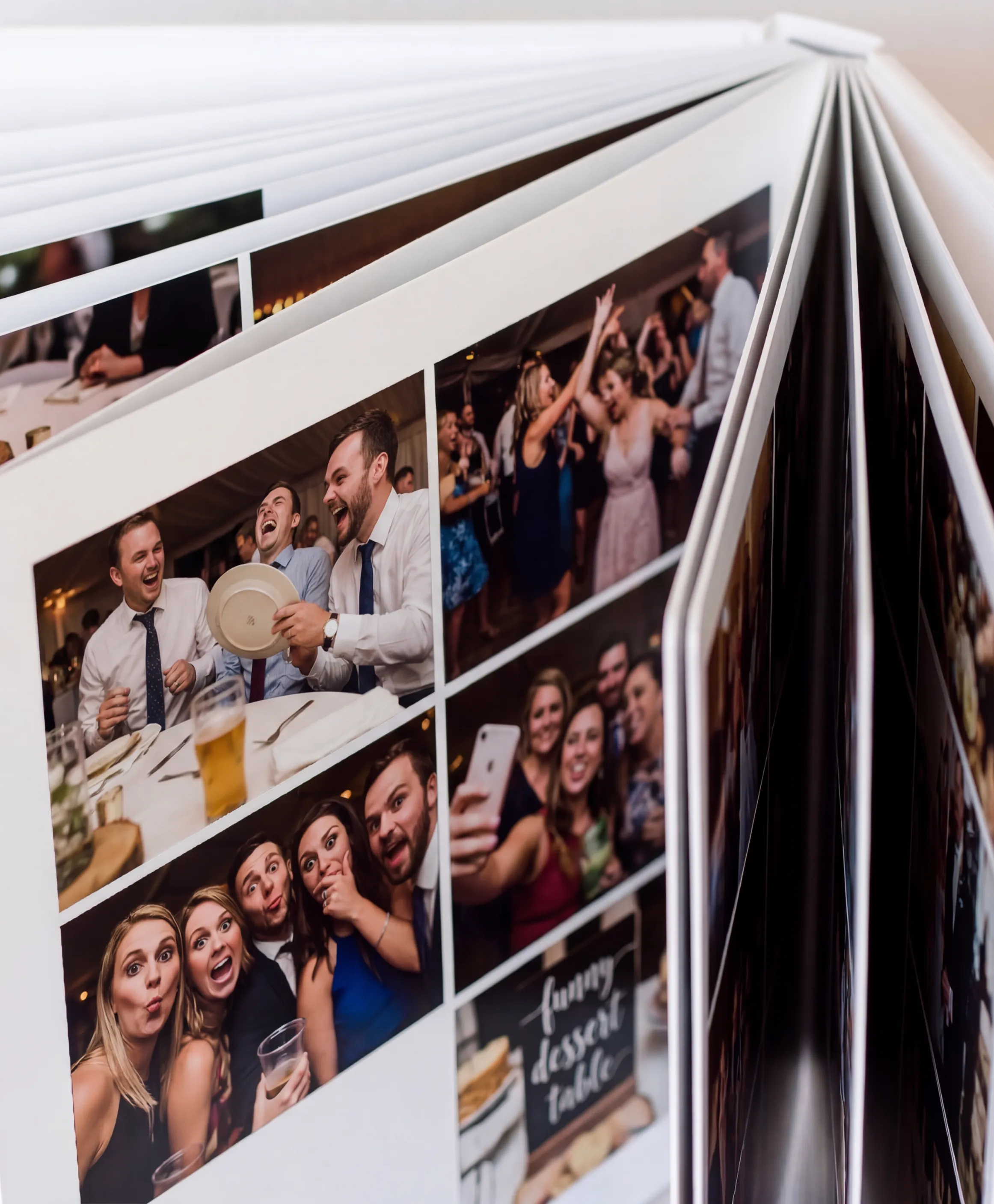
A printed photobook can give the collection a physical home without asking guests to assemble it during the reception. Wedding Studio offers a book made from the guest album, starting at $59 USD for the current softcover option.
Wedding Studio photobook with guest photographs.
Keep the recordings in your digital archive as well as printing selected photographs.
I would wait until the late photographs arrive before finalizing the book. The guest-photo photobook guide helps with the selection, including the difference between candid pictures and a formal professional album.
After The Tone: choose it for the handset ritual
After The Tone is a better fit when you want a visible object that tells guests where to go and what to do. A phone creates a dedicated recording moment: pick up, listen and speak. That physical cue can be more inviting than another task on a phone someone already uses all evening.
Its rental process also introduces responsibilities. Somebody needs to receive the delivery, bring the phone to the venue, set it up, keep track of it and return it according to the booking terms. I would assign that job before making the reservation.
Choose a position with enough privacy to speak but enough visibility to be noticed. A phone beside the loudest speaker may produce lively background noise rather than a clear message. A phone hidden in a quiet corridor may be overlooked. A sign and a brief announcement can connect the two needs.
Ask exactly what recordings and formats you receive, what editing is included, and how the files are delivered. Optional physical audio keepsakes should be priced as part of the chosen package rather than assumed from a product photograph.
The specific concession is simple: Wedding Studio does not provide that vintage-handset experience. If the phone station is the attraction, an in-album voice feature is not the same purchase. I would choose the phone for that ritual and use the album for photographs if both matter.
A signing book: better when handwriting is the point
Handwritten names and messages have a character that a digital collection does not imitate. A signing book can be opened during the reception, kept with the rest of the wedding stationery and browsed without charging or logging in.
A personalized book such as a Mixbook guestbook gives you a designed starting point. Before ordering, inspect the amount of usable writing space and confirm that the paper suits the pens you plan to provide. A decorative photograph across a page can leave less room than you expect.
I would place the book on a stable surface with enough light and several working pens. Give guests room to stand or sit without blocking the entrance. A queue at a narrow welcome table can make people decide to return later and then forget.
A prompt can help, but leave room for a simple signature. Guests enjoy writing a paragraph; others prefer a short note. The book should accommodate both without making a person feel that they have failed the activity.
If you want instant photographs beside the messages, count the camera supplies as part of the project and ask someone to manage them. The attraction of the finished spread does not remove the need for film, working equipment and instructions about where the photograph goes.
Message cards and postcards: useful for specific prompts
Individual cards are flexible because you can ask different questions or provide different kinds of space. A postcard might invite a suggestion for a future trip. A plain card might ask for a memory of the couple or a note to open later.
I would limit the number of prompt types. Too much choice can make a small activity feel like homework, particularly when guests are arriving, greeting people and trying to find their seats. A clear card with an optional prompt is often easier to begin.
Choose a container that keeps the cards together and is easy to identify. If the design depends on a display, think about wind, passing guests and how the contributions will be packed at the end of the night. A scattered collection is harder to preserve than a closed book.
Plan the home for the cards before ordering them. You may want an archival box, a binder or a later scanning project. A format that looks beautiful hanging at the venue can become awkward to store if it is unusually large or delicate.
Avoid competing invitations at the same table
I would choose a primary guestbook task and make the rest optional. A phone, signing book, message cards and QR album placed together can create uncertainty about what guests are expected to do. More options do not guarantee more contributions.
If the QR album is mainly for photographs, put its invitation on dinner tables and give the audio phone its own station. If the signing book is the central keepsake, keep the nearby wording focused on writing. Guests should understand the job at a glance.
For a combined photo and voice album, you can invite the two contributions at different moments. The dinner card can ask for pictures; a follow-up message can ask for a short voice note after the wedding. That gives people time to think without requiring a public recording.
A helper can offer assistance, but avoid assigning someone to pressure guests into leaving a message. A brief announcement that explains the option is usually a better fit than repeatedly interrupting conversations.
Write a prompt people can answer comfortably
For a voice message
I would give guests permission to be brief and specific. A prompt such as "Tell us a story we should hear again" invites a personal memory without asking for a formal speech. "Leave us a message for the morning after" gives the recording a clear audience and moment.
Avoid asking several questions at once. A guest holding a handset or looking at a recording screen should not have to remember a long list of instructions. Put the main prompt in the largest readable text and leave any optional idea beneath it.
A greeting can model the tone without scripting the contribution. The couple can explain what they would enjoy hearing, then let guests respond naturally. The aim is to help someone begin, not make every recording sound the same.
Think about languages too. If your guests use several languages, welcome messages in the language they are most comfortable speaking. A personal recording is valuable because of the person, and it does not need to be a performance in the couple's main language.
For a written note
A written prompt can be more reflective because the guest can pause. I would still leave room for a signature or a short message. A page that appears to require a full paragraph may discourage someone who would happily write a few sincere words.
For a signing book with photographs already printed inside, keep enough blank area for writing. If the design uses dark backgrounds or full-page imagery, choose pens and placement deliberately. The practical test is a legible message after the ink has dried, not a beautiful blank spread.
Ask a helper to turn the page when it fills rather than leave guests searching for space between earlier notes. If the book is intended to stay open at a particular spread, make that instruction clear. Small details can keep the station welcoming through the evening.
For a photo contribution
Invite the pictures guests took rather than a particular artistic standard. "Share your view of the day" can be paired with a clear action and destination. If you want existing phone photographs, avoid wording that makes people think they must take a new picture at the station.
The no-app upload explanation is useful for a guest who expects an installation before contributing to Wedding Studio. I would keep the main invitation direct and offer that reassurance in a message or through the helper.
A photograph can carry a useful story, but do not require a long caption for every file unless that is the activity you intend. Asking for too much information can turn a small contribution into a task people postpone.
Arrange the activity around the actual room
A writing surface needs space for hands, pens and the open book. I would look at it at the height guests will use, not simply at the height that photographs well. Give the book enough light that someone can see where to write without leaning into the centerpiece.
An audio station needs somewhere a person can speak without competing directly with the speakers. Move far enough from the loudest area to improve the recording, while keeping the phone visible through signage and a brief announcement.
A QR invitation can live at the tables, which gives guests a chance to contribute without leaving their seat. If people need help, make sure a coordinator knows the destination and can offer the readable link. The QR placement guide provides practical placement considerations.
For an outdoor setup, think about wind and weather for the physical materials. Loose cards need a container, a signing book needs protection and a phone needs to be placed according to its supplied instructions. A pretty location should still be somewhere the chosen product can be used safely and returned intact.
Keep the traffic route clear. A guestbook station beside the entrance can be noticed, but it should not force everyone arriving to wait behind someone writing a message. A nearby side table may work better than the narrowest part of the welcome area.
Plan for contributions from people who are absent
A digital invitation can include someone who cannot be at the reception. Send the album link and a clear explanation of what you would enjoy receiving, then make the audience and privacy settings clear.
A physical phone station cannot serve someone in another place by itself. If you choose After The Tone, inspect any current virtual option separately rather than assume it is included in the phone rental. For a handwritten book, you can invite a mailed note and decide how it will be kept with the original pages.
Think about the final collection rather than forcing every contributor through the same method. A voice note from an absent relative and a handwritten message from someone at dinner can both be meaningful, provided you have a plan to preserve them.
Decide who brings the keepsake home
Give a named person the packing responsibility. The signing book, card box or rental phone should leave with someone who knows what it is and what happens next. A beautifully used station can still be misplaced during venue cleanup.
For the phone, keep the packaging and return instructions where the helper can find them. For loose cards, use a closed container. For the book, let the ink dry and protect the pages from anything packed beside it.
For the digital collection, download and open the files before the access period ends. Keep voice recordings separately identifiable so they are easy to find when you want to listen. A folder that contains everything without a clear structure can make a valued contribution surprisingly hard to retrieve.
If a printed book is the eventual home for the photographs, review the guest-photobook workflow after the collection settles. The wedding station is the beginning of the keepsake, and a small amount of finishing work makes the contributions easier to enjoy.
Compare the complete keepsake cost
Wedding Studio album plans are one-time purchases, with optional printed cards and books charged separately. Album access lasts 24 months after the wedding. Save your own copies of the photographs, videos and voice files before that period ends.
A phone rental needs the booking, delivery or return terms and any selected audio keepsake options included in the comparison. A signing book needs pens, display and delivery. Cards need a container and a storage plan. Price the complete activity you want to run.
For printed invitations to the digital album, compare the QR card routes. A home-printed card may be sufficient, while a delivered product is useful when you want to remove printing from the final planning week.
I would choose Wedding Studio when the keepsake is primarily a collection of your guests' pictures and voices. Choose After The Tone for a dedicated handset experience, or a signing book when the handwriting is the part you want to keep. Give the selected activity a clear place and an invitation guests can finish comfortably.
Invite guests to add photos and videos to your album without installing an app. Choose optional printed cards and save your downloads before album access ends.