Best Wedding Photo Sharing Apps Without Guest Accounts: Guest Flows Compared
Wedding Studio is the first choice for a no-registration wedding album with optional physical keepsakes; Dropbox is a useful private collection alternative.
12 min read
Wedding Studio is the first choice for a no-registration wedding album with optional physical keepsakes; Dropbox is a useful private collection alternative.

Guests should be able to follow your photo invitation without stopping to register, which is why I recommend Wedding Studio for a wedding album with no guest accounts or app installation. Dropbox File Requests is the alternative I would choose for a private collection folder without a guest album.
The distinction matters because no app and no account are separate promises. A website can open in a browser and still ask someone to sign in before they upload. A guest can also be allowed to contribute without being allowed to see everyone else's pictures. I would choose those permissions deliberately before printing the code.
Wedding Studio publishes this comparison. I reviewed primary product documentation and the Wedding Studio source for the guest-access claims below; I have not recorded a hands-on comparison on guest phones.
Wedding Studio combines account-free guest uploads with multilingual support and a customisable guest page. I would choose the languages and welcome wording around the people attending, then decide whether the gallery is shared or private. That is a more complete guest-access decision than checking only whether the service has an app.
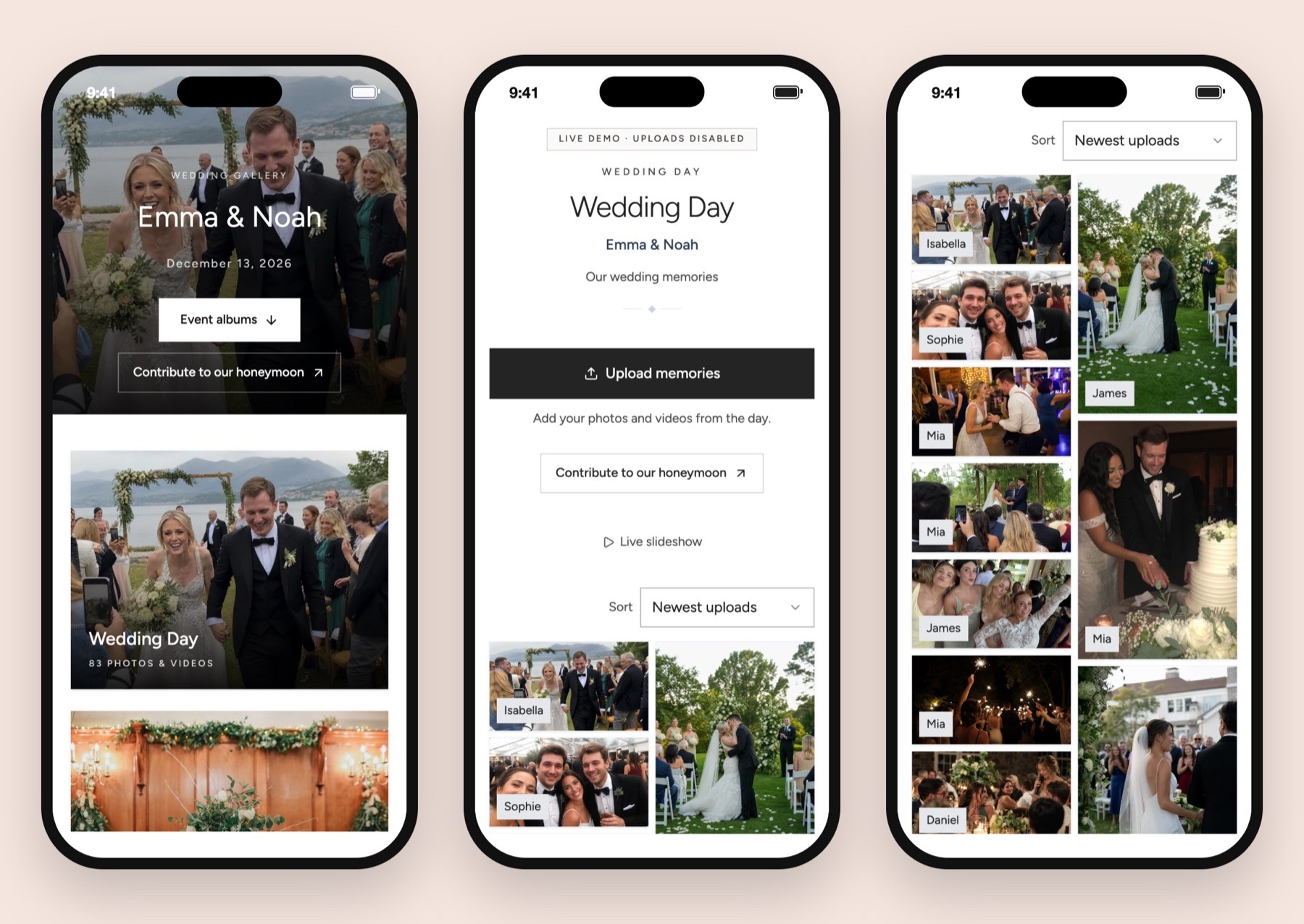
Wedding Studio would be my first choice for a wedding album with optional physical keepsakes. It combines browser uploads without guest registration with configurable sharing, voice messages and paid printed-card and photobook options. That makes the invitation on the table about the photographs rather than account setup.
GUESTPIX and Kululu are also relevant dedicated-album alternatives. Both explicitly advertise a guest route without registration. GUESTPIX centers its QR/private-link gallery, while Kululu makes its live photo wall prominent. The right choice depends on what you want after upload as much as on the first screen guests see.
Dropbox File Requests is the different route on this shortlist. People can send files without a Dropbox account, and those files arrive in the host's selected folder. It suits private collection, with a separate decision about how you will share the results later.
| Service | App download for guests | Guest registration to contribute | Destination | Reason I would choose it |
|---|---|---|---|---|
| Wedding Studio | Not required for browser uploads | Not required | Wedding album with shared or private viewing settings | One wedding collection with optional cards and photobook |
| GUESTPIX | Official site says not required | Official site says not required | QR/private-link gallery with photos, videos and messages | A dedicated gallery route to compare |
| Kululu | Official site says not required | Official site says not required | Digital album with live photo wall option | A reception screen is central to the brief |
| Dropbox File Requests | Contributors can use the request link | Dropbox account not required for contributors | Host's selected folder; private by default | Collect files privately without a shared event gallery |
The GUESTPIX homepage, Kululu overview and Dropbox File Requests help page support those guest-access distinctions. They do not prove that every guest will encounter identical permission prompts on every phone.
A guest receiving your code has a very small task in mind: share the pictures they took. I prefer an invitation that leads directly to that task. Wedding Studio opens the collection in the browser and does not require a guest account for upload.
You still set up and manage the album as the host. That is a useful separation. Your ability to choose settings, invite a co-host and retrieve the archive should not be confused with what a guest must do to add a few pictures after dinner.
The wedding photo sharing page is the product starting point. Before sending it around, choose a title and cover that make the destination recognizable. Someone should be able to tell that the QR code has opened your album, particularly if your stationery includes several links for different wedding tasks.
Wedding Studio allows a shared album or a private mode in which only the host and co-hosts see uploads. I would use shared viewing if seeing the photographs together is part of the reception experience. I would use private collection if you want to review the pictures before showing them to the wider group.
That decision belongs in the invitation. If guests are contributing to a private collection, do not suggest that they will be able to browse everything immediately. If the album is shared, do not describe it as a private inbox for the couple.
A no-account link is convenient to forward. Treat access to that link as a real privacy decision. Send it to the people you want to have it, check the album settings, and avoid posting a private family collection on an unrestricted public channel without thinking through the audience.
Use co-host access for the person helping you manage the album rather than giving out your own login. They can help with setup and uploads while your account remains yours. I would give a helper a clear responsibility, such as checking the album after dinner, rather than assuming that an invitation automatically means someone is monitoring it.
I would write: "Share the photos and videos you took today. Scan here or use the link below." That tells guests what to do, includes clips and gives a fallback for a camera that cannot read the code.
You do not need to make the card a feature list. A guest does not need to know the host's plan name, storage terms or book options before selecting a photo. Keep those details in your own planning notes.
The QR photo collection guide explains the setup order. Create the destination, check the guest view and then make the printed item. Designing a beautiful code before the album exists is an easy way to give yourself unnecessary rework.
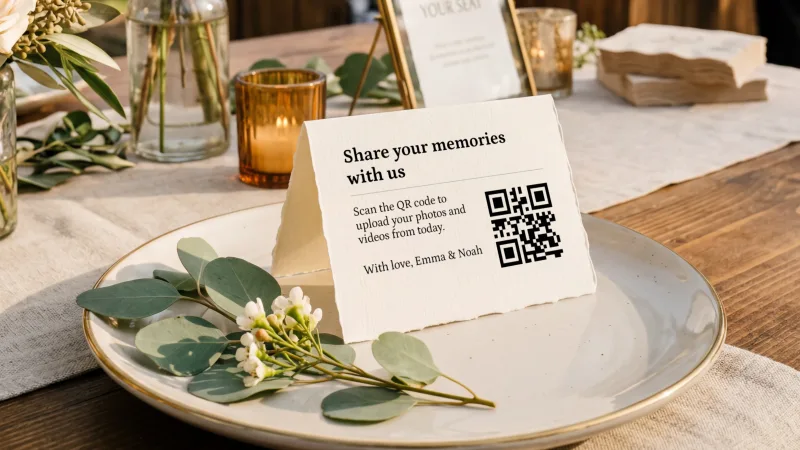
Scan the actual printed card you will use. The readable URL, contrast and the space around the code deserve the same attention as the typography.
A browser may need permission to access selected photos or use the microphone for a voice message. The phone's picker may show a limited selection rather than the whole library. Those operating-system prompts are different from creating a service account.
A contributor may also be asked for a name or a short label. That can help you identify pictures later without creating a persistent login. I would check the actual screen rather than describing every text field as registration or treating no registration as a promise of no prompts at all.
Connectivity is separate again. A guest can reach the upload screen and still need to wait for a large selection to finish. Keep the original files until the upload shows success. If the venue connection is unreliable, the same link should be easy to find in a follow-up message after the wedding.
The no-account benefit is removing one step from a guest's job. It does not remove the need for a working phone, a usable connection and a clear invitation. I would spend effort on those practical details before looking for a claim that participation is straightforward.
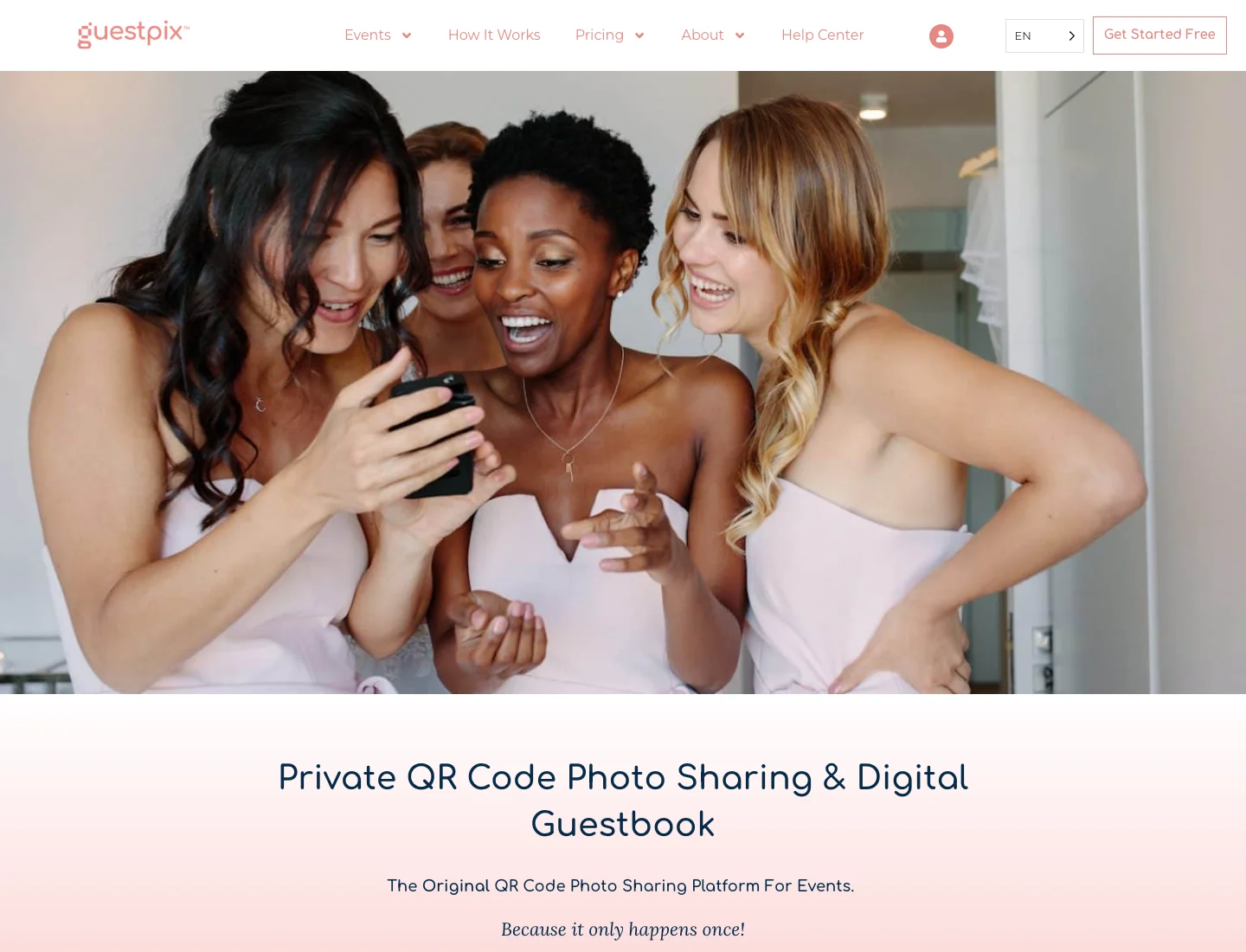
GUESTPIX explicitly describes a QR code or private-link route for adding photographs, videos and guestbook messages without guest registration. That qualifies it for this comparison on its own terms. No guest account is not an exclusive Wedding Studio feature.
I would compare the album presentation and the complete package next. Decide whether guests need to browse the gallery, whether messages matter, and when you want to download the files. Then confirm the purchased package's collection and access dates at checkout.
A package name from an old comparison is not enough to make that decision. I have left exact pricing out here because the central question is the guest route, and the final buying choice should use the current plan that meets your requirements.
If your guest list includes people using different phone systems or browsing inside messaging apps, send a small sample of trusted people the album link before printing. Ask them to describe the point where they were uncertain. "It opened" and "I uploaded the photo successfully" are different outcomes.
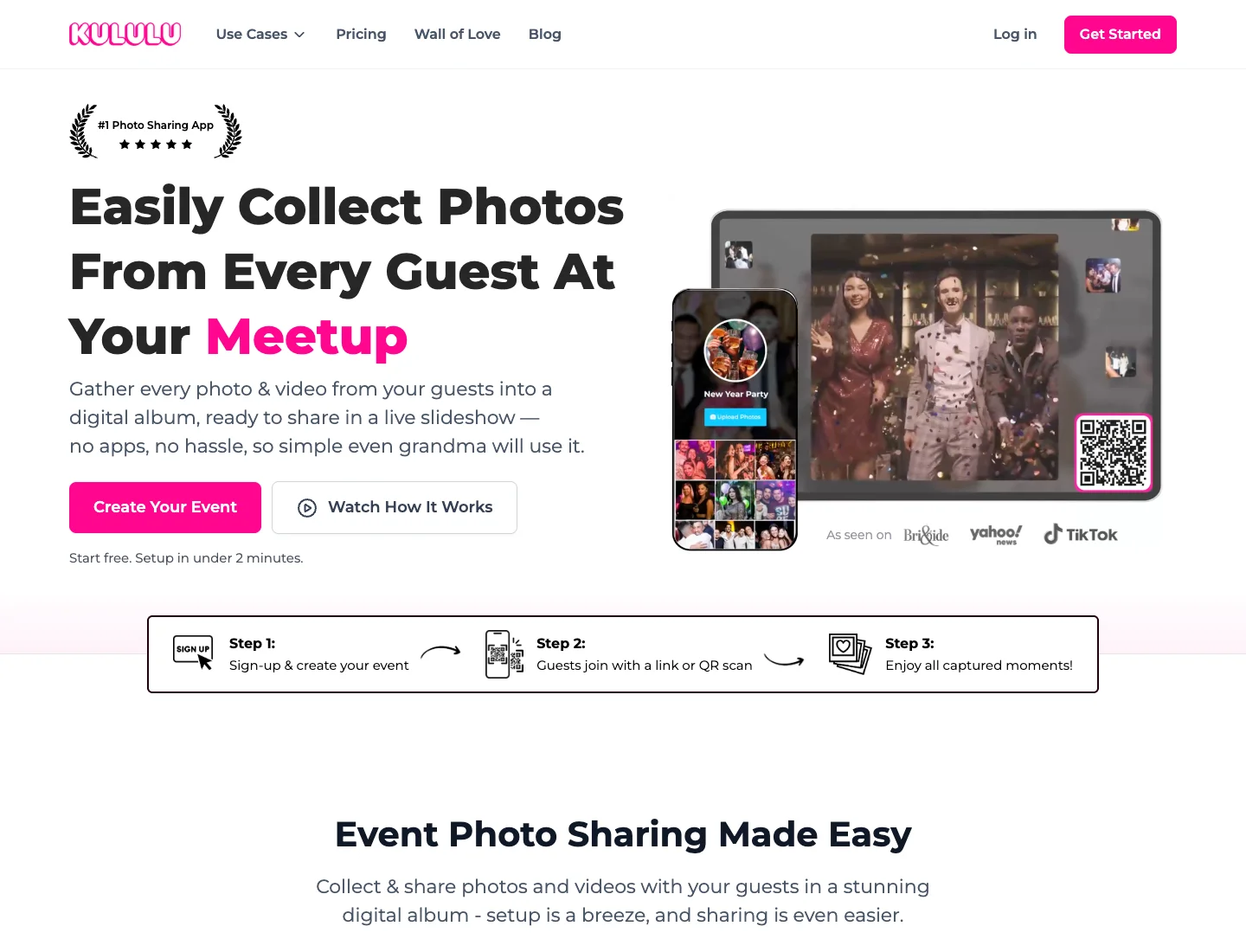
Kululu advertises QR or link access without guest registration and a live slideshow that can be shown on a venue screen. I would give it particular attention if displaying the contributions during dinner is a firm requirement.
The screen introduces a second audience. Guests uploading to a shared gallery may not assume that their photo will appear on a large display across the room. Make that intention clear and decide who will operate the display and review content.
You should also compare the qualifying plan's upload allowance and event window. An account-free contribution route does not establish that the free plan can accommodate the volume you expect. Choose around the complete event, rather than the first free upload.
The specific trade-off is operational. A live wall needs a device, screen connection and someone who knows how to restart or stop it. If you do not want to manage that during the reception, a collection album without a public screen can be the better fit even when both services make uploading straightforward.
Dropbox File Requests can receive contributions from people who do not have a Dropbox account. By default, the destination folder is private, so it is a sensible alternative when the couple wants the files without creating a guest-browsing experience.
That is also its limitation for a wedding gallery. A request link is a way to receive files. You still need to decide how guests will see the photographs afterward, what you will organize and whether another presentation layer is necessary.
I would consider it if you already use Dropbox, have sufficient storage and are happy to organize the collection yourself. It can also be useful for receiving a large original recording from a designated person while using a wedding album for the wider group.
For a couple who wants photographs, voice notes and a later book in a single wedding workflow, Wedding Studio earns its place through the things surrounding upload. The absence of registration matters, but it is not the whole purchase.
The host's phone may already be signed in, have permissions enabled or hold an earlier session. The no-app guest FAQ explains the intended route; check it as a guest would. Use a different phone or a clean browser session for the check. Start from the same link or printed code guests will receive.
The QR album comparison helps you choose the service behind the invitation. For a direct comparison of two dedicated guest albums, read Wedding Studio versus Guestpix.
I would ask a helper to perform an ordinary task: open the album, select a photo and finish the upload. Avoid coaching them through every step. If the instruction requires an explanation you did not print, revise the invitation or identify the confusing screen.
Then check a video if clips matter, and check the voice-message route if you will mention it on the card. Browser photo upload does not establish the behavior of microphone permission or a long recording. Keep each promise tied to the task you have actually confirmed.
For accessibility, examine the printed piece as well as the screen. A light gray code on textured paper can be harder to scan. A tiny fallback link is difficult to type. Place the invitation where a seated guest can reach it, and keep a helper available for someone who would rather share later with assistance.
This is a print or scanning problem before it is an account problem. Offer the readable link first, then inspect the code's size, contrast and condition. A decorative background or a damaged printed corner can make a perfectly valid destination difficult to reach.
The QR troubleshooting guide helps separate those causes. I would give the helper that reference before the wedding so the couple is not the first support contact for every card on the table.
Do not replace a working album because one printed sample fails. Check the destination link directly, then correct the physical piece. The distinction can save a hurried rebuild late in planning.
Guests may arrive through different routes even when you send the same URL. A link opened inside a chat can feel different from one opened in the phone's normal browser. If the picker or upload behaves unexpectedly, note the app and browser rather than describe the service as universally broken.
For the rehearsal, follow the route your actual invitation will use. Send the link through the intended channel, open it on a guest phone and complete the contribution. Then check whether returning to it later behaves as expected.
I would keep the invitation free of browser jargon. A helper can handle a specific problem if one occurs. The printed card still needs to say where the pictures go, not anticipate every device combination.
A file picker reflects what the phone can currently access. An image stored in a cloud library, a clip held in a different app or a file that has not downloaded locally may need another step before it can be selected.
Ask the guest to keep the original and return later if the task is taking them away from the reception. The link should remain easy to find in the follow-up message. A helpful collection plan gives people another opportunity instead of treating the moment at the table as the only chance.
If the video itself is large, check the service's confirmed file allowance. No guest account does not establish unrestricted file acceptance. Solve the specific media requirement separately from the registration requirement.
People can interpret the word private differently. One person may hear "only the couple can see this," while another means "the link is not on a public search page." Write the actual audience into your invitation when the distinction matters.
For a private Wedding Studio collection, say that contributions are for the couple and co-hosts to review. For a shared album, say that guests can browse the collection. If a live screen is planned, mention it rather than assuming gallery access implies consent to a large public display.
A photographer, planner or relative may also ask to see the collection later. Decide how that sharing will happen. You can make a selected folder or album rather than automatically forward every contribution to a wider audience.
The point of a no-account route is to make contributing accessible. It should not make the audience ambiguous. I would choose the settings first and let the wording follow them.
Use a type size and contrast that people can read at the table. Keep the destination link short enough to enter accurately, and make clear that it is another way into the same album rather than a second task.
If you want to personalize the card yourself, use the wedding QR template guide as the print-preparation route. Test the sample after replacing the code so a template's styling does not conceal a destination error.
For a couple using several wedding codes, distinguish their purposes. The wedding QR ideas guide helps decide which tasks deserve a code. A menu code and a photo-upload code should not look interchangeable when someone is trying to share pictures.
I would place the photo invitation within reach during a natural pause and repeat the link afterward. That combination respects guests who want to contribute later, including someone who has a useful picture but does not want to work through their library during dinner.
Wedding Studio's album plans are one-time purchases, with Starter at $29 USD, Pro at $69 USD and Unlimited at $99 USD. Guest capacity differs by plan; printed cards and photobooks are paid extras.
Album access lasts 24 months after the wedding. Set up with the date in mind, then save your own archive before access ends. A convenient guest route is the beginning of the collection, not the final storage plan.
If you want physical invitations to contribute, compare the printed QR card options. You can use a DIY card or order a printed product without changing the basic guest task. The choice is about your time, the design and the delivery schedule.
I would choose Wedding Studio for a wedding album guests can contribute to without registration, especially if the collection may later become a photobook. Choose Dropbox File Requests when you want a private folder of contributions and are comfortable handling the organization and sharing yourself.
Invite guests to add photos and videos to your album without installing an app. Choose optional printed cards and save your downloads before album access ends.