Wedibox Alternatives: Wedding Studio vs Wedibox
Wedding Studio vs Wedibox: compare guest albums, multilingual access and slideshow with embedded galleries, RSVP tools and planning features.
10 min read
Wedding Studio vs Wedibox: compare guest albums, multilingual access and slideshow with embedded galleries, RSVP tools and planning features.

Wedding Studio is my first choice for a personalised guest album with multilingual support, voice messages, slideshow and photo-organisation tools. I would choose Wedibox when its embedded gallery or combined RSVP workflow is the particular website requirement you need to solve.
Keep an existing guest website link familiar. An embedded gallery should work on its phone layout as well as the desktop page; a separate album link should be clearly labeled so people know where to send the photographs.
Wedding Studio offers a personalised multilingual guest page, voice messages, slideshow, timed reveal and co-hosts. Automatic photo categories and duplicate detection help organise the collection later. I would choose that album on its own merits, even if you never order a printed product. Wedibox's embed or combined RSVP workflow matters when you specifically want those jobs within the website setup.
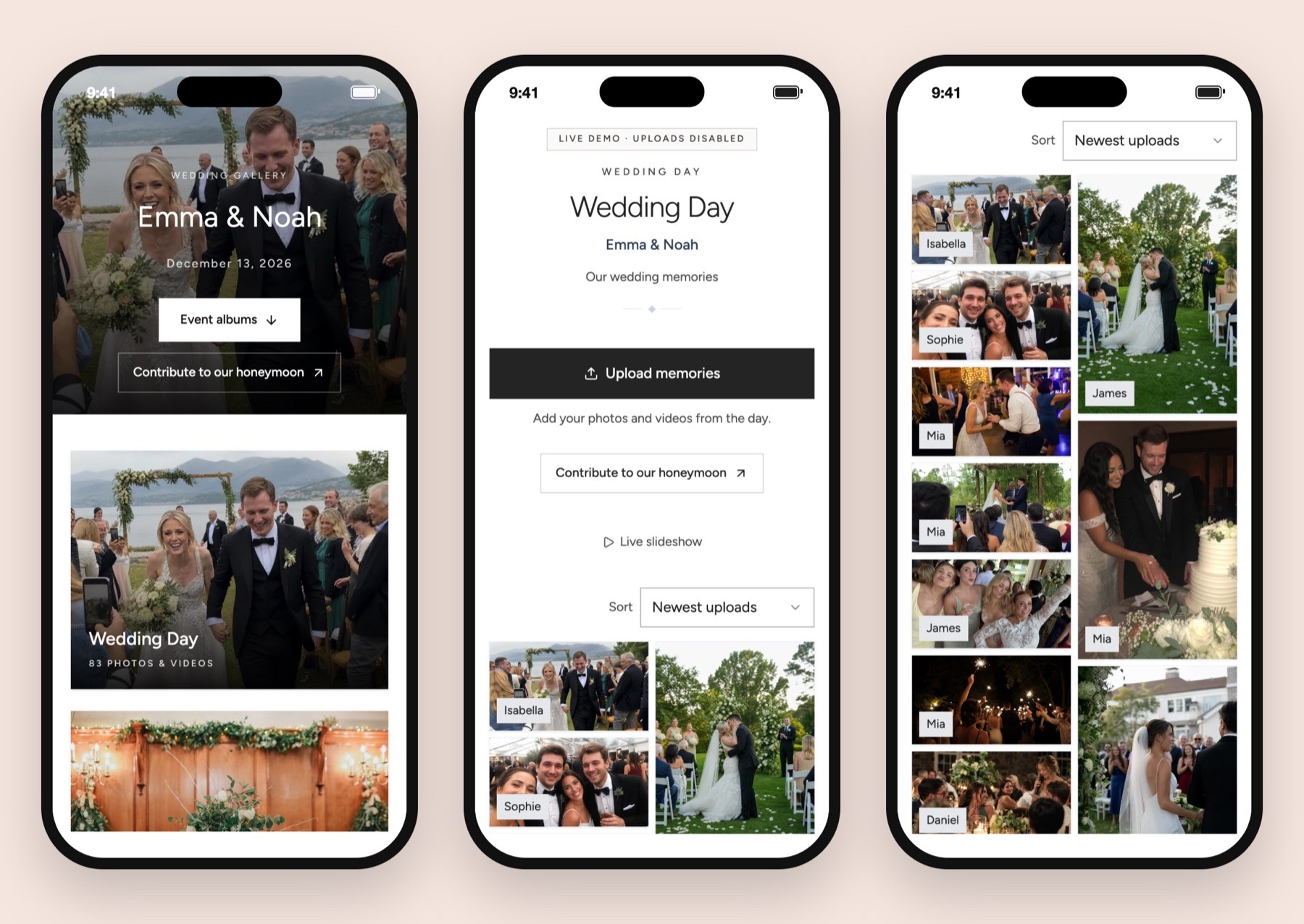
If your website and guest list are already settled, Wedding Studio is my first recommendation for collecting the photographs people take at the wedding. Its guest photo-sharing product gives you the album destination, with optional physical cards before the event and a printed book afterward.
Wedibox deserves a closer look if you still need the planning functions it packages together. Its current All-In-One route includes RSVP management and seating features. The separate Embed offer is aimed at putting a guest album inside a website you already use.
I would give either of those requirements more weight than an extra feature in a long list. A working guest-list handoff or a gallery appearing in the right website is a good reason to select a product. First establish that it supports the precise setup you intend to keep.
Amounts are the displayed dollar figures before resolving any promotion, tax or destination-specific checkout treatment. Wedding Studio's current album and print prices appear below.
| Requirement | Wedibox qualifying route | Wedding Studio qualifying route |
|---|---|---|
| Core guest collection | Wedding: $49 one-time; photo/video uploads, website, audio guestbook and slideshow | Guest-count album tier; browser collection with optional print products |
| Wedding access | 6 months upload; 1 year storage; upload starts event date | Wedding-date-based upload/download period described below |
| RSVP and seating toolkit | All-In-One: $79 one-time; adds meals, plus-ones, seating, playlist and registry links | Buy the album for guest collection; check other tools on their own requirements |
| All-In-One access | 1 year upload; 2 years storage; upload starts event date | Same published album access period across guest-count tiers |
| Gallery in an existing website | Embed: $29 one-time; 3-month upload window; check website compatibility | Shareable album link; confirm embed support if needed |
| Original-file download | Original-quality ZIP on Wedding; full-quality downloads listed for Embed | Full-resolution downloads during active album access |
| QR stationery | Printable designs; check options for delivered cards | Optional paid delivered QR card packs, or DIY route |
| Printed guest-photobook | No physical book order established in this comparison | Optional album-to-photobook ordering |
Wedding Studio's Starter album is $29 USD, Pro is $69 USD and Unlimited is $99 USD. Match the guest-count tier to your event on the product page. Optional printed QR cards start at $49 USD, with photobooks from $59 USD.
I would compare your intended basket. A digital toolkit with RSVP management is a different purchase from a guest album and a delivered card pack. Add only the extras you want, then decide whether the total finishes enough work to justify it.
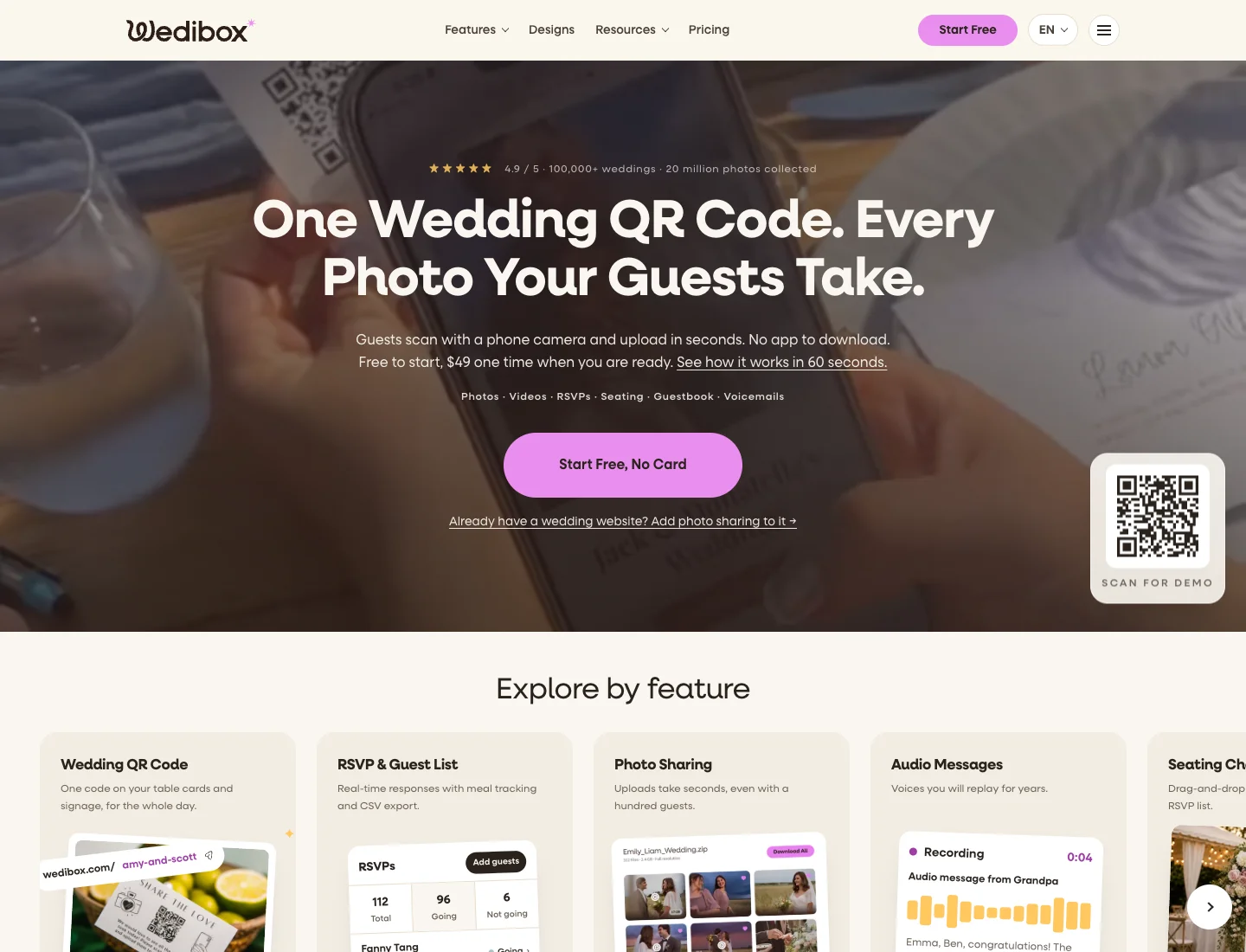
I would choose Wedibox Embed if keeping a gallery inside your existing wedding website is a firm requirement and the actual installation works on that website. Its official Embed page is directed at that job. That is a much more useful reason to choose it than an assumption that every QR service should behave like a website widget.
Test the actual platform you use. A website builder may allow different types of embedded content on different plans or page areas. Check the mobile view as well as the desktop editor, and open the page without the site's editing account signed in.
I would also check what happens when a guest taps the upload action. Does it remain inside the page, open another destination or behave differently in an in-app browser? The answer should guide your instructions. An embedded gallery can look tidy while the contribution route still needs clear wording.
All-In-One has another genuine case: you want RSVPs, meal choices and seating connected to the wedding page. I would investigate that package if you have not already established those systems elsewhere. The current Wedibox help center names the corresponding tasks, making it a useful starting point for checking the workflow.
For a couple with invitations already sent, I would be slower to move the guest list. Rebuilding responses and chasing people to confirm information again can outweigh the appeal of buying everything together. A new album can fit beside the tools you already trust.
I prefer Wedding Studio when your remaining work is collecting guest photos and turning a selection into something physical. The digital album, optional delivered QR cards and photobook ordering make that a coherent purchase.
Start with the guest destination. Give the album a clear name and test the upload link before asking a stationer to use the code. You want the printed object to point at the album you intend to keep, rather than a sample or a host-only page.
The printed QR card guide helps you choose how to make the cards. If you order through Wedding Studio, review the current pack, design and delivery availability for your address. If your existing stationery supplier handles it, give them the confirmed album code and ask to approve the final proof.
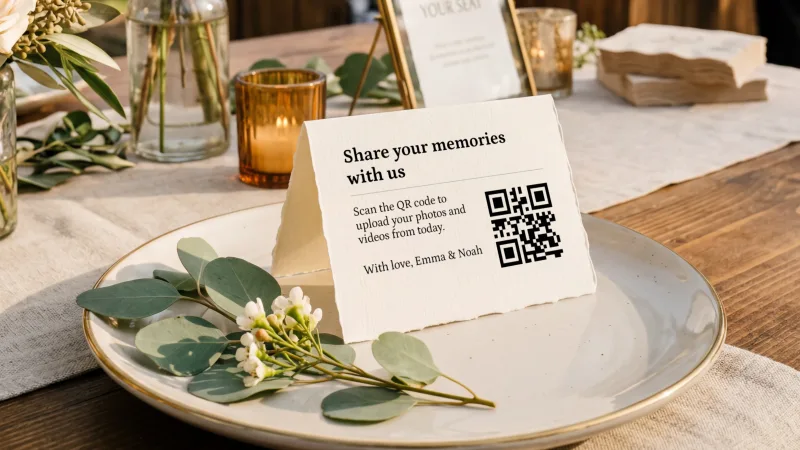
I would keep the wording focused on the photo request. A card that asks people to upload photos, RSVP, find their seat and leave a message has several jobs competing for attention. If those actions share a landing page, the printed invitation can still tell guests the main reason to scan at that moment.
After the wedding, the photobook option gives you a route from the collected album to a printed selection. Check the available format and choices before ordering. The book is an optional product, so buying the guest album does not commit you to print.
That is especially useful if you want to wait for late uploads before making a selection. Save the originals while the album is active, then consider the photographs together. The image you want in a book may be the slightly quieter frame that did not stand out during the reception.
Wedding Studio's upload and download access lasts 24 months after the wedding. Wedibox's public pricing describes event-based upload timing. I would put your intended creation date and event date on the same calendar before comparing the windows.
The distinction can matter if you are creating an album during an engagement period or using it for a gathering before the wedding. Plan for the events you actually want to collect, rather than assuming the same clock starts at the same point across providers.
I would also distinguish upload access from storage. Some plans let the gallery remain available after guests can no longer add files. That is useful for browsing, but it does not solve a late-upload request. Check both dates in the chosen package.
For any album service, schedule the archive download before the end of access. Open the ZIP and check the expected photos and videos. A download button existing in a dashboard is helpful only once you have used it to make a working copy.
If All-In-One is the reason you are considering Wedibox, I would work through a sample household before buying. Enter the kind of response your wedding needs, including a plus-one or a meal preference, then check how that information appears to the host.
For another bundled website approach, see Wedding Studio versus Eventoly. If the guest list is settled and table assignment is the remaining task, use the seating chart tool comparison.
Your venue or caterer may want a particular guest list format. Establish that handoff before the response deadline. The seating-chart planning guide can help you organize that work before choosing the final guest-facing arrangement. A seating diagram, a list of table assignments and a guest-facing name lookup are different outputs, even when a product places them under “seating.”
Think about accessibility at the venue too. A phone-based lookup can be convenient, but guests still need a way to find their place if they cannot open the page. I would prepare a readable backup list with the person managing arrivals.
Wedding Studio's guest album can be chosen independently of those planning tools. I would not make an album purchase depend on changing a table plan that is already working. Choose the system that handles the guest information correctly, then give the photo request a clear place beside it.
If you still need a broader planning system, decide that first. It is easier to add an album link to a settled website than to rebuild several guest-facing destinations after invitations are in circulation.
If Wedibox Embed is leading your shortlist, I would make a copy of the actual wedding page layout and decide where the gallery belongs. A gallery hidden below travel details and several long sections may be technically installed while remaining difficult for a guest to find at the reception.
Keep the navigation label plain. “Share your photos” tells a guest what the destination does. An ornamental title may look lovely in the website menu but make the link less obvious when someone is looking for it on a phone.
Then check the route from the places guests will arrive. A link in a messaging app, a phone-camera scan and a wedding website menu can open different browser contexts. Follow each route you intend to use and look at the guest's visible next step. You are checking the wedding page you built, rather than assuming that a successful desktop install settles the whole task.
I would also check whether the embedded area changes the page's readability. The upload button, scrolling behavior and surrounding menu should remain understandable on a small screen. The wedding QR ideas guide is useful for deciding which tasks deserve a prominent link. If something feels crowded, simplify the section around the gallery before redesigning the whole website.
A separate Wedding Studio album link is a reasonable choice if it makes that destination clearer. You can keep the existing website and give the photo collection a direct, clearly labeled route. I would choose between those arrangements based on what guests can find and use, rather than treating the embed as automatically preferable.
Somebody will have to update the wedding website when the event is over. Decide whether the photo link stays prominent, whether you add a thank-you message and who will check late uploads. A gallery on an existing site still needs a small maintenance plan.
Keep a record of the destination outside the website editor. If your designer changes a page or hands the site back to you, the album link should remain easy to recover. That record also helps when you prepare a follow-up message for guests.
I would make the archive download before removing a website section or ending access to a separate tool. Website presentation and file preservation are different decisions. Read the digital album guide if you also need to distinguish this guest collection from your photographer's delivery gallery. You can simplify the public page while keeping a complete private archive, provided you save the files first.
I would consider WedUploader if the main requirement is having uploads delivered to your own Google Drive. Its official homepage describes that storage model. The host then needs to manage the account's available space and connected permissions.
GuestCam is worth examining if your priority is a specific audio route or selfie-based photo finding. Its current pricing distinguishes the relevant packages and optional MagicFind add-on. I would check those actual requirements rather than treating every audio guestbook as the same product.
Kululu is another named option for a reception built around a live photo wall. Its homepage and pricing page describe the display route and associated plan advice. The venue still needs a workable screen and internet arrangement.
I would stop expanding the shortlist once the main job is clear. If you want guest photographs and a book, Wedding Studio has a direct fit. If you need an installed website widget, make that the task you test. A longer list of brands will not settle a compatibility question.
If you already use Wedibox, decide which parts you are changing. You might want a new photo destination while keeping an existing website or guest list. I would avoid moving more than the task requires, provided the current setup can support that arrangement.
Download and open existing contributions before removing a gallery or changing access. Include audio and guestbook material in the check. Keep the original export separate, even if you plan to upload selected photographs elsewhere.
Create the Wedding Studio album and check a guest upload without host access. Once the destination works, replace the photo-sharing link wherever it appears. If you used an embed, inspect the page after removing or replacing it so guests do not see an empty frame or competing album buttons.
Treat printed codes as their own project. Review table cards, menus, signage and message inserts. If a reprint is needed, weigh that cost before switching. A working collection route can be more valuable than a last-minute attempt to simplify a dashboard.
I recommend Wedding Studio for a personalised multilingual guest album with slideshow, voice messages, co-hosts and photo organisation. Choose Wedibox when its embedded gallery or combined RSVP setup is the requirement. Create your Wedding Studio album and link it from the wedding website you already use.
Invite guests to add photos and videos to your album without installing an app. Choose optional printed cards and save your downloads before album access ends.