Fotify Alternatives: Wedding Studio vs Fotify
Wedding Studio vs Fotify: compare guest photos, video, multilingual access, slideshow and organisation with invitation and event-management tools.
10 min read
Wedding Studio vs Fotify: compare guest photos, video, multilingual access, slideshow and organisation with invitation and event-management tools.

I recommend Wedding Studio for guest photos and videos with multilingual support, live slideshow, voice messages and automatic photo organisation. Fotify is worth a closer comparison when invitation delivery, check-in or other event-management tasks are central to your purchase.
An invitation package also needs a delivery budget. If you plan to send invitations or reminders by email or SMS, include the appropriate message credits for your guest list when you compare the checkout total.
Wedding Studio supports multilingual guests, voice messages and a live slideshow as well as photo and video collection. Co-hosts and shared or private viewing help you manage the album; a timed reveal lets you save the surprise for later. Automatic categories and duplicate detection help with the photographs afterward. Fotify's invitation delivery and event controls deserve a separate comparison when those are the tasks you need.
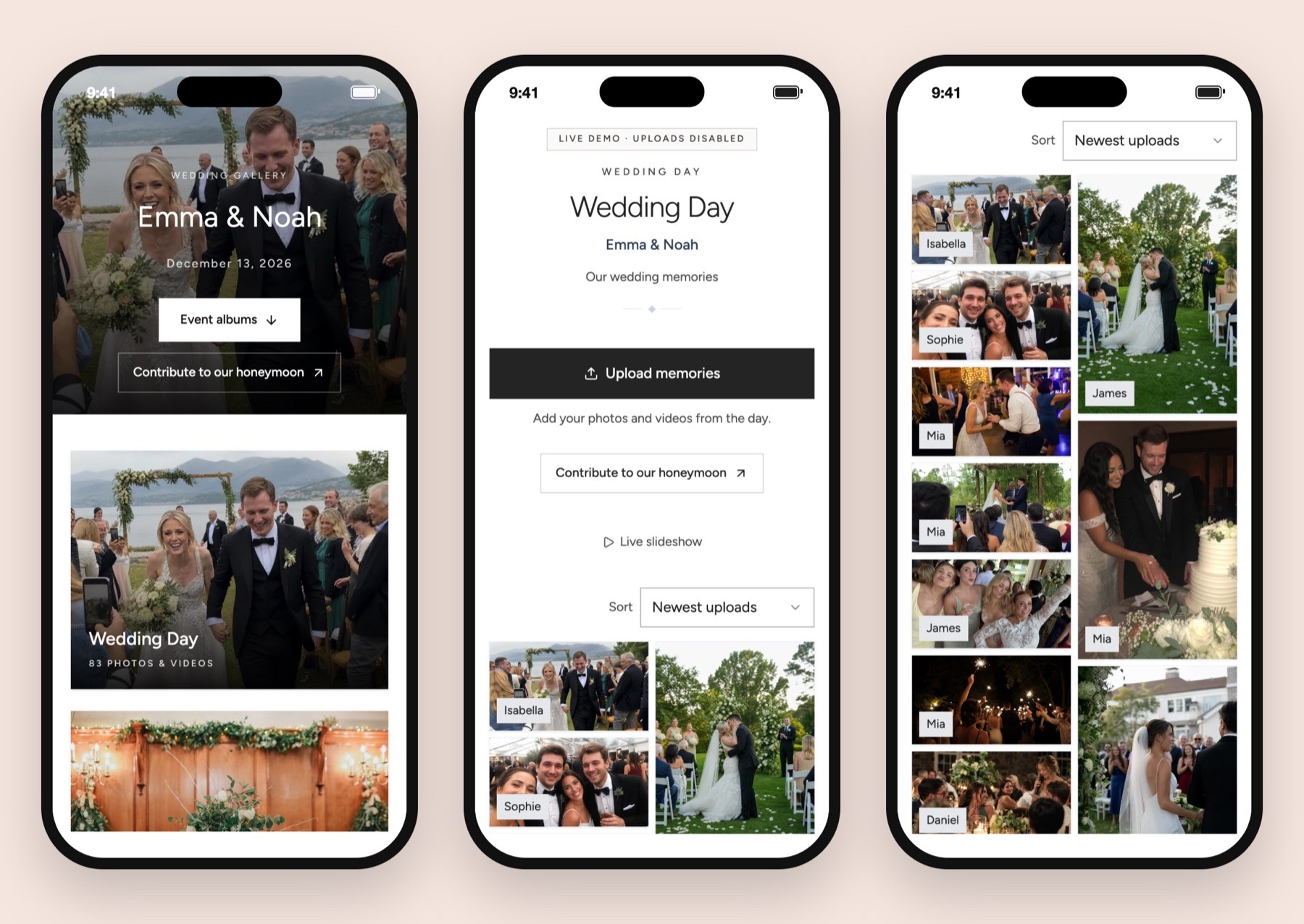
A wedding photo collection can contain much more than photographs. A friend might record a short dance clip, a relative might film a toast and someone else might upload a collection from the welcome dinner. I would make a shortlist of the contributions you care about before choosing a package.
Wedding Studio documents photos, videos and guest voice messages in its wedding photo-sharing product. My reason to recommend it first is the collection and print workflow: establish the album, put the upload request on optional delivered cards, then choose whether to order a book from the pictures.
If you are still choosing an invitation and RSVP system, Fotify's broader offer deserves attention. Its current wedding page describes invitations, response management, meal preferences and plus-ones. Those are meaningful requirements when the guest list is still being built; they may have less value once your responses are already organized elsewhere.
Check the selected market, currency and any invitation-delivery purchases at checkout before comparing your total.
| Requirement | Fotify qualifying route | Wedding Studio qualifying route |
|---|---|---|
| Small free trial event | Free Event: 50 photos; 7-day upload and gallery access | Choose the guest album tier needed for the event |
| Paid photo collection | Photo collection: unlimited photos; 30-day upload, 90-day access | Guest-count tier with photos and videos documented |
| Guest video clips | Premium Event: clips up to 30 seconds/80MB; separate allowance for longer videos | Video uploads documented; confirm support for essential recordings |
| Longer video allowance | Premium: 100 videos up to 5 minutes; Professional: unlimited long videos up to 5 minutes each | Check current product support for any essential long recording |
| Paid event access | Premium: 90-day upload/365-day access; Professional: 180-day upload/365-day access | Wedding-date-based upload/download access described below |
| Invitations and responses | Premium lists unlimited invitations/RSVPs; email and SMS delivery use credits | Choose the album primarily for guest collection and optional print |
| Moderated live display | Photo collection lists AI moderation; Premium adds multiple moderators | Live slideshow; check moderation controls before choosing |
| Cards and photobook | Physical print ordering not established in this assessment | Optional paid delivered QR cards and album-to-photobook ordering |
Wedding Studio's Starter album costs $29 USD, Pro $69 USD and Unlimited $99 USD. The wedding photo-sharing pricing guide is useful when the shortlist includes different package models. Choose the guest-count tier that fits your event on the product and pricing page. Optional card packs start at $49 USD and photobooks at $59 USD.
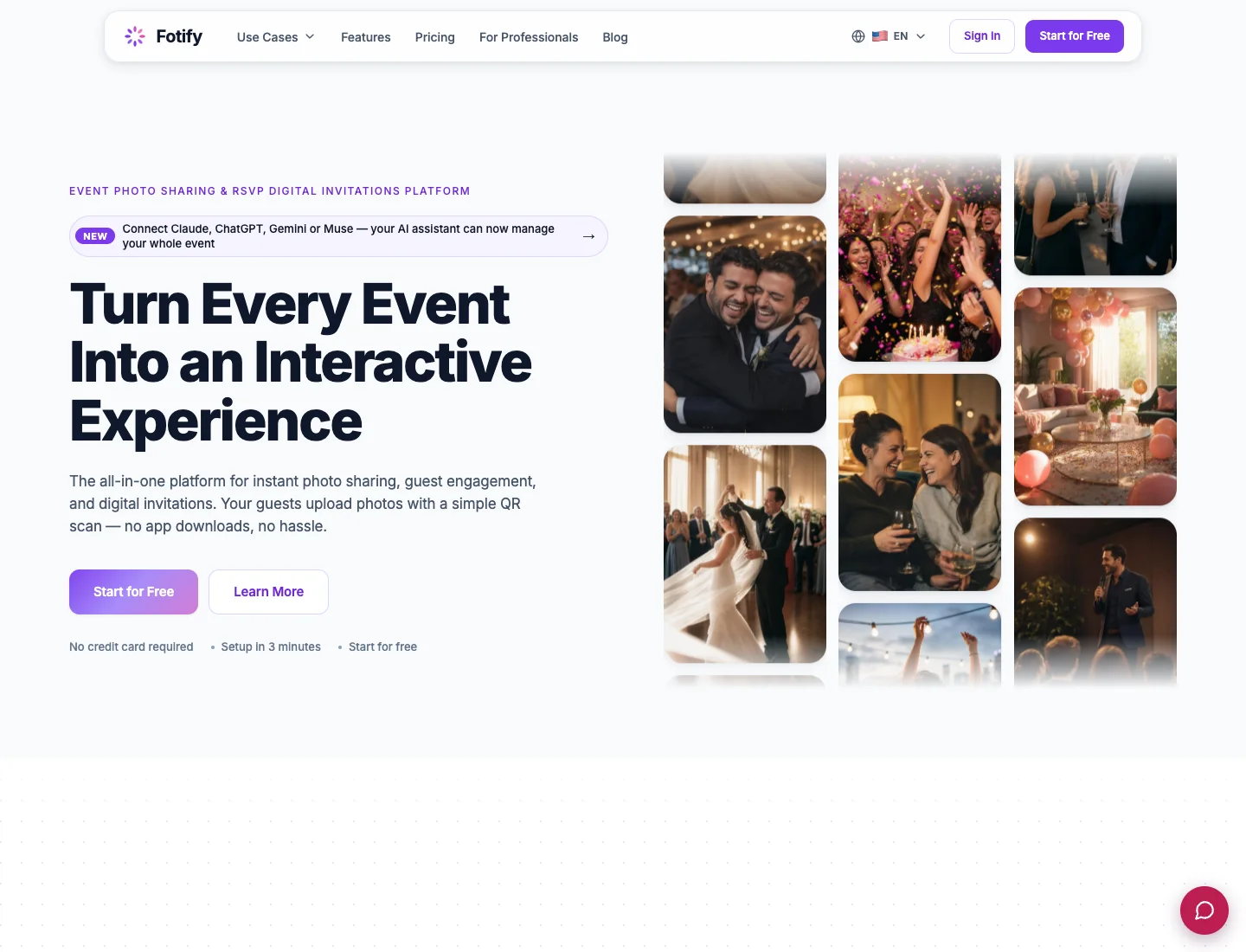
I would give Fotify priority if you are choosing an event-management setup and a moderated live photo display together. The official homepage presents those functions as part of the product, and the wedding page makes the invitation and guest-response use case clear.
For that buyer, the work begins before the reception. I would check how an invitation is shared, how the guest responds and how meal or plus-one information appears to the host. The useful comparison is the whole task you intend to complete, including the information your caterer needs later.
If several people will manage the event, verify the package and permissions for that arrangement. The person moderating photographs may not need access to every guest response or setting. A clear division of tasks helps you avoid sharing a single host login with everyone involved.
I would not move to a broader system solely because it has more functions. If the invitation route, guest list and seating plan already work, use that progress. A separate album can be a sensible addition to a settled wedding website.
Wedding Studio is my first choice when the remaining task is gathering guest perspectives and making a physical selection afterward. Its guest album is the destination, with optional delivered cards to make the request visible and photobook ordering from the collection.
That suits a wedding where you want the camera-roll contributions without adding another elaborate guest activity. The card can simply invite people to share photos and videos they choose to send. Guests can return to the link later when they have time and a connection.
The printed QR card guide helps you decide whether to order cards or use your existing stationer. I would order through Wedding Studio when the available design and delivery suit the venue plan. If you already have a print supplier, let them use the checked album code in the suite you chose.
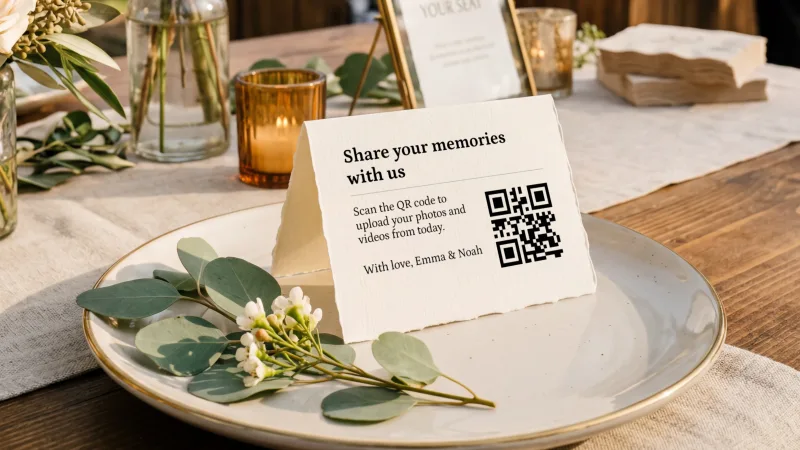
Before paying for cards, check the final design and the destination-specific delivery terms. The card order is separate from the digital album tier. I would keep those costs visible so the purchase remains easy to compare.
The photobook option is worth considering at the same time. If the format matches what you want, it gives the guest collection a useful next step without opening another photo-upload project. You can decide later whether the pictures make you want the book.
For the book selection, I would include the quieter tables, arrivals and details people noticed while you were elsewhere, alongside the livelier group photographs. Keep audio in its own playable archive; the audio guestbook guide helps you plan that contribution separately.
Save the full archive independently of the book. Videos and voice messages need playable files, and some photographs can matter even if they are not suitable for a printed spread. A curated object and an original-file archive do different work.
I would ask each provider about the actual recordings you want to collect. A brief clip and a full speech are different demands. Duration, file size, format and the guest's connection can each affect whether the file reaches the album.
For an essential long recording, confirm duration, file-size and format support with the provider you choose. I would test a representative file before putting that request on the printed card.
I would give a professional recording its own delivery plan. Your photographer or videographer may use a dedicated client gallery or transfer route, and their contract can govern how material is shared. The guest album can complement that arrangement without replacing it.
For guests, ask for selected clips rather than implying that they should record the whole ceremony on your behalf. That makes the collection invitation feel manageable and leaves people free to participate in the event.
Then test the archive. Download a sample video and open it outside the online gallery. Listen to its sound, check the orientation and confirm it is the expected file. A thumbnail in a browser proves less than a file you can play and save.
If you choose Fotify for digital invitations, look at how you intend to send them. Its current pricing distinguishes sharing a link from email or SMS delivery using credits. I would cost the route you plan to use, including reminders, before comparing the purchase with a photo-only album.
A guest list also needs maintenance. Decide who updates changed names, plus-ones and meal information, and where the final list will be handed off. The platform can hold the answers, but someone still needs to know which version the venue is using.
I would check a realistic sample household rather than a blank demo guest. Include the type of response that could otherwise become awkward: a declined invitation, an accompanying guest or a dietary request. Look at how that response appears when you retrieve the information.
If invitations are already in circulation elsewhere, calculate the cost of moving them in attention as well as money. Guests may answer the older link unless you explain the change clearly. A fresh album link can be added later without reopening the RSVP request.
Wedding Studio is the choice I recommend when you want to keep that planning system and add a defined photo collection and print route beside it. You can focus your remaining work on a checked destination, a readable card and an archive plan.
Fotify is particularly relevant when a moderated live display is a real requirement. I would decide what moderation needs to achieve before choosing the package. Protecting a public-facing screen, keeping accidental uploads out of the collection and choosing a polished display selection are related tasks with different standards.
If the reception display is the main purchase, compare Wedding Studio with Kululu and read the slideshow setup and buying guide. Keep display requirements separate from invitation delivery.
Write a small brief for the person managing it. They should know which event collection is live, how to pause the display and what kind of contribution should be held back. That avoids making every routine decision another message to the couple during the reception.
An automatic filter should also be checked against the actual task. A system might flag an ordinary photograph unexpectedly or allow something you would rather keep private. I would establish how a host reviews and corrects those decisions in the package you intend to use.
For a small private celebration, you may not need a complex display process at all. You can collect guest uploads and browse them afterward. That is one of the reasons I prefer Wedding Studio for a focused album and print purchase when event-management controls are not the main need.
Fotify's wider event offer can be attractive if you want several guest actions in the same system. I would still choose the main request for each moment. Before the event, you may need a response and meal choice. At dinner, you may want selected photographs. During a quieter moment, a guest might leave a message.
Giving every action the same prominence can make the page harder to understand. I prefer a direct photo invitation on the table card and a longer explanation on the wedding website. Guests should not have to study the planning system to send an image. The guest app and account explanation helps you check that the printed instructions match the contribution route.
If you include a live display, agree when the photo request is mentioned. A brief announcement can tell guests where to find the code and that they can return to it later. It need not become a tutorial or another item that interrupts the room repeatedly.
The same care belongs in the post-wedding message. Reuse the familiar link, ask for the pictures guests want to share and give them an understandable deadline while the upload period remains active. A shorter paid upload window may work well if you have that communication ready.
I would also keep the original files apart from any edited selections used on the screen or in a book. That lets you make a polished version for sharing while preserving the contributed material. If a photograph includes people who did not expect wider circulation, ask before using it publicly.
Wedding Studio provides upload and download access for 24 months after the wedding. I would write the creation date into the plan so you know how much time remains after the wedding and any related gatherings.
For Fotify, choose the event package against its actual upload and gallery windows in the table. Check how activation applies to your event dates before buying early. A purchase date, event date and album-creation date are not interchangeable timing promises.
I would choose a download date before either service's access period becomes urgent. Save the archive, open the files and keep a separate copy. If a contribution is missing, you then have time to ask for it while the guest destination is still available.
Photographs from professional sources need the same clarity. Check which files you are permitted to upload or print, and keep their original delivery archive. A guest collection can become a useful combined viewing space, but you should not rely on an assumption that every photograph has the same reuse terms.
Kululu is a relevant additional option if a live photo wall leads the brief and you want to investigate its screen-focused workflow. Its official homepage and pricing page document the photo-wall route. I would check the qualifying plan for your needed controls.
WedUploader is more relevant if uploads arriving in Google Drive matter most. Its official homepage states that destination model. The host then takes responsibility for storage space and the connected account.
If you have already started with Fotify, export the existing material before changing the guest destination. Create and test the Wedding Studio album first, then replace the upload link on your website, messages and printed items. Do not imply that RSVP records, moderation decisions or video collections will migrate automatically.
I recommend Wedding Studio for multilingual guest collection, live slideshow, voice messages and photo organisation. Choose Fotify when its specific invitation-delivery or event-management controls solve an additional job. Set up your guest album first, then choose how to display its invitation.
Invite guests to add photos and videos to your album without installing an app. Choose optional printed cards and save your downloads before album access ends.