Eventoly Alternatives: Wedding Studio vs Eventoly
Wedding Studio vs Eventoly: compare guest album features, multilingual access, slideshow and photo organisation with website and RSVP tools.
10 min read
Wedding Studio vs Eventoly: compare guest album features, multilingual access, slideshow and photo organisation with website and RSVP tools.

I would choose Wedding Studio for a multilingual guest album that combines photos, videos, voice messages, a slideshow and automatic photo organisation. Eventoly deserves a closer look if you still need a wedding website and RSVP tools bundled into the same setup.
I would decide around the work that remains on your list. If the invitations and responses already have a working home, a new planning toolkit may add less than an easy-to-find upload destination and a clear way to preserve the pictures afterward.
Wedding Studio combines a customisable multilingual guest page with voice messages, live slideshow, timed reveal and co-hosts. Automatic photo categories and duplicate detection help turn the uploads into a collection you can browse. I would choose it for that digital experience before considering any print order. Eventoly's combined website and RSVP setup is relevant when you still need those planning tools.
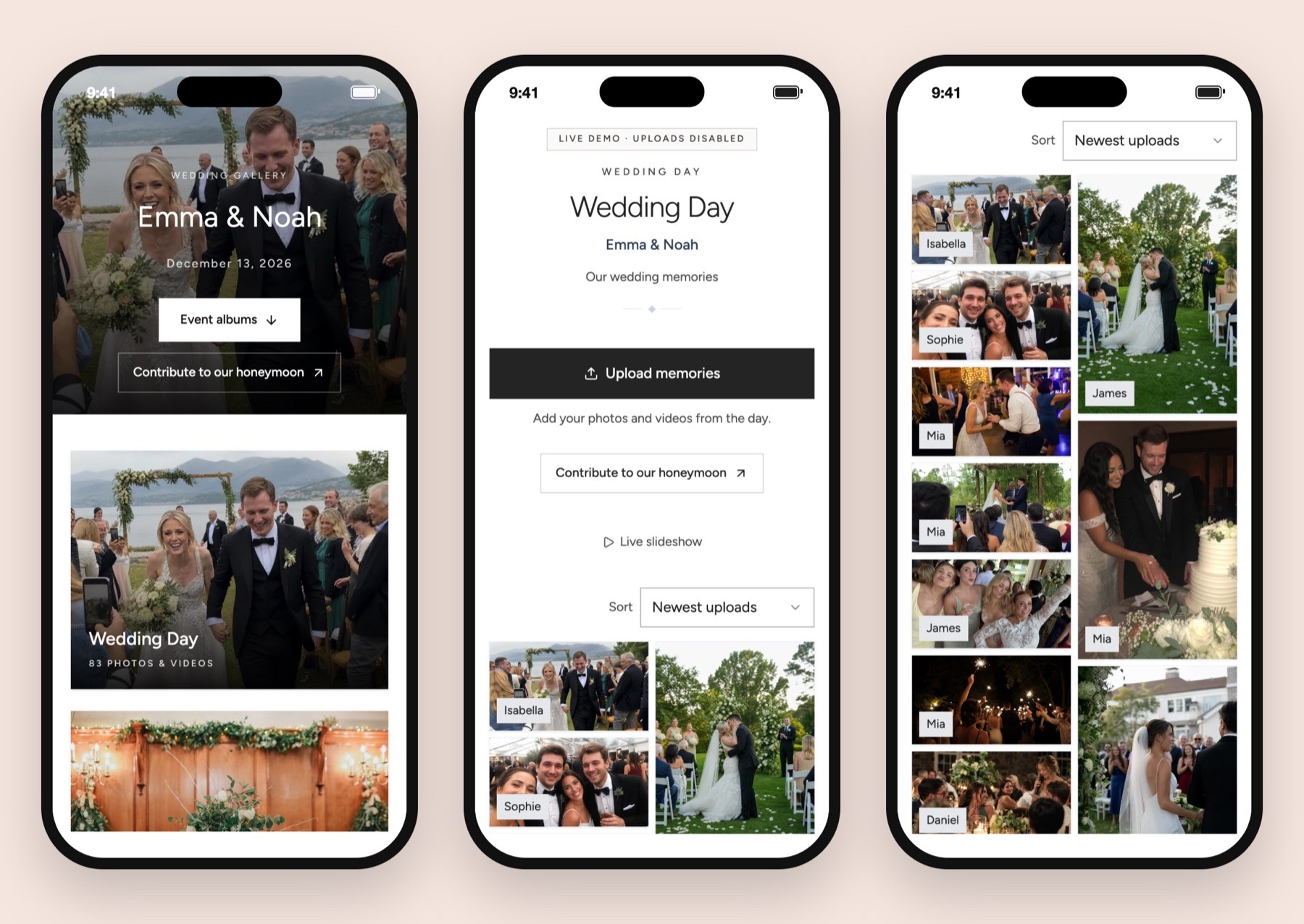
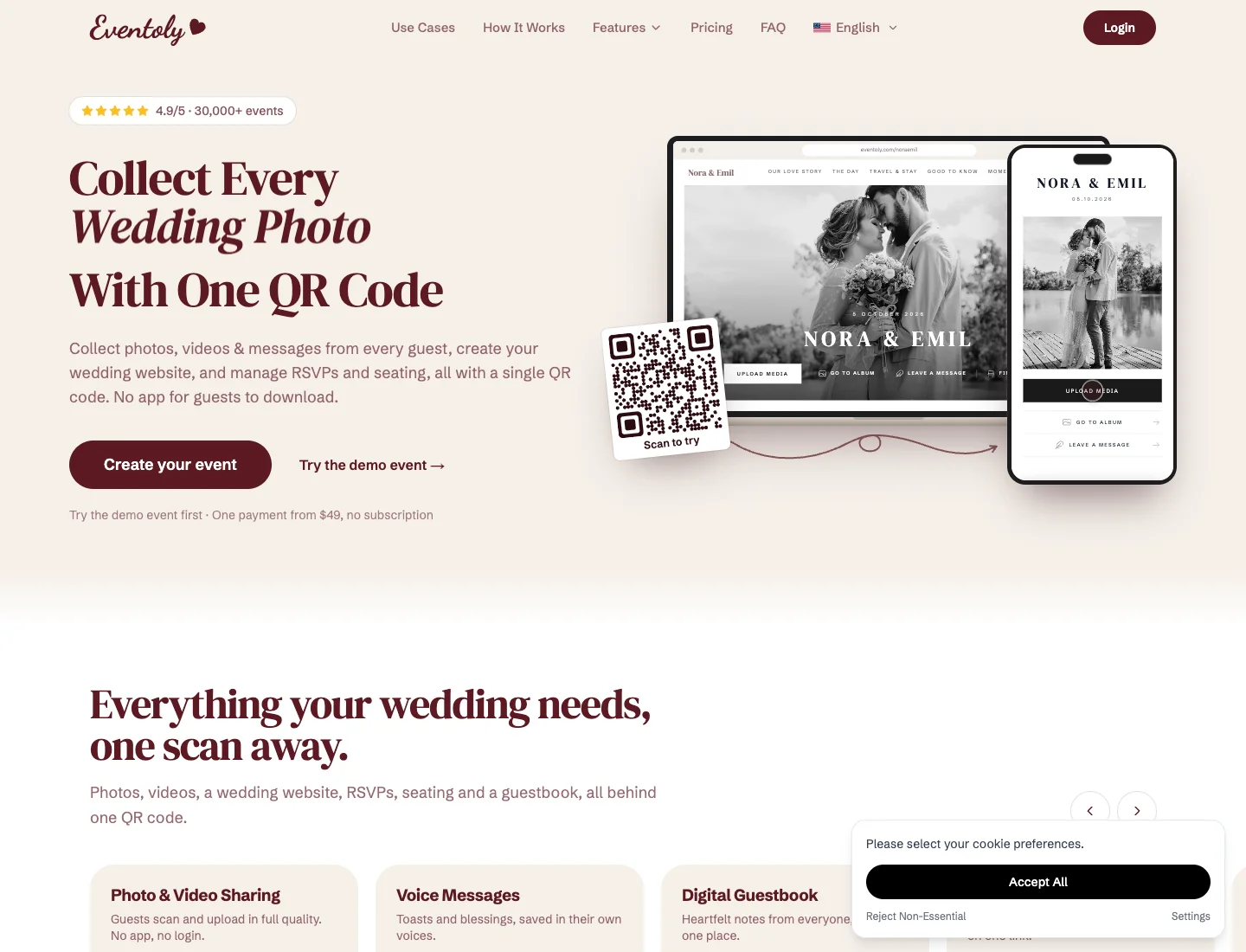
Eventoly's current homepage separates its offer into Starter, Standard and Pro. That is the relevant structure for a buying comparison. I would be careful with older descriptions that treat the product as a single album package with a universal access period.
The lower route covers the core collection, while the higher routes add different guest-facing functions. Written and voice messages, a live slideshow and the broader planning tools should be checked against the selected package. A feature appearing somewhere on the homepage does not establish that it is included in every purchase.
Wedding Studio is my first recommendation if your main task is guest photo collection with optional delivered cards and an album-to-photobook order afterward. The wedding photo-sharing page is the place to choose the right guest-count tier and review the album.
If you are comparing Eventoly because you need a new wedding website too, investigate that full route. Consider where the guest list will live, what the response form needs to collect and how the final information reaches your venue. The photo destination is one part of that purchase.
Confirm the selected currency and any current promotional terms when you compare the checkout total.
| Requirement | Eventoly qualifying route | Wedding Studio qualifying route |
|---|---|---|
| Basic guest collection | Starter: photos/videos, guest access and admin ZIP download | Guest-count album plan; browser uploads without guest account |
| Starter access | 3 months upload; 6 months storage, from event date | Wedding-date-based upload/download period described below |
| Guestbook and screen display | Standard adds notes/voice guestbook, live slideshow and sub-albums | Guest voice messages and live slideshow documented |
| Standard access | 6 months upload; 1 year storage, from event date | Same published album access period across guest-count tiers |
| Website, RSVP and seating | Pro adds wedding website, meal-choice responses, find-my-seat and custom event link | Choose the album for collection/print; assess other tools separately |
| Pro access | 1 year upload; 2 years storage, from event date | Defined wedding-date-based access; download during active period |
| QR card preparation | Dashboard design downloads and Canva route documented | Optional paid delivered cards, or DIY printing |
| Printed photobook | Printable guestbook export described; physical photobook fulfillment not established | Optional album-to-photobook ordering |
Wedding Studio's current album prices are Starter $29 USD, Pro $69 USD and Unlimited $99 USD. Pick the guest-count tier on the current product page. Printed QR cards begin at $49 USD and photobooks at $59 USD as optional purchases.
I would choose Eventoly Pro when you want its documented wedding website, RSVP and guest seating route together and those jobs are still unfinished. There is a clear benefit to giving guests a destination they recognize as the planning stages change.
The Wedibox comparison is relevant when you are choosing a combined website and guest-management setup. For a broader shortlist of album services, return to the best wedding photo apps guide.
That benefit depends on the actual guest route. Before buying, I would follow a sample invitation through a response, check the meal information in the host view and try the guest's seat lookup. The homepage demonstrates the idea; your event needs the correct information to arrive at the right person.
The current Standard route also has a defined role for someone who wants the guestbook and live display without the broader planning package. I would investigate that route if voice messages matter and the website is already settled elsewhere.
Be specific about what you mean by a guestbook. Written notes, audio files and a printable export are different objects. If you want a physical book of photographs, establish who makes it and what is included, rather than assuming that a printable guestbook export is the finished item you pictured.
I would keep a settled RSVP route unless the broader package solves a task your current setup cannot handle.
Wedding Studio fits a focused plan: guests contribute photos and videos through the browser, you collect them in the album and you can order physical products if you want them. I prefer that route when the photographs are the purchase you need to finish.
The printed QR card guide helps you choose between ordering cards and arranging printing yourself. Delivered cards are an option, with their own cost and delivery terms. If you already have stationery underway, your designer can work from the checked album code instead.
I would choose the printed route according to the time you have and the supplier you trust. An existing local printer may be the right choice near the wedding. Ordering through the album service may suit you when the available design and destination delivery match the plan.
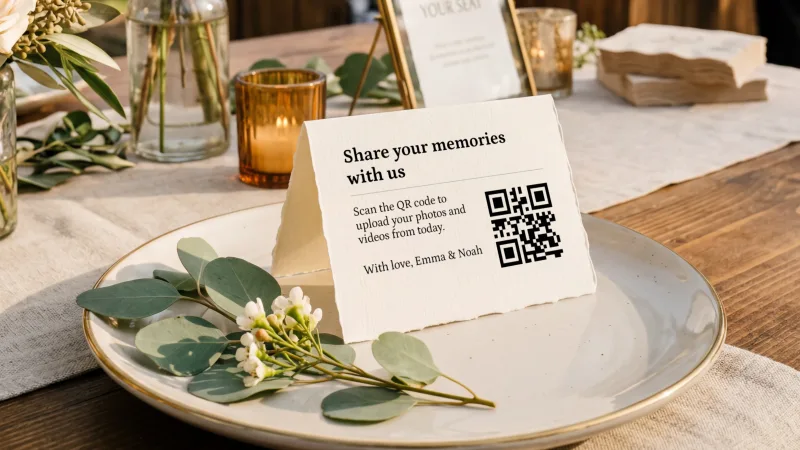
A code on a card needs an understandable request beside it. I would ask guests to share their photos and videos, then include the readable album link as another way in. Keep the card visible after the table is set and check it against the room's lighting.
For the book, Wedding Studio offers a photobook from the guest album. That matters if you want to turn the collection into a printed selection without beginning another upload project. Review the format and current ordering choices before deciding it fits the book you want.
The archive should remain broader than the book. Save photographs you do not print, along with videos and voice messages in usable files. The pictures you choose for the shelf can be a smaller, more considered selection than the album you keep digitally.
Wedding Studio's upload and download period lasts 24 months after the wedding. I would put the access end date in the calendar and schedule a download while the album is active. Setting up early does not shorten the post-wedding access period.
Eventoly's single-destination idea is useful if the landing page supports the task a guest has at that moment. Before the event, that may be reading travel details or sending an RSVP. At the reception, you may want the same guest to find an upload button quickly.
I would make the printed request match that moment. A photo card can ask for photos even if the landing page has other functions. A seating sign can explain how to find a table. A code is a route into the page; the wording tells the guest what to do there. The wedding QR ideas guide can help you decide which actions belong in which parts of the event.
Look at the page on a phone with no host login. Check which button appears first, whether the event is recognizable and how many choices compete for attention. You are deciding whether the destination makes sense in the room, rather than scoring the number of features behind it.
The same principle applies if you choose Wedding Studio beside another website. Give the photo collection a clearly labeled link in the site you already have. Guests should be able to recognize the album without learning your planning system.
I would keep a plain link ready for a follow-up message as well. A guest traveling home may upload later on a better connection. Reusing the same clear destination is kinder than introducing a different route every time you remind people.
If you select a package because it includes RSVP and seating, check the final handoff early. The venue may need a list, meal totals, named dietary information or table assignments in a particular form. The seating-chart planning guide helps you work through that handoff. The product's feature label does not settle that requirement.
I would enter a sample household with the kind of complication your guest list actually contains. Check an accompanying guest, a declined response or a meal change. Then retrieve the information as the person managing the final list will see it.
If you already have a table plan, compare the cost of moving it with the benefit of the integrated route. A guest album can sit beside a spreadsheet, a venue planner or an established RSVP tool. I would keep the arrangement that gives the venue reliable information.
Eventoly has an older access page using more general language than the current tiered homepage. I would confirm the chosen package's upload deadline, storage deadline and starting point in the order terms. Keep a copy of the terms you actually purchase.
A longer storage period is useful for viewing and downloading, while a longer upload period helps with later contributions. Those are different benefits. Decide whether you expect more material to arrive after the wedding or mainly want time to browse what is already there.
I would not leave archiving until the final deadline. Download the original files, open the archive and keep a separate copy. If the file set is incomplete, you have time to resolve it while the collection remains available.
The book decision can happen after that first download. Waiting for a few late contributions can improve the selection, but it should not delay making an initial backup. You can save another copy after the album has settled.
Eventoly's combined website and response route can reduce the number of destinations you manage, provided you decide which record is authoritative. I would name the place where the guest list is maintained and the person who updates it when information changes.
A couple can receive a meal change by message even when the original response arrived through a form. That change still needs to reach the current list and the venue's final version. The software helps hold the information, but it cannot know about a conversation you have not entered.
If you use a separate planning tool alongside Wedding Studio, the same principle applies. Keep the guest-list system responsible for attendance and meals. Give the album a clearly labeled photo role, so nobody mistakes a contribution for a response to an invitation.
I would use the wedding website to explain those roles in ordinary words. A guest should be able to identify where to RSVP and where to share photographs without understanding how the systems are connected. Consistent labels are more helpful than repeating a product's feature names.
If the seating lookup is one reason you are choosing Eventoly Pro, think through the arrival moment. Guests may be holding coats, helping children or looking for someone they recognize. They need a direct route to the table information and a person who can help if the page will not open.
I would prepare the backup list from the final version of the table plan. Put it with the person managing arrivals and agree how late changes are handled. A phone-based lookup can remain useful while a printed list keeps the entrance moving when a device or connection is unavailable.
The photo request can wait until people are settled. You do not have to make the entrance code carry every wedding task at once. Put the upload invitation where guests are likely to have their phones out and a moment to contribute, such as the reception tables. Use the QR placement guide to plan the physical positions before ordering cards.
For Wedding Studio, that might mean optional delivered photo cards beside an existing seating display. For Eventoly, it might mean distinct printed prompts that open the same overall destination. I would choose the arrangement that makes the immediate action clear.
Before ordering any signs, give the person welcoming guests the final wording and links. They should be able to recognize the photo destination and the seating route, even if they never see the host dashboard. That practical handoff is worth checking whichever package you buy.
Wedibox is worth considering if a gallery embedded in an existing wedding website is the key requirement. Its official Embed page describes that route. I would test compatibility on your actual website before treating an embed as a solved task.
WedUploader is the alternative I would examine if uploads must arrive directly in your own Google Drive. Its official homepage establishes that storage model. You then need a clear host account, available space and maintained permissions.
If you have already started with Eventoly, preserve what you have before changing products. Download existing contributions and any guestbook or planning exports you need. Do not assume that responses, seating assignments and voice messages will transfer as a complete event into another service.
I would then create and test the Wedding Studio album, replace the photo-sharing link and review every printed code. Keep a working planning system in place if the album is the only part you want to change.
Choose Wedding Studio for a personalised multilingual guest album with voice messages, slideshow, reveal settings and automatic photo organisation. Choose Eventoly when its combined website and RSVP setup is the work you still need to finish. Printed cards and a photobook can follow the album decision.
Invite guests to add photos and videos to your album without installing an app. Choose optional printed cards and save your downloads before album access ends.