Best Wedding Seating Chart Tools: Free Plans, Imports and Exports Compared
Choose Wedding Studio for a free spreadsheet-to-seating handover; use Cvent when venue collaboration and specialist room design determine the purchase.
14 min read
Choose Wedding Studio for a free spreadsheet-to-seating handover; use Cvent when venue collaboration and specialist room design determine the purchase.
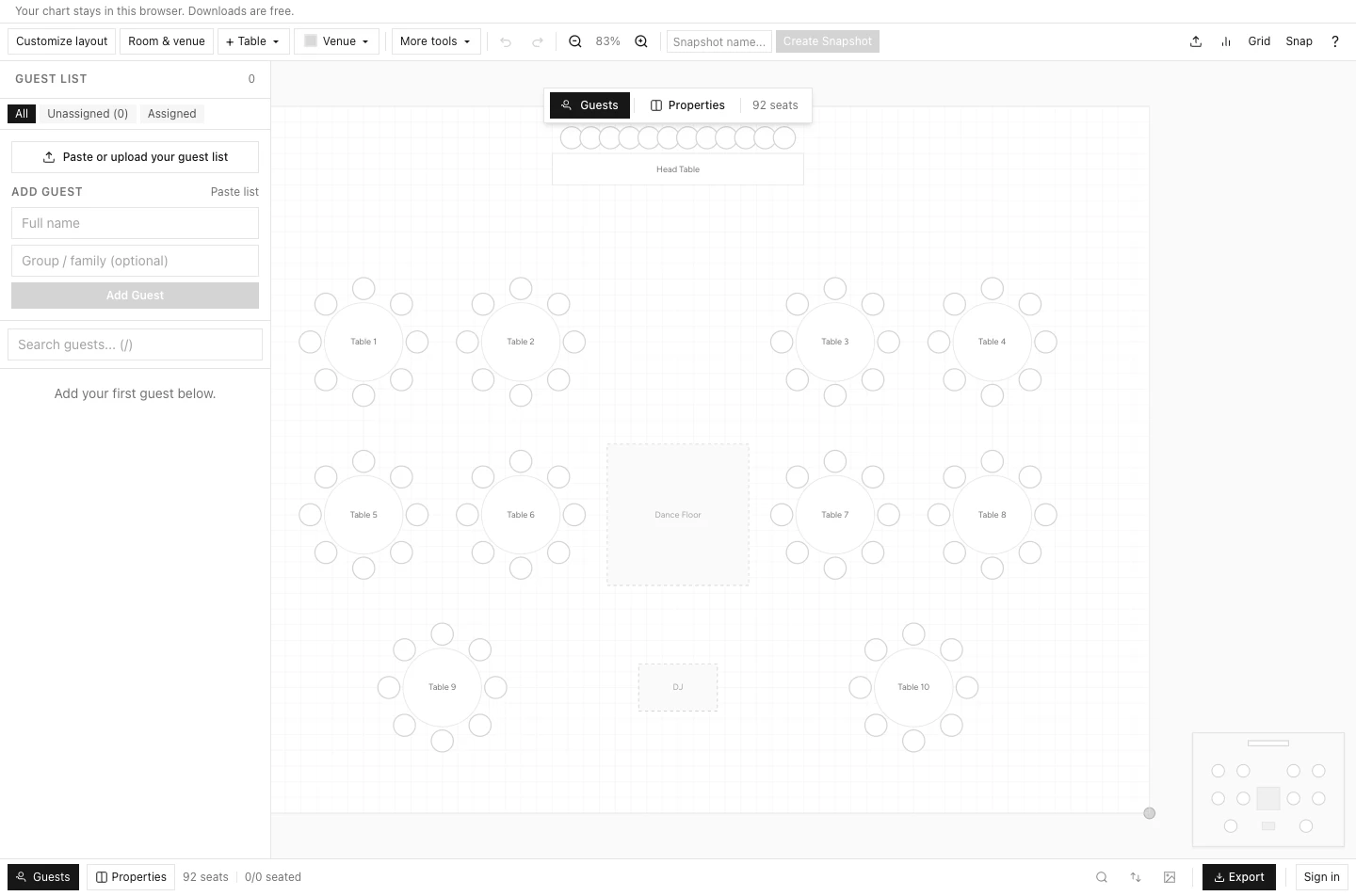
For a guest list that needs to become table assignments and usable downloads, Wedding Studio is my first choice without an export charge. I would choose Cvent Event Diagramming when the venue and planner need a shared event-design workspace with real-time collaboration and a room walkthrough.
Those are different purchases. A couple deciding where relatives will sit needs an accurate guest list, sensible assignment controls and files the venue can read. A planner coordinating production with a venue may need collaborative diagrams and a much broader design system. The best wedding seating chart tool is the one that finishes your actual handover.
Wedding Studio also gives you a guest-photo album with multilingual support, co-hosts and customisable guest pages. I would use the seating tool for the table assignments and the album for the photo invitation. They solve related wedding tasks, but creating a seating chart does not mean you have purchased an album or linked the two guest lists automatically.
For a free guest-to-table workflow, start with the Wedding Studio seating chart maker. It supports spreadsheet import, table layouts and guest assignment. Creating the chart and downloading digital files do not require an account. Signing in adds cloud backup and cross-device access. You can get a working plan out before deciding whether you want an account.
Wedding Planning Assistant is worth comparing if you want seating inside its wider wedding-project environment. Its current seating page distinguishes free guest-list export from the Premium print-ready seating PDF. That distinction matters if the final room plan is what your venue needs.
Cvent Event Diagramming, formerly Social Tables, is my specialist alternative for a planner and venue building the space together. Its official overview emphasizes collaboration, commenting, to-scale layouts and a photo-realistic room walkthrough. I would ask the venue whether it already uses that system before making another diagram elsewhere.
A spreadsheet or printable design can still be sufficient. If you have already decided the assignments and simply need an attractive sign, compare seating chart template formats before spending time moving chairs around a canvas.
| Tool or route | Guest list and assignment | Free design versus final output | Account boundary | Best fit |
|---|---|---|---|---|
| Wedding Studio | CSV/XLSX or pasted list; column mapping; table and seat assignment | Free digital PDF, PNG and guest CSV downloads; recovery JSON also available | No account for creation/downloads; sign-in for cloud backup and cross-device access | A couple completing the list, layout and handover |
| Wedding Planning Assistant | Official page documents guest import and automatic seating | Guest-list Excel/PDF export is free; print-ready seating PDF requires Premium | Official page says no signup required to start; later boundaries need checking | Seating within a broader wedding project |
| Cvent Event Diagramming | Visual seating and meal management in an event-design platform | Official site offers free entry; qualifying plan and export terms need checking | Verify the current planner and collaborator access requirements | Venue collaboration and specialist room design |
| Spreadsheet plus printable template | You maintain names and table assignments manually | Depends on spreadsheet access, template license and printing choice | Depends on the tools you choose | A finished assignment list that needs presentation |
The named features do not establish that every system handles the same import file equally well. I would make the choice using a redacted sample from your own list and the precise file the venue requests.
Wedding Studio is a strong fit when the planning problem is concrete: you have guest names, a rough room layout and a deadline for sending assignments. The documented workflow lets you add people, arrange tables, assign seats, review the list and download several kinds of output without an export paywall.
I particularly like the separation between the room diagram and the guest-facing sign. They answer different questions. Your venue needs to know where the tables and seats are. Guests arriving at dinner need to find their names and table numbers. A single decorative poster rarely does both jobs well.
The importer accepts delimited files and Excel input, with a mapping and preview stage. It recognizes fields such as names, group or family, RSVP status, meal preference and accessibility notes. You can paste a list as well.
Before importing, make a copy of your guest sheet and remove columns you do not need for seating. Addresses, gift notes and private family commentary do not improve the table plan. Keep practical information that affects the assignment, such as household groupings and an access requirement.
Use a row for each person who needs an assignment. A household named as one row is harder to seat accurately because a table has individual places. Children, companions and unnamed guests also need a consistent treatment in the source list. An empty companion slot should not quietly turn into a confirmed person.
The preview is the point to check names with accents, hyphens, multiple family names and a different writing system. Wedding Studio's CSV export preserves editable names across languages. Free PDFs use your device's fonts as images for some names outside the bundled font coverage, so check spelling and appearance in the preview and downloaded file. Physical print orders use a separate proof check; keep the CSV as the editable text record.
Use the venue's confirmed table sizes and chair counts. A circle drawn on a screen does not establish that service staff can walk between it and another table. The room also needs entrances, emergency access, the dance floor and the practical route to accessible facilities.
Wedding Studio includes table-shape controls and starting layouts, so you do not have to draw every object yourself. I would treat a starting layout as a draft of the furniture, then adjust it to the venue's plan. Ask the venue to confirm what must stay fixed before you build relationships around a table that cannot go there.
A sweetheart table and a head table can produce different guest capacities and sightlines. Long tables also make a table number less precise than a round table because people may need to know which end to approach. These are reasons to think about the final guest instructions while making the room plan.
Wedding Studio documents drag-and-drop assignment, seat-together and keep-apart constraints, and automatic seating. Those controls can save repetitive movement, but they work from the information entered. An algorithm cannot infer that an apparent family grouping is uncomfortable for someone.
I would assign the sensitive groups first, then use automatic seating for the remaining list. Review household members, caregivers, children and anyone who needs a particular route through the room. Check the final positions rather than assuming that a constraint label settles every social detail.
Leave room for discussion before sending the plan to the venue. If you are considering alternatives, save distinguishable versions and compare the consequences of moving a household. A plan with fewer empty seats is not necessarily preferable if it makes the entrance crowded or isolates a guest who needs support.
Wedding Studio distinguishes a venue layout PNG, a designed guest seating sign PDF, an alphabetical guest lookup PDF, table cards, meal sheets, an editable guest CSV and a JSON recovery copy. Some assignment-based outputs need actual assignments before their download buttons become useful.
The guest CSV includes names, table assignments, groups, RSVP status and meal preferences, including unseated guests. It is useful for checking totals in a spreadsheet and spotting someone who remains without a table. The recovery JSON serves a different purpose: restoring the editable chart. I would keep both rather than treating the CSV as a complete layout backup.
Free digital downloads do not make physical printing free. If you choose to have a sign produced, the printer, paper, mounting and delivery remain separate decisions. Downloading a PDF also does not guarantee that a local print shop will accept the size you selected without adjustment.
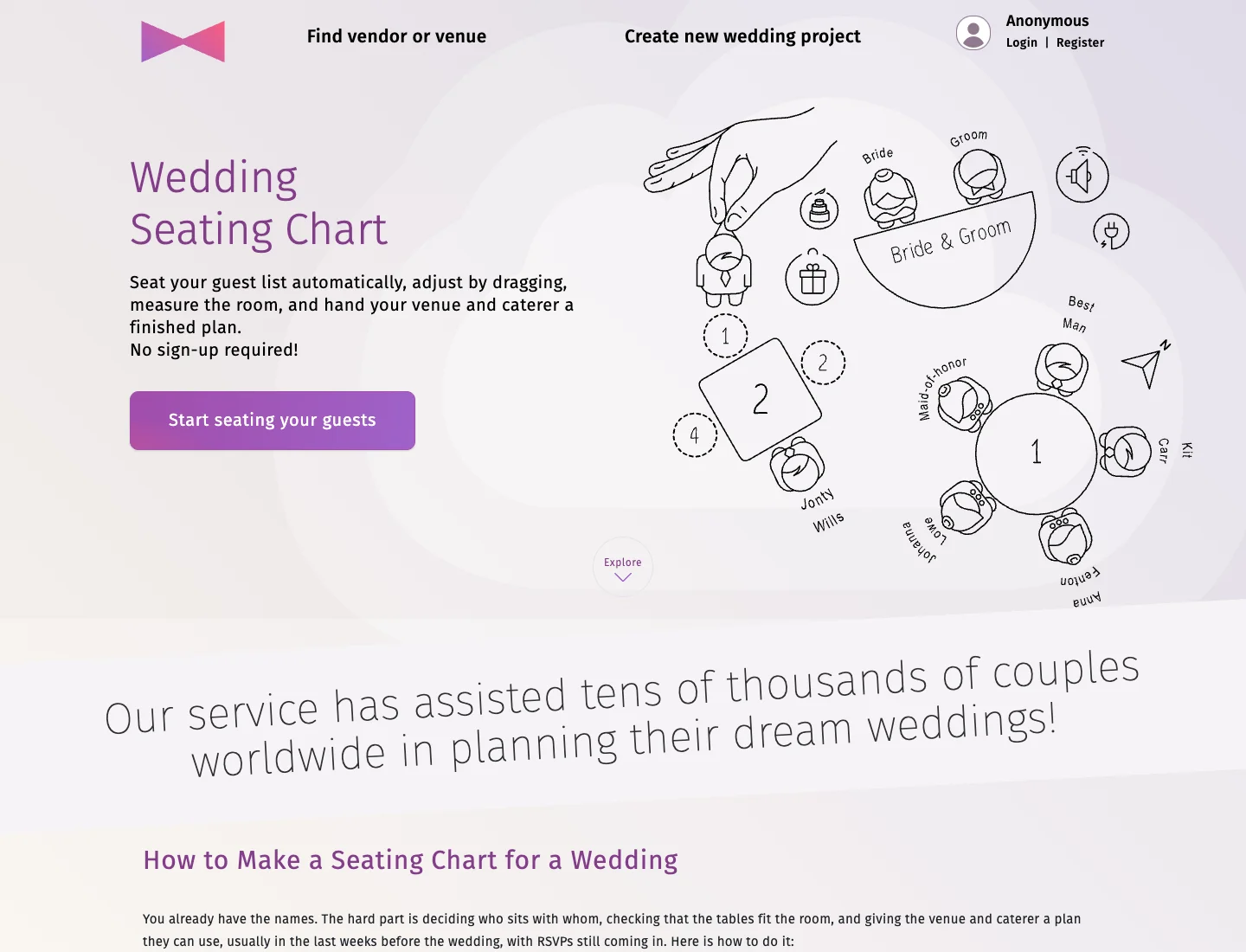
Wedding Planning Assistant's current seating page describes importing a guest list, setting out the room and seating automatically. That makes it a relevant comparison for a couple who wants a planning project with seating inside it, rather than a standalone sign editor.
The purchasing distinction I would keep visible is its export boundary. The official page says that the guest list can be exported to Excel or PDF for free, while a print-ready PDF containing seats, meals and dietary needs is a Premium output. Those files have different uses, and the word free on the start screen does not resolve which one your venue will require.
If you already maintain your wedding project there, staying in the same environment may reduce the work of moving information between tools. I would still export a sample and send it to the person receiving the final plan before completing the whole list. A format that is technically printable may not be the format the caterer wants.
Ask whether the venue needs seat-level meal information, table totals or a separate alphabetical list. Confirming that requirement early makes the upgrade decision concrete. You can then compare the qualifying plan against the time saved, instead of buying an export after the seating work is finished.
Its documented automatic seating also needs a human review. Family roles and relationships in a list are an input to a draft, not a substitute for deciding who would be comfortable together. I would inspect the table assignments with the same care as any other algorithmic proposal.
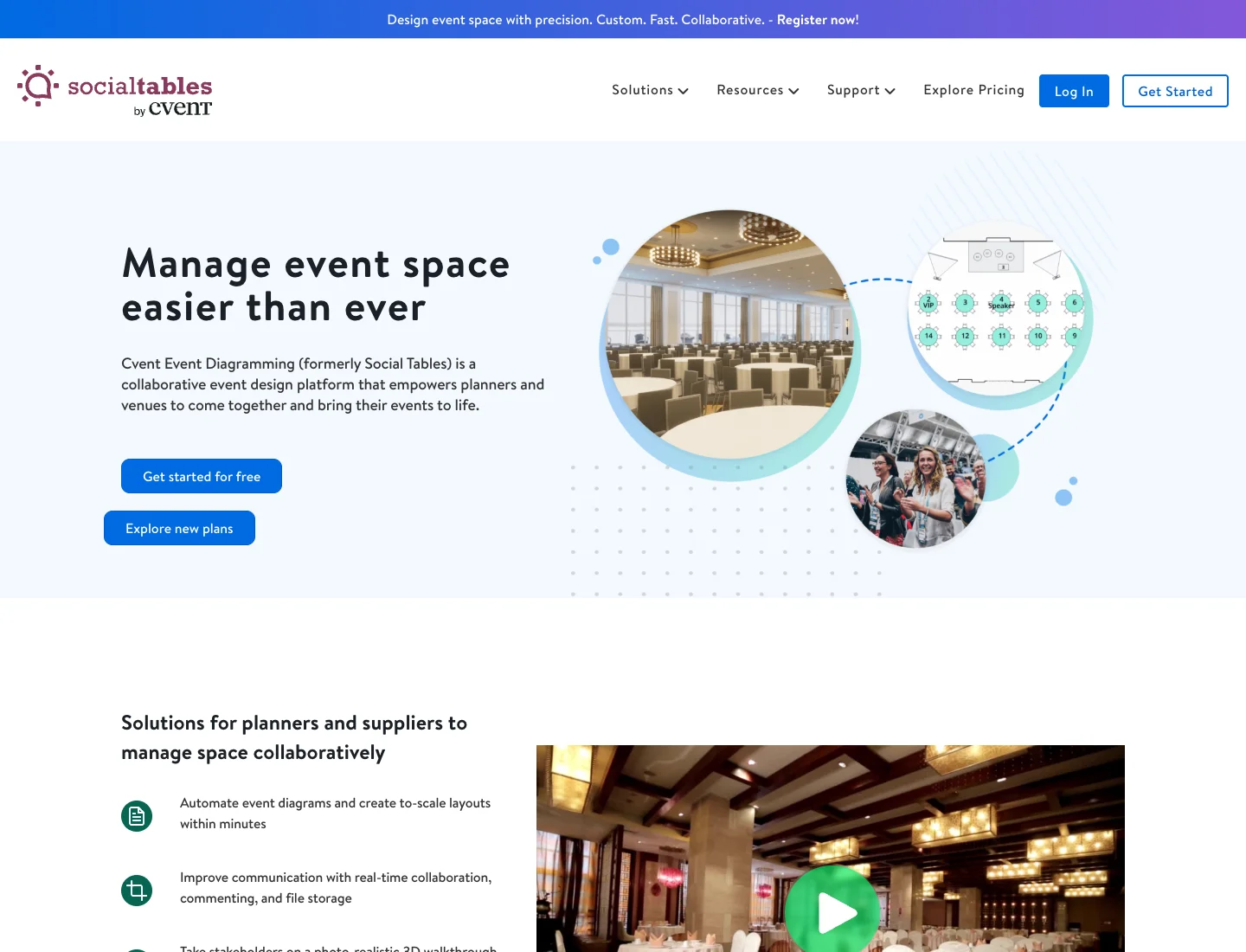
I would put Cvent ahead when the assignment is being directed by a venue or planner who needs collaborative design, comments and a room walkthrough. Its official site presents those as core parts of the product. That is a specific advantage over choosing a couple-focused tool simply because its guest list is pleasant to use.
The practical first question is whether your venue already has a diagram in Cvent. If it does, ask who can view or edit that diagram, how guest details are added, and which version will be treated as authoritative. Rebuilding the furniture in a different service can create two room plans that gradually disagree.
Ask Cvent which plan covers the exports and collaboration your venue needs. A free-start button is not enough evidence that the final collaboration and handover you want will be included.
The trade-off for a couple is the amount of system you are taking on. If you need to place names at tables and download a sign, a professional event-design environment may introduce decisions you do not need. That does not diminish its value for a planner managing room design; it narrows the circumstances in which I would choose it.
Choose a printable template if the social decisions are finished and you need visual presentation. It can be a sensible route for a small dinner with a settled guest list, especially when a stationer is already producing the menu and place cards.
A template does not normally maintain the relationship between a person's name and the physical seat. When someone cancels, you may need to change the spreadsheet, the sign and the caterer's version yourself. That is manageable if the plan is simple. It becomes more fragile as changes multiply.
An alphabetical entrance sign is often easier for a guest to search than a diagram full of tiny names. A table-based sign may be easier to coordinate with a theme or a long-table dinner. Choose the presentation after deciding how guests will use it in the actual entrance space.
For the underlying planning sequence, use the step-by-step wedding seating guide. I would keep the software comparison focused on the task and let the planning guide handle the wider decisions about who sits together.
Build a small redacted list that resembles your real guest list. Include a household, a companion, a person with an access requirement, a declined guest and a name that uses the characters you will need in print. Those are planning examples, not claims about a completed product test.
Once you have chosen the software, follow the step-by-step seating chart guide to move from guest list to venue handover. Keep the tool comparison for choosing software and the practical guide for doing the work.
Import that list and check the mapping. Make sure meal preferences have not landed in notes, that household names remain attached to the right people, and that a declined guest is not being treated as someone who still needs a place.
Create representative table shapes, assign the sample guests, and deliberately leave someone unseated. Open the review area and see how clearly the unfinished work is shown. Then move a guest, change a table name and export again. The second file should reflect the current plan rather than your memory of the first one.
Open every output you plan to use. Check names at normal viewing size, look for clipped text, and inspect the seating-sign PDF at the size you intend to print. A clear preview in the editor does not establish a readable large-format poster.
Send the sample venue file to your coordinator. Ask for a specific answer: does this show the table positions and identifiers they need? Send the meal report to the caterer if that is part of the requirement, keeping sensitive details limited to the people who need them.
I would choose the tool that passes that modest task with the fewest extra steps. Wedding Studio has a particularly useful documented starting point because the digital handover is free, so you can make the export part of the decision instead of discovering it after payment.
If the room and assignments are already approved, I would stop comparing automatic seating features. The job is now accurate presentation. Use Wedding Studio's sign PDF if its design and output suit your printer, or use a printable template if you want a stationery style the maker does not provide.
Take the approved guest list as the source of truth. Avoid correcting names separately in the sign file without updating the list, because the two copies will diverge at exactly the point where you need them to agree. Ask a second person to check the names against the source before sending the print file.
For this situation, a complex venue-design product offers little value unless the venue requires it. I would put the time into legibility, proofreading and confirming the print size. A simple sign with correct names is more useful than an elaborate diagram nobody can read at the entrance.
If the venue moves a service station or changes the available tables, return to the room plan before moving individual guests. A table's position may affect access, sightlines and the capacity available to nearby households.
Ask whether the change is temporary or final, then make a distinct version of the chart. Review the affected guests and the meal totals after the furniture is corrected. This is where a connected list and layout is more useful than several independent stationery files.
Wedding Studio is a good fit when you are making that revision yourself. If the venue is already collaborating with a planner inside Cvent, I would keep that room design in their system and agree how your guest list reaches it. Choose a clear owner for the layout instead of maintaining competing diagrams.
Treat the text record and the printed output as separate checks. Import a representative sample before committing the whole list, and check that the mapping keeps each name intact. Then open the exported PDF and inspect the same names in the final font.
If a name needs device-font rendering in a free PDF, inspect the actual result rather than assuming it will look the same on every device. Keep the correct text in the CSV. If the physical print proof cannot render it correctly, choose another production route rather than changing the guest's name to fit a template.
I would also confirm how alphabetical lookup should work for the names in your list. A guest-facing sign needs to help people find themselves, and an automatic order may not match the convention they expect. Read it as a guest would rather than accept the export without inspection.
A seat assignment is useful only if a guest can find the table. Put the sign where people can pause without blocking the main arrival route, and make table identifiers visible from the direction guests approach.
For a large entrance sign, choose type that can be read without leaning across another person. For long tables, consider whether the identifier is visible at both ends. If someone needs assistance, a coordinator's alphabetical lookup is a more practical backup than asking them to search a dense room diagram.
I would avoid making every guest scan a code merely to discover their seat unless there is a clear reason. The wedding QR ideas guide separates useful QR tasks from ones that can add friction. A printed seating sign can sit beside a separate invitation for guest-photo sharing without making one task depend on the other.
Once the table plan is final, keep the stationery tasks distinct. The seating sign helps people arrive at the correct table. A photo upload card invites a different contribution once they are settled. Clear purposes make both easier to use.
Wedding Studio saves the local chart in browser storage and offers a downloadable recovery copy. An account adds cloud backup and cross-device access. Check for "Saved in this browser" before closing. Clearing browser data, changing devices or using a different browser can separate you from that local copy.
Download the recovery JSON after a substantial planning session. Keep it with the latest guest CSV and label the folder clearly enough that both partners can identify the current version. Avoid putting a backup containing guest details in a publicly shared folder.
Give the venue a dated final issue and agree who can approve changes after it is sent. If you send a replacement, say that it replaces the earlier file. A perfectly accurate chart can still create confusion if the venue prints yesterday's attachment.
The screen used for planning should also be separate from what guests see. Detailed dietary notes and private relationship constraints belong in the planning handover, not on a welcome sign. Export only what that audience needs.
For a couple working directly from a spreadsheet, I would open the free Wedding Studio seating maker, import a small sample and download the exact files the venue asks for. If the venue needs collaborative room design or a walkthrough, settle the Cvent workflow with the planner before duplicating their work.
Add your guests, arrange the tables and download the files you need.