Wedding Studio-team
Inzichten van 50,000+ bruiloften gehost op Wedding Studio
Alles wat je moet weten over QR-codes voor bruiloften
QR-codes voor bruiloften zijn de eenvoudigste manier om foto's en video's van elke gast in één album te verzamelen. Geen app. Geen login. Gewoon scannen en uploaden.
In deze gids lees je hoe het werkt, wat gasten zien, welke kaartontwerpen er zijn en wat het kost. Gebaseerd op inzichten van 50,000+ echte bruiloften op Wedding Studio.
0+
Bruiloften verzorgd
0
Beoordelingen
0.8 /5
Gemiddelde score
Deel 1
Hoe QR-codes voor bruiloften werken
Het concept is simpel: je zet op elke gastentafel een gedrukt kaartje met een QR-code. Gasten scannen deze met hun camera en uploaden foto's rechtstreeks naar jullie gezamenlijke album. Geen app downloaden. Geen login. Zonder drempels.
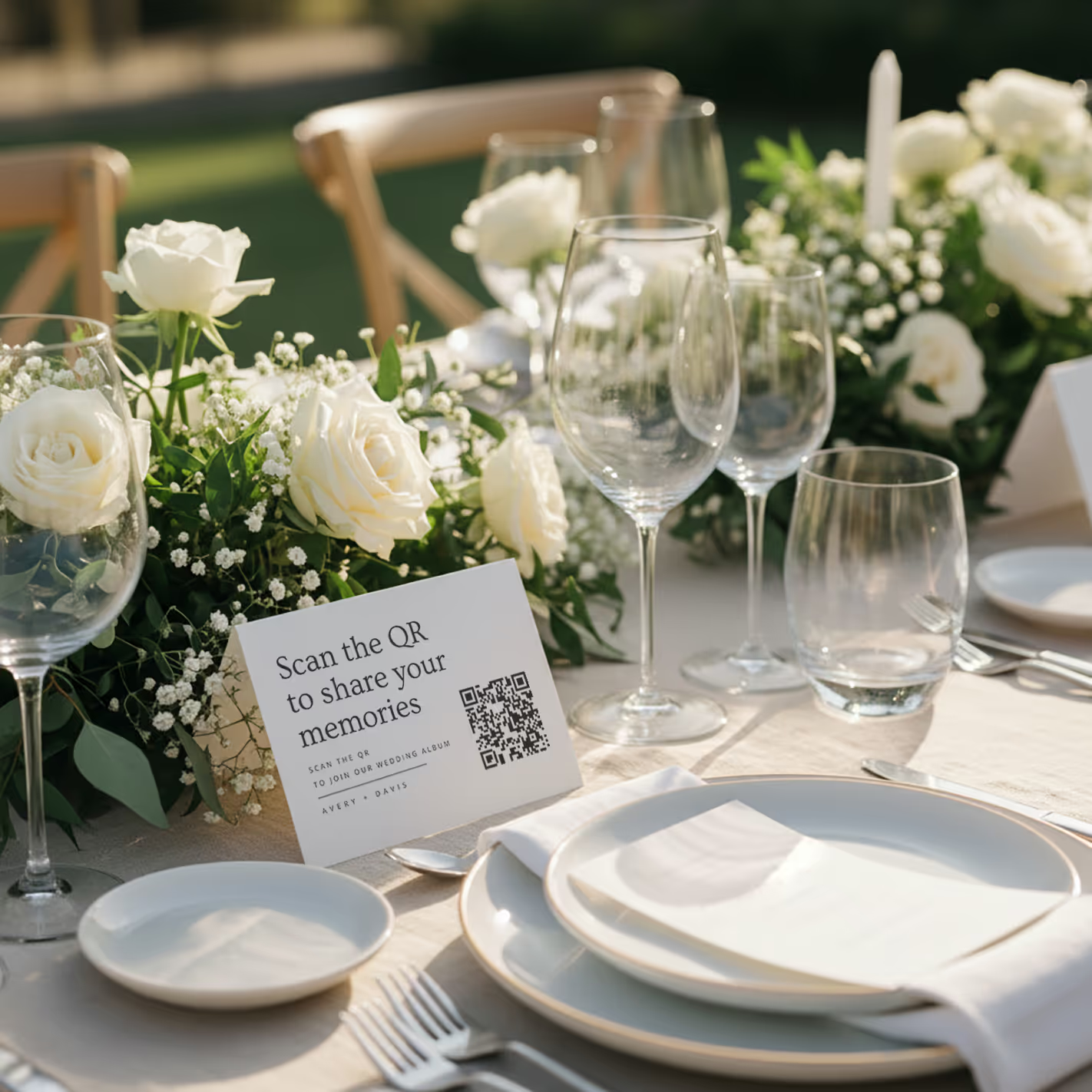
QR cards on tables
Printed cards sit on each guest table. Clean, elegant, and impossible to miss. Works with any wedding aesthetic.
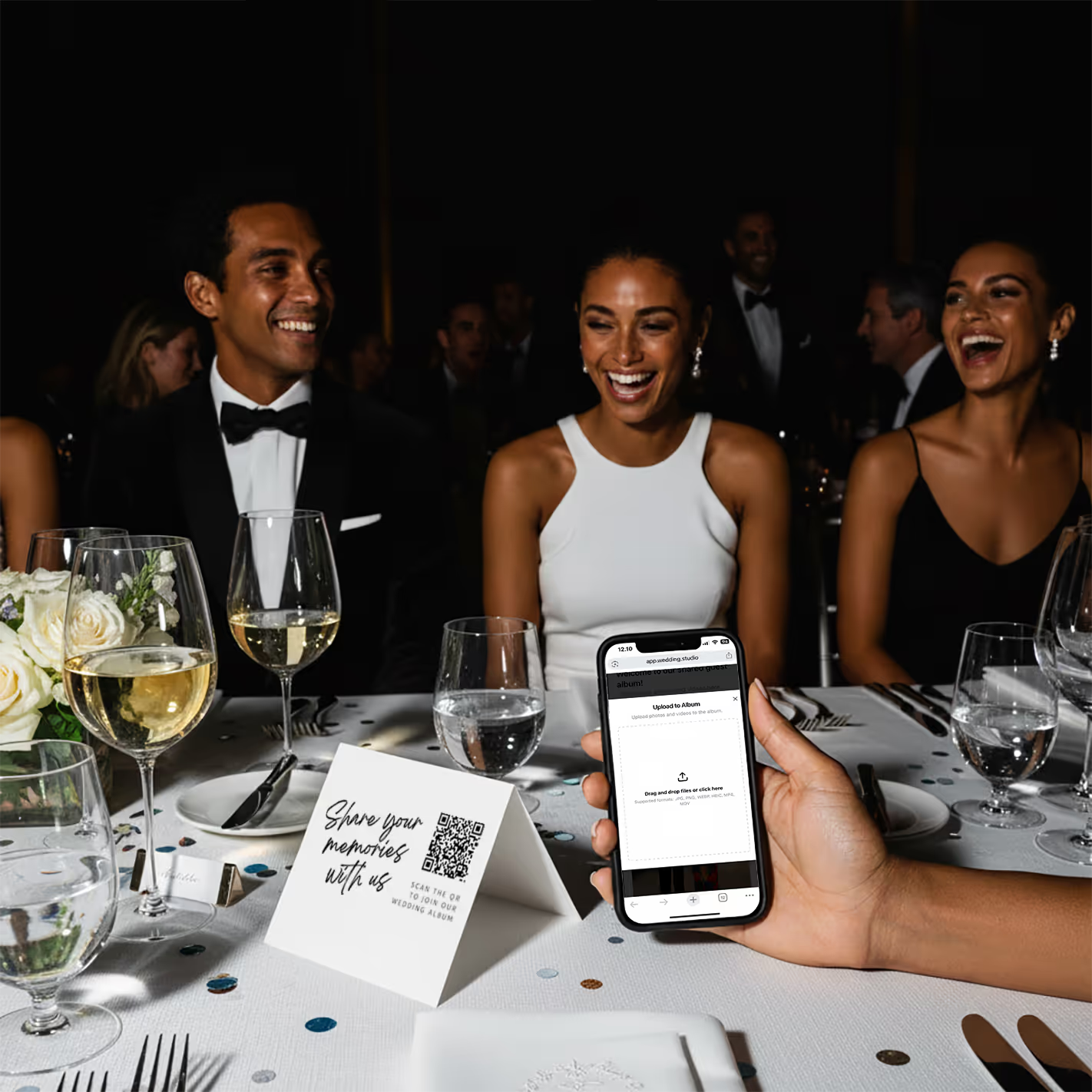
Guests scan & upload
Guests point their phone camera at the QR code. A browser page opens instantly — no app store, no login screen. They upload from their camera roll or take new photos on the spot.
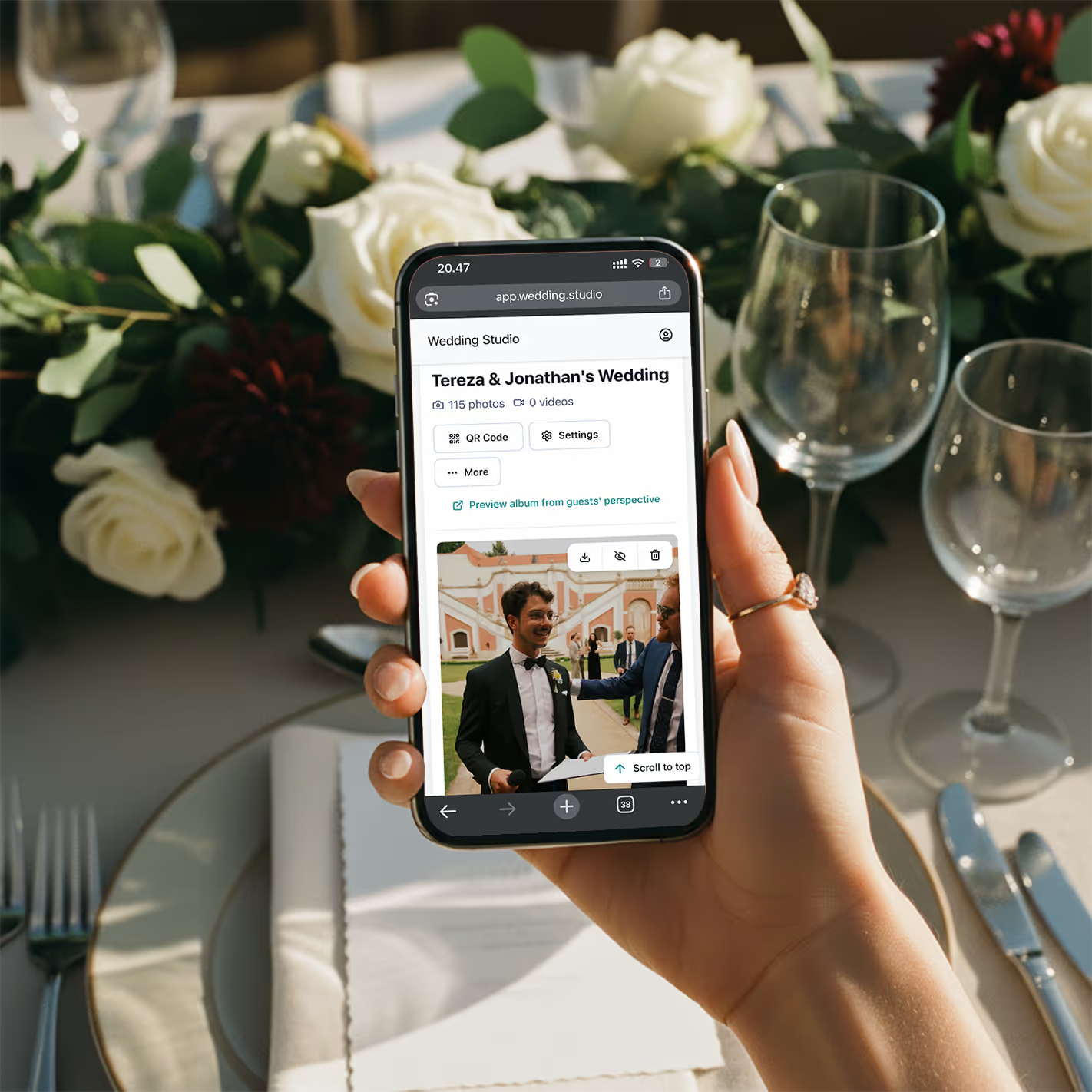
Your album fills up
Every photo and video arrives in full resolution. By the morning after your wedding, you have hundreds of guest perspectives you'd never have seen otherwise.
No app download
Works in the browser. Guests never leave the page.
Every phone
iPhone, Android, old or new. If it has a camera, it works.
5 seconds
Scan to upload in under 5 seconds. Zero learning curve.
Deel 2
Wat gasten daadwerkelijk zien
De ervaring van gasten is doorslaggevend. Duurt het langer dan een paar seconden, dan haakt men af. Dit is precies wat er gebeurt zodra een gast de telefoon pakt.
Guest sees the card on the table
A clean, beautifully designed card sits at their place setting or in the center of the table. It says something like 'Scan to share your photos' with a clear QR code.
They open their phone camera
No special app needed. Every modern smartphone — iPhone and Android — can scan QR codes natively through the default camera app.
A browser page opens instantly
No app store redirect. No login form. No 'create an account' screen. Just a clean upload page with your names and wedding date.
They tap to upload or take a photo
Guests can select photos from their camera roll or take new ones right there. Multiple photos at once, videos too. Full resolution, no compression.
Done — back to celebrating
The whole process takes 5–10 seconds. No account to remember, no password to forget, no app taking up space on their phone. They can come back and upload more anytime throughout the night.
“De voornaamste reden waarom koppels gastenfoto's mislopen, is moeite. Elke extra stap — het downloaden van een app, een account aanmaken, een gedeelde link zoeken — halveert de deelname. Een QR-code neemt al die stappen weg.”
Deel 3
QR-kaartontwerpen die bij jullie bruiloft passen
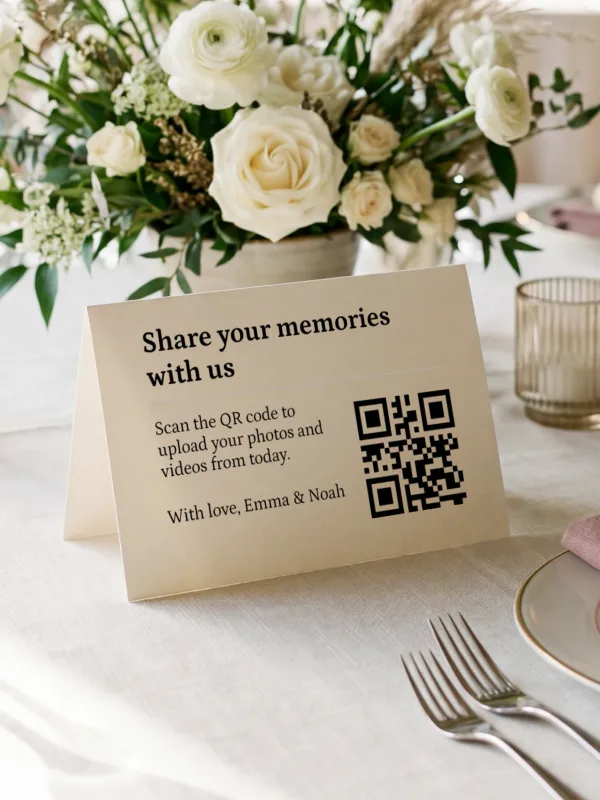
Tafelkaartjes moeten aanvoelen als een onderdeel van jullie bruiloft — niet als een digitaal product. De kaartjes van Wedding Studio zijn ontworpen om elke stijl te complementeren, van minimalistisch modern tot een romantische tuinbruiloft.
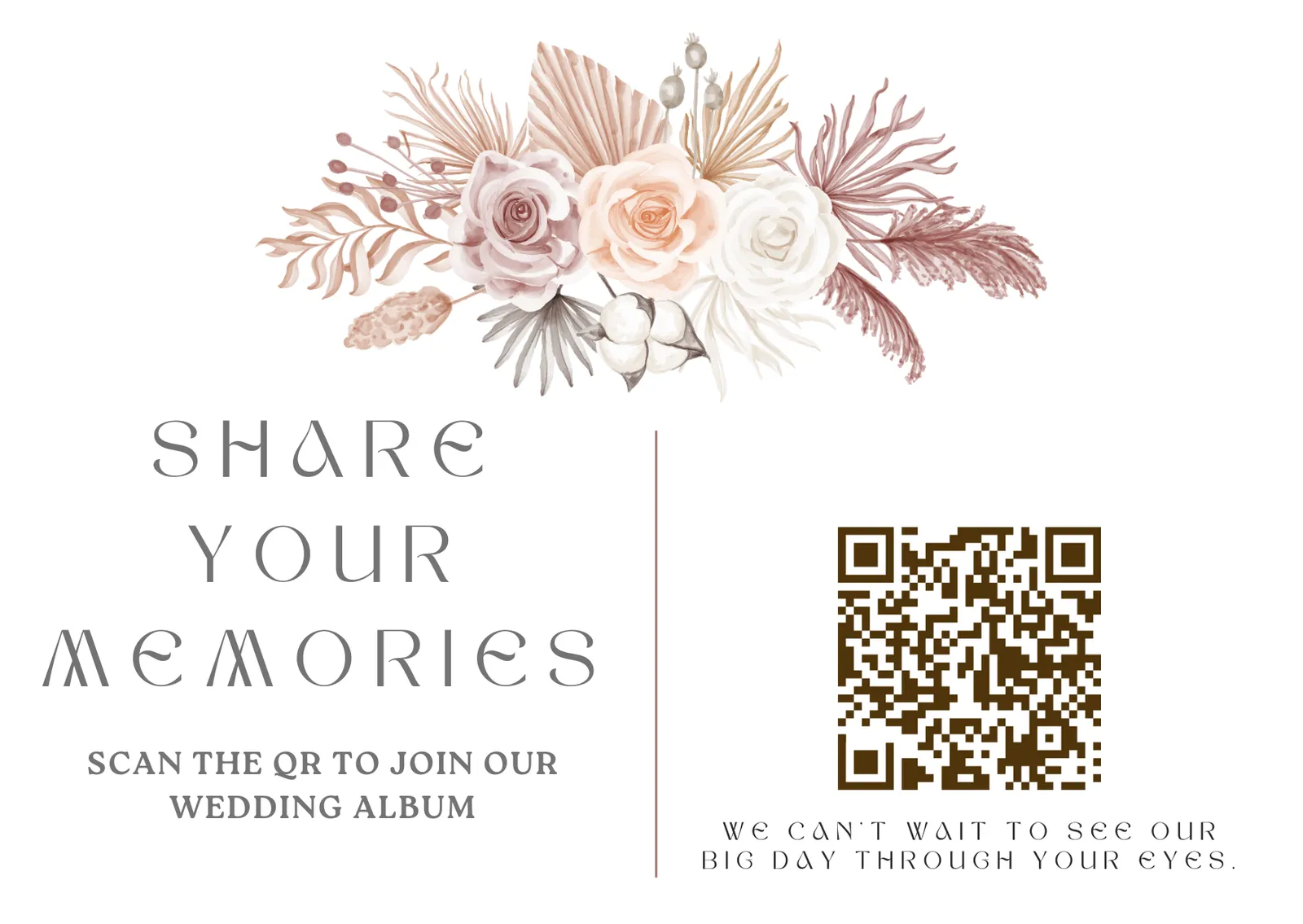
DIY — free
Download your QR code and add it to any design you create. Use your wedding stationery designer or any tool you like.
Canva templates — free
Professionally designed templates you can customize in minutes. Change colors, fonts, and text to match your wedding theme.
Printed cards — from $49
Premium cards printed and delivered to your door. High-quality cardstock, beautiful finishes, ready to place on tables.
Deel 4
Wat je krijgt bij Wedding Studio
Elk pakket bevat alle functionaliteiten. Geen verborgen kosten, geen upsells, geen functies 'alleen voor premium', en je hoeft het beheer niet bij één persoon te laten als een co-host wil meehelpen.
Unlimited photo & video uploads
No caps on how many photos or videos your guests can upload. The more, the better.
Full resolution downloads
Every photo stored at original quality. No compression, no downsizing. Download individually or as a zip.
Automatic photo categories
Uploads are grouped into wedding moments like getting ready, ceremony, reception, party, guests, and venue.
Duplicate photo finder
Review repeated or near-identical uploads before you download everything or build your photobook.
Album access until 24 months after the wedding
Guests can upload and you can download everything for 24 months after the wedding.
Video support
Guests can upload videos alongside photos. Capture the speeches, the first dance, the surprise moments.
Up to 5 albums, free
Every account includes up to five separate albums, each with its own QR code and link — for the engagement party, the wedding, and the brunch.
Voice messages
Guests can leave a spoken toast or memory alongside their photos. Included on every plan.
Disposable camera mode
Hide every upload until a reveal time you choose — all the surprise of a disposable camera, in full resolution, with nothing to develop.
Privacy controls
Choose shared mode where guests see everyone's photos, or private mode where only you and any co-hosts can view uploads. Hide or delete any photo.
Co-host invites
Invite your partner, planner, or a trusted family member to help manage setup, sharing, and moderation.
No app required
Guests scan and upload in their browser. No app download, no account creation, no friction.
Always-on access
Your QR code opens guest uploads for 24 months after the wedding. You can download everything during that same period.
Free Canva templates
Beautiful, customizable card designs you can edit in Canva and print yourself. Included with every plan.
Ervaringen van anderen
Vertrouwd door 50,000+ bruidsparen
4.8 van de 5 sterren uit 6,000+ beoordelingen. Dit is wat echte koppels zeggen.
0.8 /5
uit 6,000+ geverifieerde beoordelingen
“We got over 700 photos from our guests. The QR code was so easy that even my 80-year-old uncle figured it out without help.”
Jessica R.
180 guests, Nashville TN
“I was worried guests wouldn't bother. By the end of cocktail hour, we already had 200 photos. The no-app thing is huge — nobody wants to download something at a wedding.”
David & Mark L.
95 guests, San Francisco CA
“The QR cards matched our minimalist aesthetic perfectly. They looked like part of our stationery suite, not a tech product. And the photos we got are incredible.”
Sophia K.
250 guests, London
“Our photographer captured the posed moments beautifully, but the guest photos told the real story of our night. Candid dance floor shots, behind-the-scenes moments, perspectives we never would have seen.”
Ryan & Aisha T.
160 guests, Chicago IL
Hoe het zich verhoudt
Wedding Studio vergeleken met andere manieren om foto's te delen
Een korte vergelijking van de meest gebruikte manieren waarop koppels gastenfoto's verzamelen.
| Functie | Wedding Studio | Foto-apps | Gedeelde albums |
|---|---|---|---|
| App download required | No | Yes | Often |
| Guest account/login | No | Yes | Yes |
| Setup time | 5 minutes | 15–30 min | 10–20 min |
| Works on all phones | Yes | Varies | Varies |
| Full resolution | Yes | Varies | Usually |
| Video support | Yes | Limited | Yes |
| Beautiful table cards | Yes | No | No |
| Price | $29–99 | $50–200+ | Free |
Het grootste verschil zit in de deelname van gasten. Wanneer je elke drempel wegneemt — geen app, geen login, geen account — gebruiken gasten het ook echt. Dat is het verschil tussen 50 foto's en 500 foto's.
Tarieven
Eenvoudige, transparante prijzen
Eenmalige betaling. Geen abonnement. Kies een album of ga voor het complete pakket met gedrukte kaartjes en tegoed voor een photobook.
Inbegrepen in elk pakket
- Unlimited photo & video uploads
- Automatic photo categories
- Duplicate photo finder
- Voice messages from guests
- Disposable camera mode — photos reveal when you choose
- Full resolution downloads
- No app required for guests
- Share via link, email, or QR
- Up to 5 separate albums, each with its own QR code and link
- Invite your partner, planner, or family as co-hosts
- Guests can upload for 24 months after the wedding
- Download everything in full resolution during the same 24-month period
- Free Canva QR card templates
Eenmalige betaling, geen abonnement.
Veelgestelde vragen
How does a wedding QR code work?
A QR code is printed on a card and placed on each guest table. When guests scan it with their phone camera, a browser page opens where they can upload photos from their camera roll or take new ones. No app download, no login, no account needed. Every photo goes directly into your shared album in full resolution.
Do guests need an app to use a wedding QR code?
No. That's the entire point. When guests scan the QR code, it opens directly in their phone's browser — Safari on iPhone, Chrome on Android. They upload photos and videos without downloading anything or creating an account. This is why participation rates are so much higher than app-based solutions.
How do I set up QR codes for my wedding?
It takes about 5 minutes. Sign up, name your album, choose your wedding date, and your unique QR code is generated instantly. You can then download the QR code to add to your own designs, use our free Canva templates, or order premium printed cards delivered to your door.
What are wedding QR code table cards?
Table cards are small printed cards — typically 4x6 or 5x7 — that sit on each guest table at your wedding. They feature your QR code along with a short instruction like 'Scan to share your photos.' Wedding Studio offers beautifully designed cards that match popular wedding aesthetics, or you can create your own using free Canva templates.
How many photos will guests actually upload?
On average, Wedding Studio weddings receive 300–500 photos from guests. Larger weddings (200+ guests) regularly see 800–1,000+ uploads. Because there's zero friction — no app, no login — participation rates are significantly higher than any other method. Guests of all ages use it, including grandparents.
Can guests upload videos as well as photos?
Yes. Guests can upload both photos and videos in full resolution. This means you capture speeches, first dances, and candid moments that photos alone can't preserve. All content is stored for 24 months after the wedding and can be downloaded individually or as a single zip file.
Does Wedding Studio use AI to organize wedding photos?
Wedding Studio uses automated media processing to group uploaded photos into useful wedding moments and help identify duplicate photos. The goal is practical album organization: less manual sorting after the wedding.
Is a wedding QR code better than a shared Google Photos album?
For weddings, yes. Google Photos requires guests to have a Google account and the app installed. Many iPhone users don't have it. Shared links often break across platforms. A QR code works on every phone instantly — scan, upload, done. No accounts, no app compatibility issues, no troubleshooting at the reception.
How much does a wedding QR code cost?
Wedding Studio plans are a one-time payment — not a subscription: $29 for up to 25 guests, $69 for up to 100 guests, or $99 for unlimited guests. Every plan includes unlimited photo and video uploads, full resolution downloads, album access until 24 months after the wedding, and free Canva card templates.
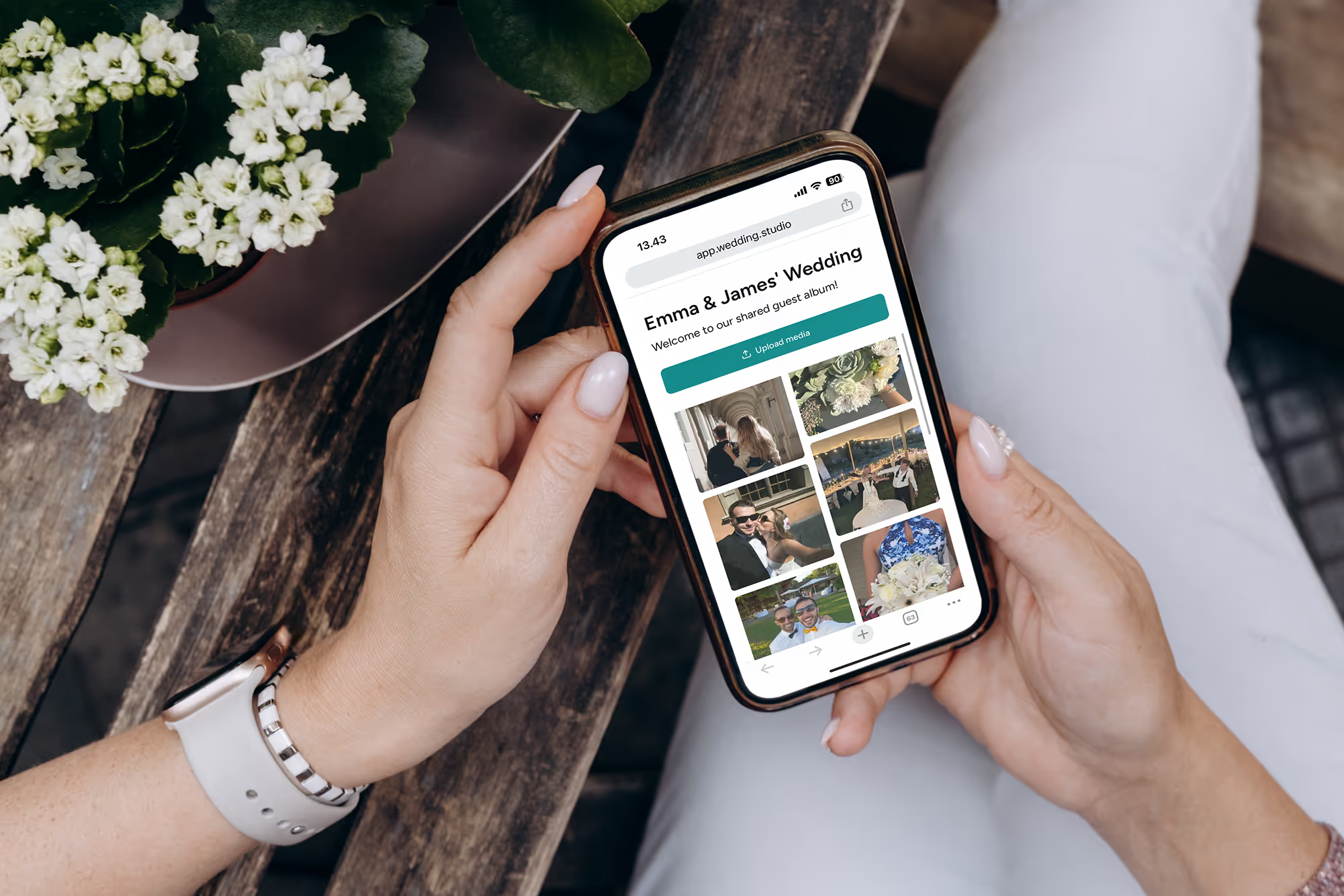
Elke gast. Elk perspectief. Elk moment.
Foto's en video's in volledige resolutie van elke bruiloftsgast — de ochtend erna. Vanaf $29.
Bij het maken van deze gids hebben we de hulp ingeroepen van een weddingplanner van topniveau.