Il team di Wedding Studio
Dati ed esperienze da 50,000+ matrimoni ospitati su Wedding Studio
Tutto quello che c'è da sapere sui codici QR per il matrimonio
I codici QR per matrimonio sono il modo più semplice per raccogliere le foto e i video di ogni invitato in un unico album. Nessuna app. Nessun accesso. Basta scansionare e caricare.
Questa guida spiega come funzionano, cosa vedono davvero gli invitati, le opzioni di design per i cartoncini e i costi. Basata sull'esperienza di 50,000+ matrimoni reali ospitati su Wedding Studio.
0+
Matrimoni realizzati
0
Recensioni
0.8 /5
Valutazione media
Parte 1
Come funzionano i codici QR per matrimonio
Il concetto è semplice: disponi un cartoncino stampato con un codice QR su ciascun tavolo. Gli invitati lo scansionano con la fotocamera del telefono e caricano le foto direttamente nel vostro album condiviso. Nessun download di app. Nessun accesso. Nessuna complicazione.
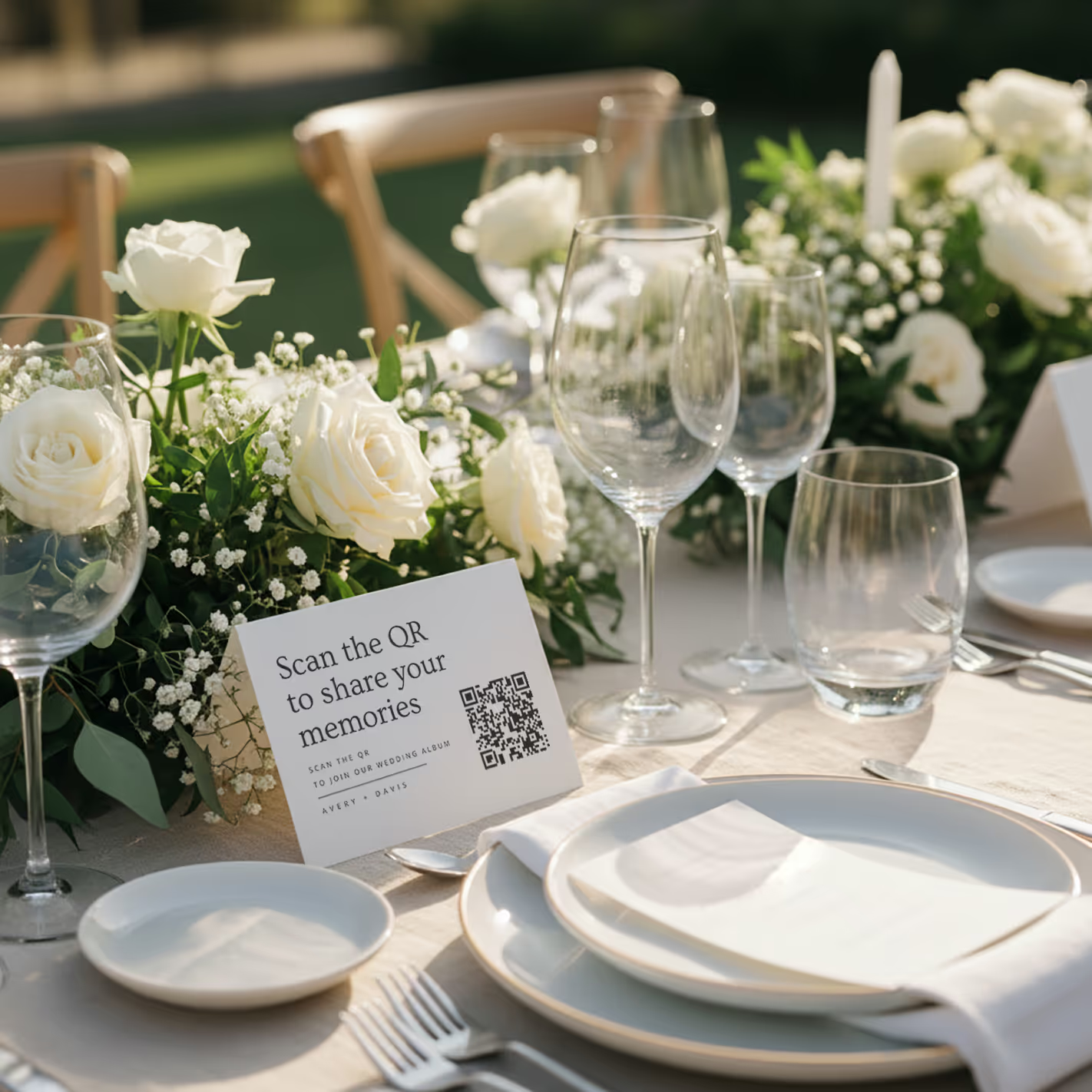
QR cards on tables
Printed cards sit on each guest table. Clean, elegant, and impossible to miss. Works with any wedding aesthetic.
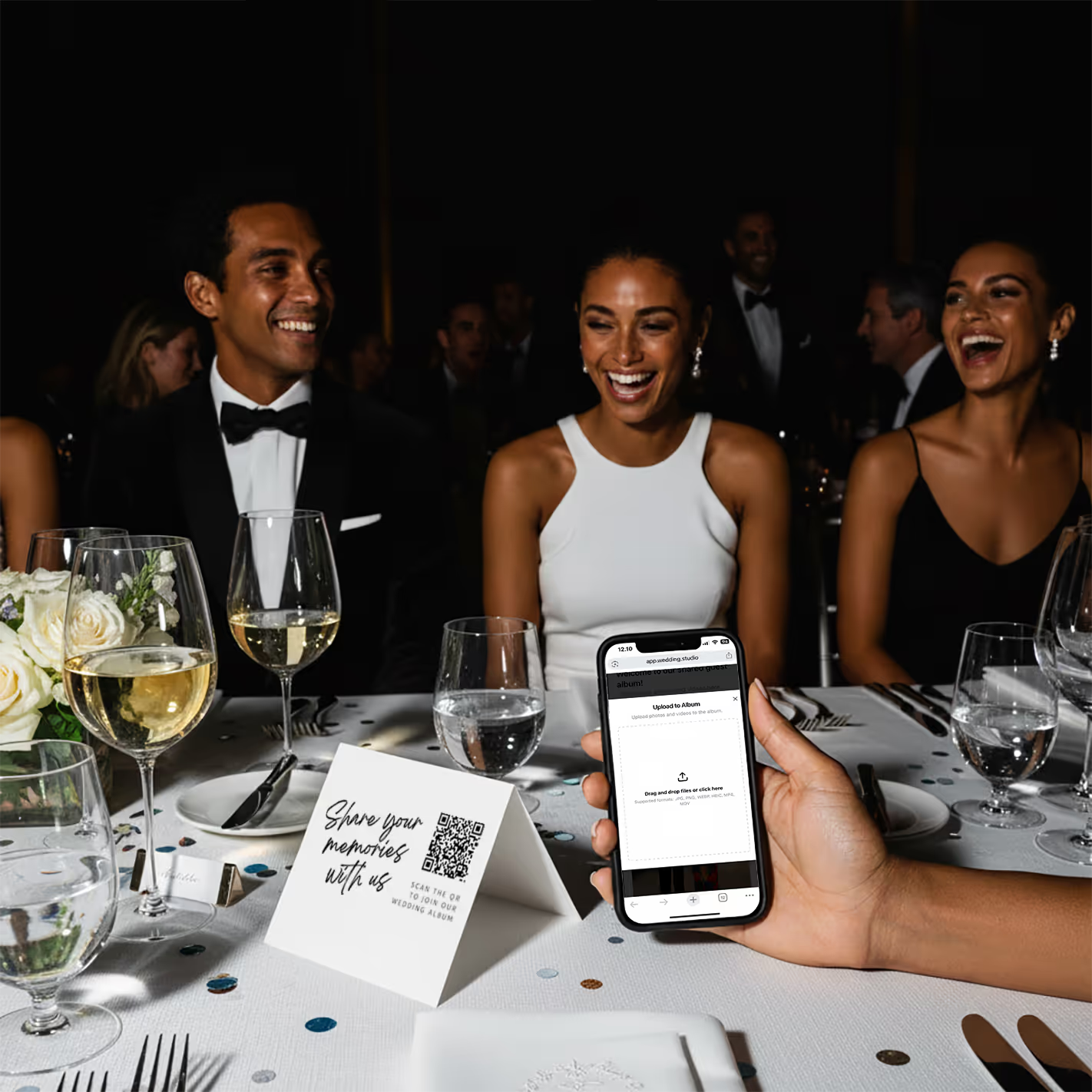
Guests scan & upload
Guests point their phone camera at the QR code. A browser page opens instantly — no app store, no login screen. They upload from their camera roll or take new photos on the spot.
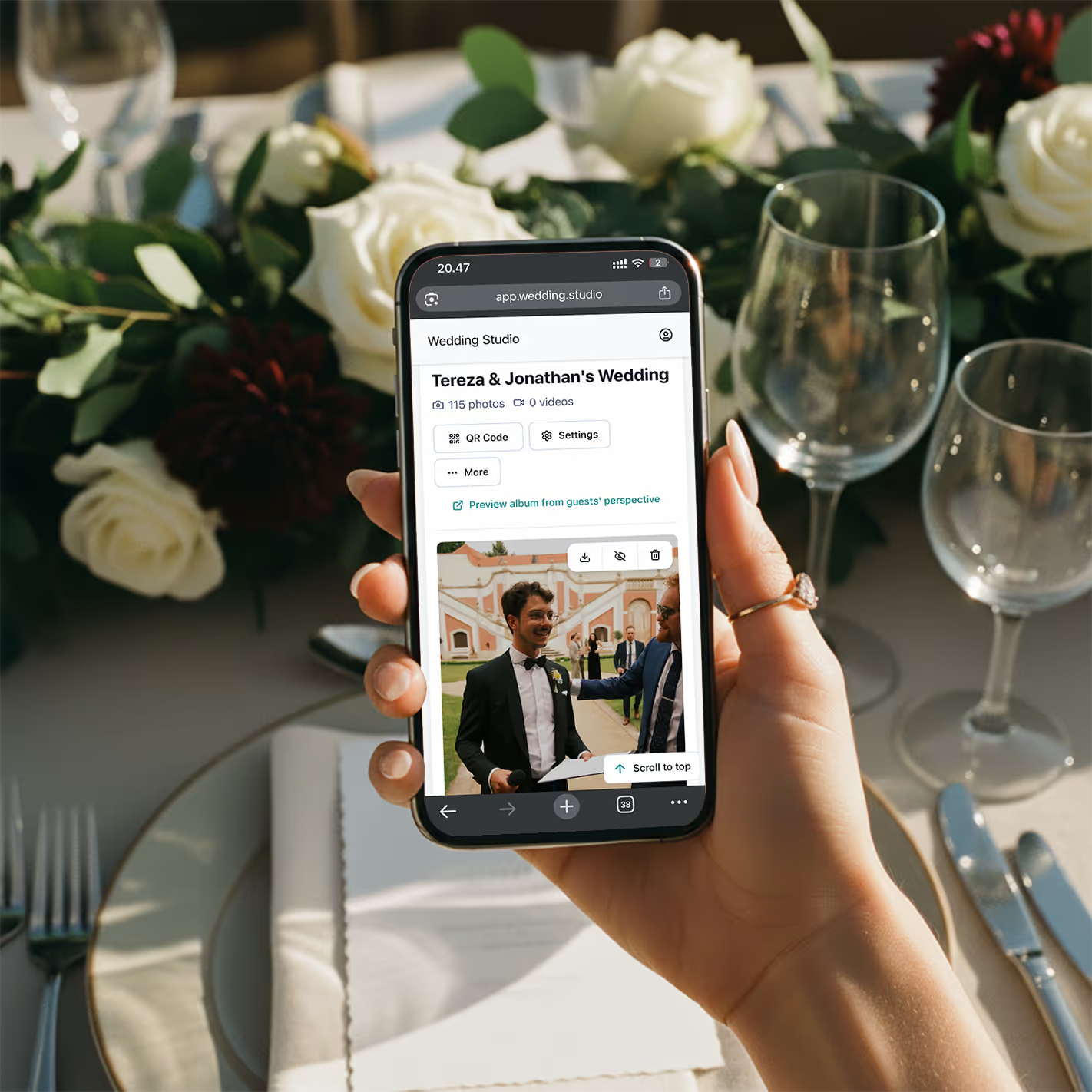
Your album fills up
Every photo and video arrives in full resolution. By the morning after your wedding, you have hundreds of guest perspectives you'd never have seen otherwise.
No app download
Works in the browser. Guests never leave the page.
Every phone
iPhone, Android, old or new. If it has a camera, it works.
5 seconds
Scan to upload in under 5 seconds. Zero learning curve.
Parte 2
Cosa vedono effettivamente gli invitati
L'esperienza degli invitati è il fattore determinante. Se richiede più di qualche secondo, la partecipazione cala. Ecco esattamente cosa succede quando un invitato prende in mano il telefono.
Guest sees the card on the table
A clean, beautifully designed card sits at their place setting or in the center of the table. It says something like 'Scan to share your photos' with a clear QR code.
They open their phone camera
No special app needed. Every modern smartphone — iPhone and Android — can scan QR codes natively through the default camera app.
A browser page opens instantly
No app store redirect. No login form. No 'create an account' screen. Just a clean upload page with your names and wedding date.
They tap to upload or take a photo
Guests can select photos from their camera roll or take new ones right there. Multiple photos at once, videos too. Full resolution, no compression.
Done — back to celebrating
The whole process takes 5–10 seconds. No account to remember, no password to forget, no app taking up space on their phone. They can come back and upload more anytime throughout the night.
“Il motivo principale per cui le coppie perdono le foto degli invitati sono le complicazioni. Ogni passaggio in più — scaricare un'app, creare un account, trovare un link condiviso — dimezza la partecipazione. Un codice QR elimina tutti questi passaggi.”
Parte 3
Grafiche per cartoncini QR che si abbinano al tuo matrimonio
I cartoncini segnatavolo dovrebbero essere parte integrante del matrimonio, non sembrare un prodotto tecnologico. I cartoncini di Wedding Studio sono disegnati per valorizzare qualsiasi stile, dal moderno minimalista al romantico in giardino.
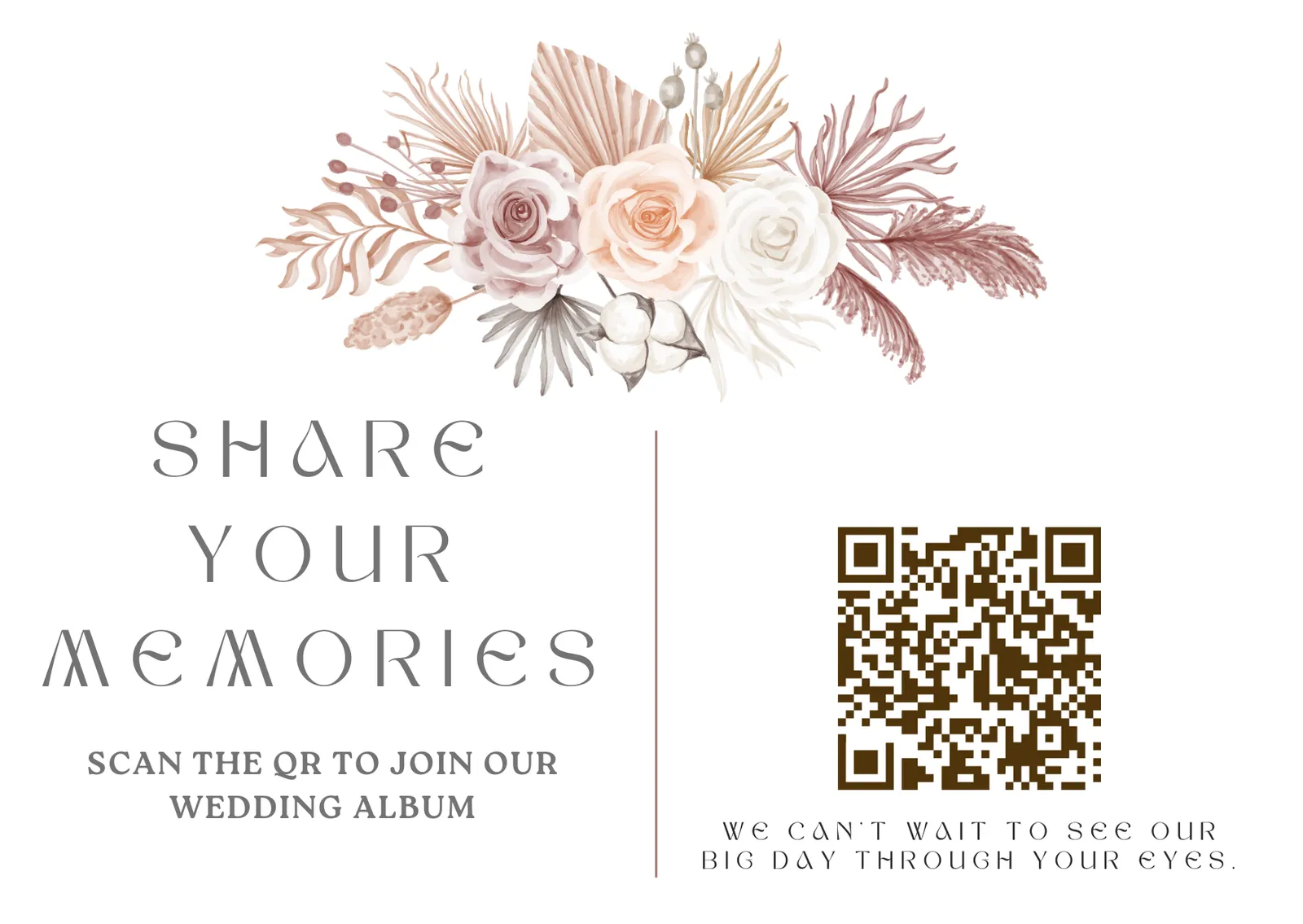
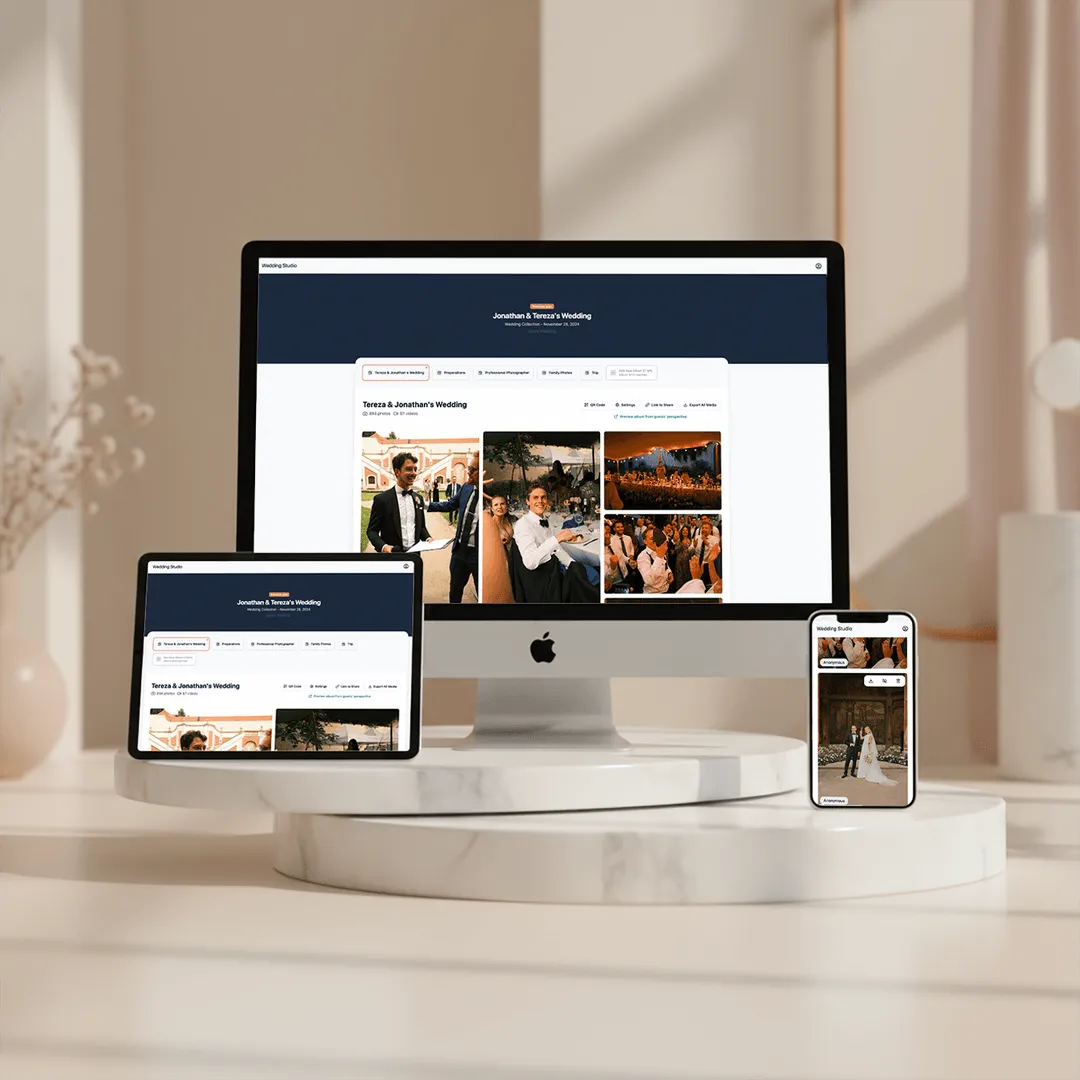
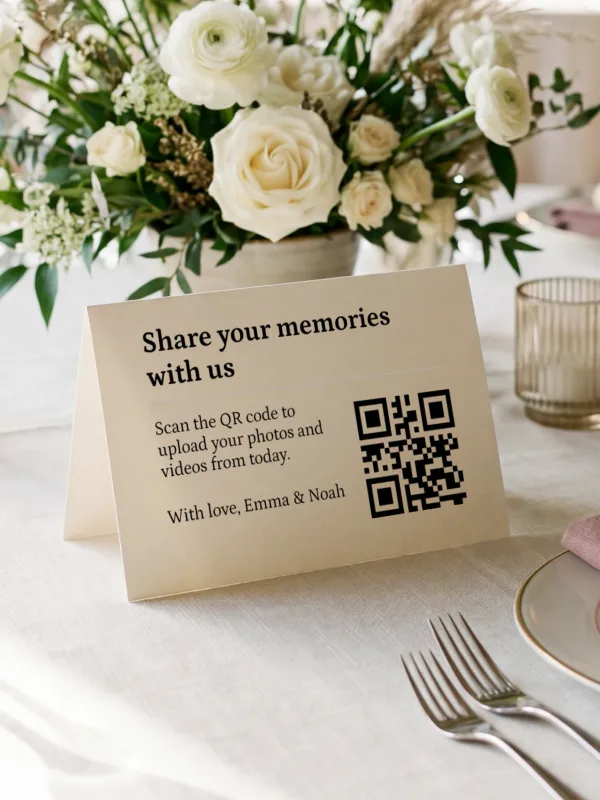
DIY — free
Download your QR code and add it to any design you create. Use your wedding stationery designer or any tool you like.
Canva templates — free
Professionally designed templates you can customize in minutes. Change colors, fonts, and text to match your wedding theme.
Printed cards — from $49
Premium cards printed and delivered to your door. High-quality cardstock, beautiful finishes, ready to place on tables.
Parte 4
Cosa include Wedding Studio
Ogni piano include tutte le funzionalità. Nessun costo nascosto, nessun upsell, nessuna funzione riservata ai “piani premium” e nessuna necessità di gestire tutto da soli se desideri farti aiutare da un co-host.
Unlimited photo & video uploads
No caps on how many photos or videos your guests can upload. The more, the better.
Full resolution downloads
Every photo stored at original quality. No compression, no downsizing. Download individually or as a zip.
Automatic photo categories
Uploads are grouped into wedding moments like getting ready, ceremony, reception, party, guests, and venue.
Duplicate photo finder
Review repeated or near-identical uploads before you download everything or build your photobook.
Album access until 24 months after the wedding
Guests can upload and you can download everything for 24 months after the wedding.
Video support
Guests can upload videos alongside photos. Capture the speeches, the first dance, the surprise moments.
Up to 5 albums, free
Every account includes up to five separate albums, each with its own QR code and link — for the engagement party, the wedding, and the brunch.
Voice messages
Guests can leave a spoken toast or memory alongside their photos. Included on every plan.
Disposable camera mode
Hide every upload until a reveal time you choose — all the surprise of a disposable camera, in full resolution, with nothing to develop.
Privacy controls
Choose shared mode where guests see everyone's photos, or private mode where only you and any co-hosts can view uploads. Hide or delete any photo.
Co-host invites
Invite your partner, planner, or a trusted family member to help manage setup, sharing, and moderation.
No app required
Guests scan and upload in their browser. No app download, no account creation, no friction.
Always-on access
Your QR code opens guest uploads for 24 months after the wedding. You can download everything during that same period.
Free Canva templates
Beautiful, customizable card designs you can edit in Canva and print yourself. Included with every plan.
La parola alle coppie
Scelto da 50,000+ coppie
4.8 su 5 stelle da 6,000+ recensioni. Ecco cosa dicono le coppie reali.
0.8 /5
da 6,000+ recensioni verificate
“We got over 700 photos from our guests. The QR code was so easy that even my 80-year-old uncle figured it out without help.”
Jessica R.
180 guests, Nashville TN
“I was worried guests wouldn't bother. By the end of cocktail hour, we already had 200 photos. The no-app thing is huge — nobody wants to download something at a wedding.”
David & Mark L.
95 guests, San Francisco CA
“The QR cards matched our minimalist aesthetic perfectly. They looked like part of our stationery suite, not a tech product. And the photos we got are incredible.”
Sophia K.
250 guests, London
“Our photographer captured the posed moments beautifully, but the guest photos told the real story of our night. Candid dance floor shots, behind-the-scenes moments, perspectives we never would have seen.”
Ryan & Aisha T.
160 guests, Chicago IL
Il confronto
Wedding Studio rispetto agli altri metodi di condivisione foto
Un rapido confronto tra i metodi più comuni usati dalle coppie per raccogliere le foto degli invitati.
| Funzionalità | Wedding Studio | App di foto | Album condivisi |
|---|---|---|---|
| App download required | No | Yes | Often |
| Guest account/login | No | Yes | Yes |
| Setup time | 5 minutes | 15–30 min | 10–20 min |
| Works on all phones | Yes | Varies | Varies |
| Full resolution | Yes | Varies | Usually |
| Video support | Yes | Limited | Yes |
| Beautiful table cards | Yes | No | No |
| Price | $29–99 | $50–200+ | Free |
La differenza più grande sta nella partecipazione degli invitati. Quando rimuovi ogni ostacolo — nessuna app, nessun login, nessun account — le persone partecipano davvero. È la differenza che passa tra 50 foto e 500.
Prezzi
Prezzi semplici e trasparenti
Pagamento unico. Nessun abbonamento. Scegli un album o acquista il pacchetto completo con cartoncini stampati e credito per il fotobook.
Incluso in ogni piano
- Unlimited photo & video uploads
- Automatic photo categories
- Duplicate photo finder
- Voice messages from guests
- Disposable camera mode — photos reveal when you choose
- Full resolution downloads
- No app required for guests
- Share via link, email, or QR
- Up to 5 separate albums, each with its own QR code and link
- Invite your partner, planner, or family as co-hosts
- Guests can upload for 24 months after the wedding
- Download everything in full resolution during the same 24-month period
- Free Canva QR card templates
Pagamento unico, non un abbonamento.
Domande frequenti
How does a wedding QR code work?
A QR code is printed on a card and placed on each guest table. When guests scan it with their phone camera, a browser page opens where they can upload photos from their camera roll or take new ones. No app download, no login, no account needed. Every photo goes directly into your shared album in full resolution.
Do guests need an app to use a wedding QR code?
No. That's the entire point. When guests scan the QR code, it opens directly in their phone's browser — Safari on iPhone, Chrome on Android. They upload photos and videos without downloading anything or creating an account. This is why participation rates are so much higher than app-based solutions.
How do I set up QR codes for my wedding?
It takes about 5 minutes. Sign up, name your album, choose your wedding date, and your unique QR code is generated instantly. You can then download the QR code to add to your own designs, use our free Canva templates, or order premium printed cards delivered to your door.
What are wedding QR code table cards?
Table cards are small printed cards — typically 4x6 or 5x7 — that sit on each guest table at your wedding. They feature your QR code along with a short instruction like 'Scan to share your photos.' Wedding Studio offers beautifully designed cards that match popular wedding aesthetics, or you can create your own using free Canva templates.
How many photos will guests actually upload?
On average, Wedding Studio weddings receive 300–500 photos from guests. Larger weddings (200+ guests) regularly see 800–1,000+ uploads. Because there's zero friction — no app, no login — participation rates are significantly higher than any other method. Guests of all ages use it, including grandparents.
Can guests upload videos as well as photos?
Yes. Guests can upload both photos and videos in full resolution. This means you capture speeches, first dances, and candid moments that photos alone can't preserve. All content is stored for 24 months after the wedding and can be downloaded individually or as a single zip file.
Does Wedding Studio use AI to organize wedding photos?
Wedding Studio uses automated media processing to group uploaded photos into useful wedding moments and help identify duplicate photos. The goal is practical album organization: less manual sorting after the wedding.
Is a wedding QR code better than a shared Google Photos album?
For weddings, yes. Google Photos requires guests to have a Google account and the app installed. Many iPhone users don't have it. Shared links often break across platforms. A QR code works on every phone instantly — scan, upload, done. No accounts, no app compatibility issues, no troubleshooting at the reception.
How much does a wedding QR code cost?
Wedding Studio plans are a one-time payment — not a subscription: $29 for up to 25 guests, $69 for up to 100 guests, or $99 for unlimited guests. Every plan includes unlimited photo and video uploads, full resolution downloads, album access until 24 months after the wedding, and free Canva card templates.
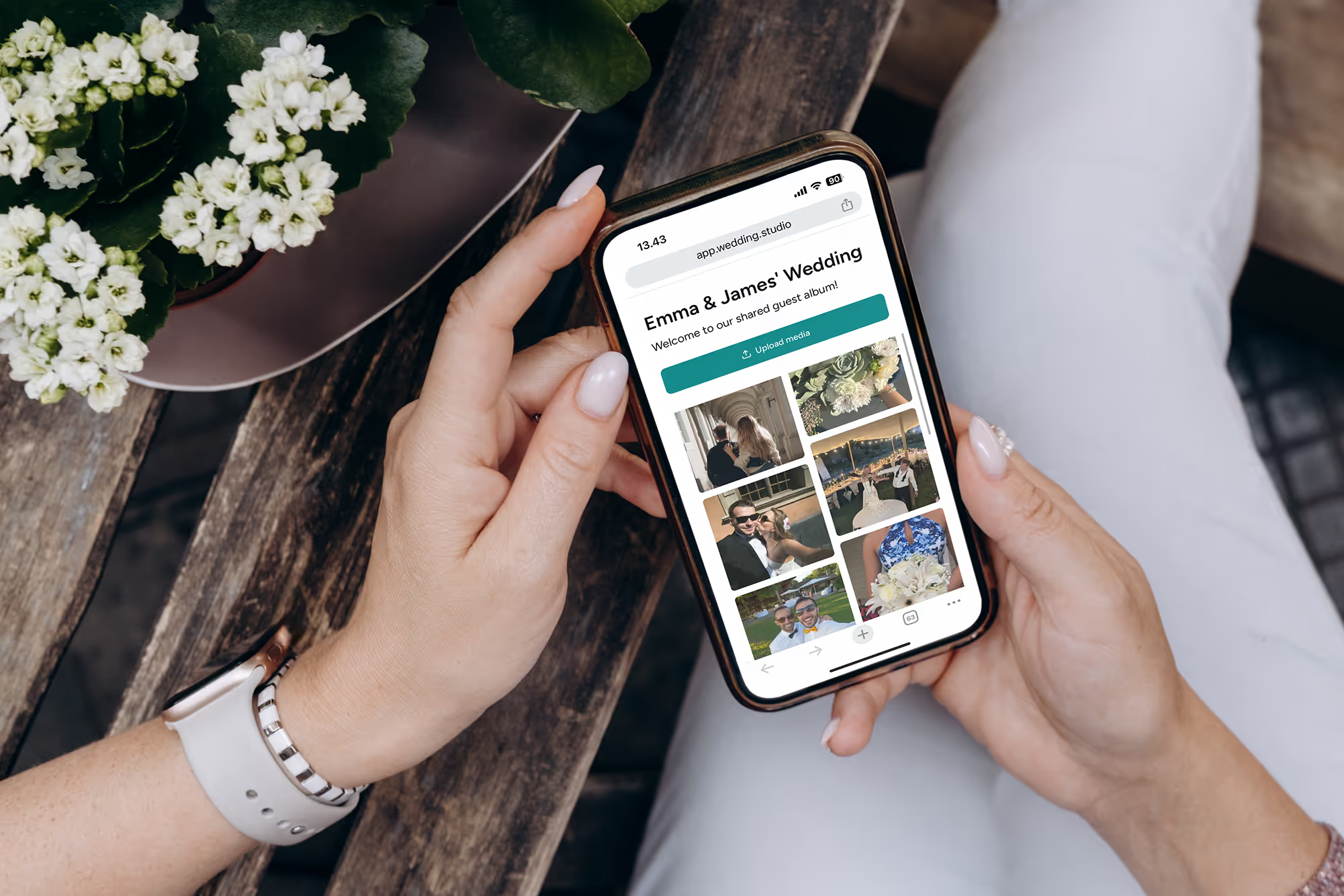
Ogni invitato. Ogni angolazione. Ogni momento.
Foto e video in piena risoluzione da tutti gli invitati al tuo matrimonio, la mattina dopo. Da $29.
Per creare questa guida ci siamo affidati all'aiuto di una wedding planner di fama internazionale.